

Contents
WooCommerce - Plugixa CRM
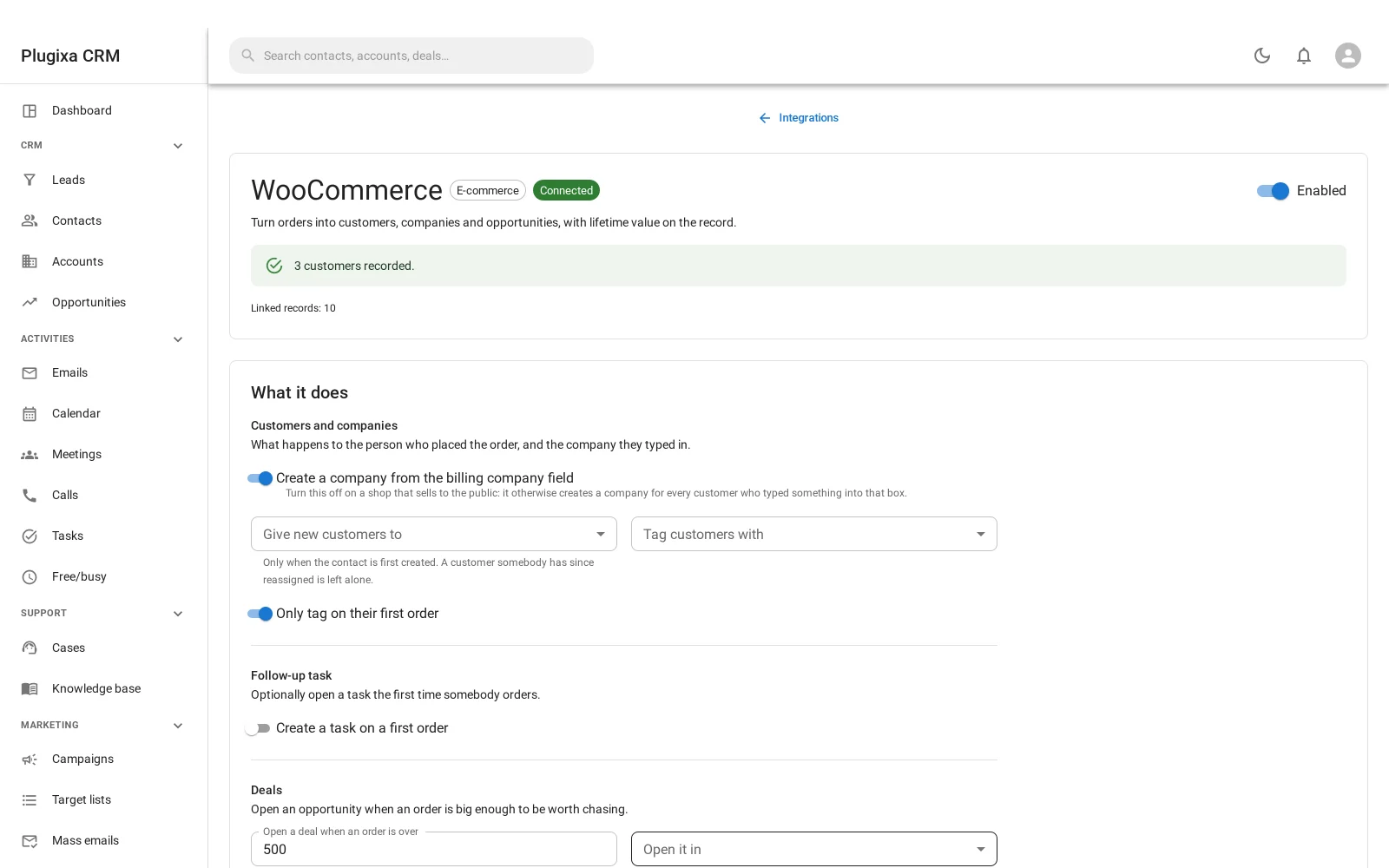
Where this appears: a Shop panel on a contact’s own record, plus a configuration card on the Integrations screen. There is no sidebar item.
Pro connector. See the Free vs Pro matrix.
The shop as customers, not as orders
This is the difference from every other WooCommerce-to-CRM bridge, and it is the reason to use it.
The usual arrangement turns an order into a tag on a contact. You end up with a contact list where somebody is tagged “bought-in-march”, which tells you almost nothing.
This turns an order into a contact on an account, with an order history and a running lifetime value. The person who ordered is a person; the company they typed into the billing form is a company; and what they have spent is on the record where you would look for it.
What it does with an order
| Setting | What it decides |
|---|---|
| Create a company from the billing company field | Whether the company somebody typed becomes an account |
| Give new customers to | Who owns a newly created contact |
| Tag customers with | A tag applied on creation |
| Only tag on their first order | Whether that tag is reapplied every time |
| Create a task on a first order | An optional follow-up when somebody orders for the first time |
| Open a deal when an order is over | A threshold above which an order is worth chasing, and which pipeline it lands in |
Turn the company option off on a shop that sells to the public. It otherwise creates an account for every customer who typed something into that box, and your account list becomes a list of individuals.
Ownership is only assigned when the contact is first created. A customer somebody has since reassigned is left alone, which is what you want: the connector should not undo a human decision every time that customer buys something.
Orders are queued, not processed inline
The hooks fire when an order is placed and do one thing: enqueue. The work happens on cron afterwards.
That protects the checkout. If the CRM is slow or something throws, the customer still completes their purchase. A shop that fails to take money because the CRM behind it failed is not a trade anybody would make.
It works with HPOS
WooCommerce’s High-Performance Order Storage changes where orders live. The connector reads orders only through WooCommerce’s own functions rather than querying the tables, so it works on both the legacy storage and HPOS without knowing which you are using.
Backfill
Connecting does not only look forward. Existing orders can be brought in, so your CRM starts with the history the shop already has rather than from today.
Troubleshooting
| Symptom | Usual cause |
|---|---|
| The panel is not on a contact | Pro connector, or that contact has placed no orders. |
| An account was created for every customer | Turn off the billing-company option on a consumer shop. |
| A customer’s owner keeps changing | It should not. Ownership is assigned only on first creation. |
| Orders appear late | They are queued and processed on cron, to protect the checkout. |
| No deal was created | The order is below the threshold, or no pipeline is chosen. |
| Old orders are missing | Run the backfill. |
| Nothing syncs after switching HPOS on | It should be unaffected. Report it. |
| Disabling the connector did not stop syncing | It should. Report it; this was once a real bug. |
What to do next
- Where customers land: Contacts and Accounts.
- What a large order can open: Opportunities.
- The framework behind the card: Integrations and Webhooks.