

Contents
Google Calendar - Plugixa CRM
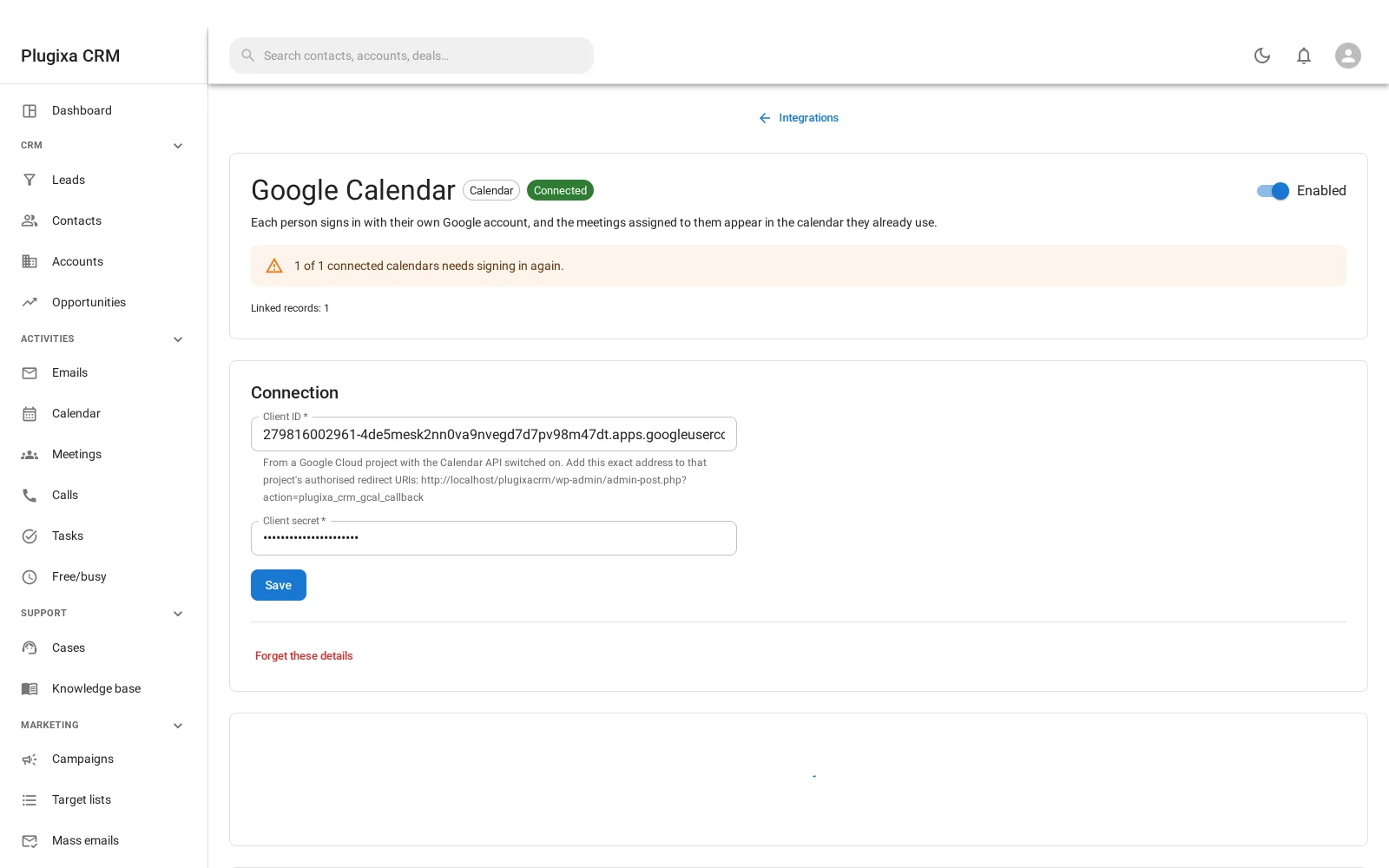
Where this appears: the Integrations screen, as a card called Google Calendar. There is no sidebar item.
Pro connector. See the Free vs Pro matrix.
Each person signs in as themselves
This is the first connector in the plugin that signs in as a person rather than as the site.
Every member of staff connects their own Google account from the card, and the meetings assigned to them appear in the calendar they already use. Nobody sees anybody else’s.
That also means an administrator cannot connect it once on everyone’s behalf, and should not be able to: it is a person’s own calendar.
The sync is lopsided, on purpose
Meetings go out. Very little comes back.
| Direction | What happens |
|---|---|
| CRM to Google | A meeting assigned to a connected person appears in their calendar, and updates when it changes |
| Google to CRM | Only two things: it moved, and it was called off |
Google never creates a CRM meeting. That is the decision, and it is worth understanding rather than working around.
A calendar contains dentist appointments, school runs and lunch. A sync that created a CRM record from every Google event would fill your CRM with somebody’s private life, and then the activity reporting would be about that. So the CRM is the source of what is a business meeting, and Google is where it is displayed.
What does come back is the part that matters: if somebody drags a meeting in Google, or declines it there, the CRM finds out.
Setting it up
The connector needs Google credentials for your site: a project, the Calendar API enabled, and an OAuth client. The card walks through it and tells you exactly what redirect URL to register.
After that, each person presses connect and signs in.
Disconnecting
Disconnecting one person stops their sync and leaves everybody else’s alone. Meetings already in their Google calendar stay there; the CRM stops updating them.
Troubleshooting
| Symptom | Usual cause |
|---|---|
| The card is not on the Integrations screen | Pro connector. It is not in the free download. |
| Nothing appears in somebody’s calendar | They have not connected their own account. Each person connects separately. |
| A Google event did not create a CRM meeting | Correct, and deliberate. Google never creates CRM meetings. |
| A cancelled Google event is still in the CRM | Cancellation does come back. Check the sync is still connected. |
| Sign-in fails with a redirect error | The redirect URL registered with Google does not match the one the card shows. |
| An admin cannot connect on somebody’s behalf | By design. It is that person’s calendar. |
| Meetings stopped syncing | The Google token expired or was revoked. Reconnect. |
What to do next
- The other calendar connector: Microsoft 365 PRO.
- What is being synced: Meetings and Calls.
- The CRM’s own calendar: Calendar and Availability.