

Contents
Microsoft 365 - Plugixa CRM
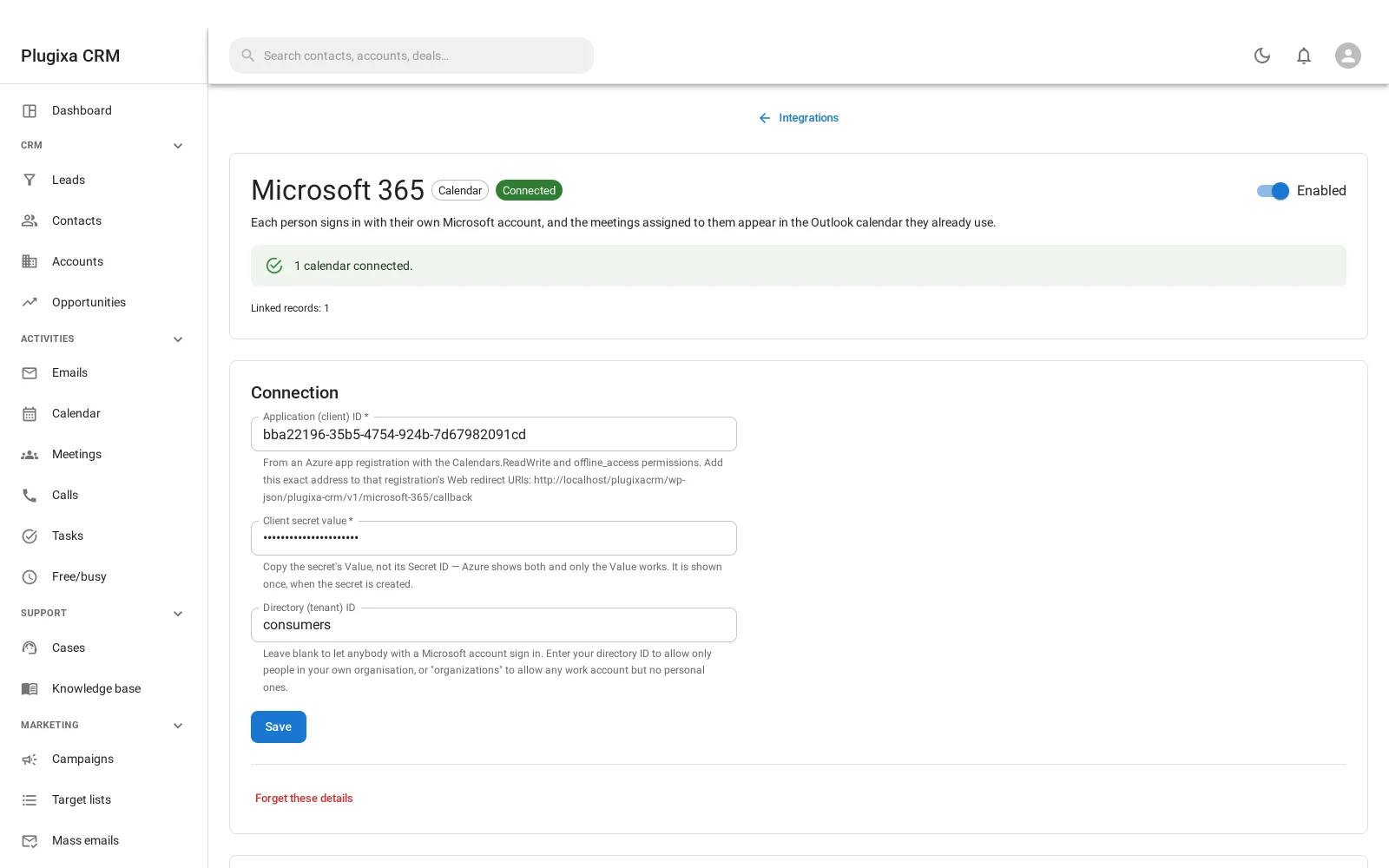
Where this appears: the Integrations screen, as a card called Microsoft 365. There is no sidebar item.
Pro connector. See the Free vs Pro matrix.
It does two things, and the second is the one people buy it for.
1. Outlook calendars
The same arrangement as Google Calendar: each person signs in with their own Microsoft account, meetings assigned to them appear in the Outlook calendar they already use, and Microsoft can say a meeting moved or was cancelled but never creates a CRM meeting.
2. Reading a Microsoft mailbox, with no password stored
This is the important half.
Microsoft switched off password sign-in for mail in October 2022. Since then, connecting a Microsoft mailbox to anything using IMAP and a password has been simply impossible - and the only thing most software could tell you was that your username or password was wrong, which was neither true nor useful.
This connector reads such a mailbox through the same sign-in you already use for the calendar. There is nothing to type: choose Microsoft 365 sign-in when adding a mail account and the server, the port and the credentials are all unnecessary.
Everything downstream is unchanged. Mail becomes cases, replies thread onto the case they continue, and messages are still matched on Message-ID so a re-poll does not duplicate a conversation. See Inbound Email and Email-to-Case.
Contacts are deliberately not synced
Outlook contacts are not brought in, and that is a decision rather than a gap.
An Outlook address book is everybody the person has ever emailed: colleagues, suppliers, their landlord, a recruiter. Importing it would put all of that into your CRM as contacts, and the contact list would stop meaning “people we do business with” within a week.
Setting it up
The connector needs an app registration in your own Microsoft tenant, with the calendar and mail permissions and a redirect URL the card gives you. Then each person presses connect and signs in.
A deliberate second copy
Internally this connector is a second implementation of the Google one rather than an abstraction shared with it. That is on purpose: the two providers differ in about five provider-shaped ways, and an abstraction over both would have to express every one of those differences as a special case, which is a worse thing to maintain than two clear implementations.
You would only notice this if you were reading the code, but it explains why the two cards behave so similarly and can still differ in the details.
Troubleshooting
| Symptom | Usual cause |
|---|---|
| The card is not on the Integrations screen | Pro connector. It is not in the free download. |
| “Your username or password is wrong” on a Microsoft mailbox | Microsoft disabled password sign-in for mail. Use Microsoft 365 sign-in instead of IMAP. |
| Sign-in fails with a redirect error | The redirect URL in your app registration does not match the one the card shows. |
| Consent is refused | The app registration is missing a permission, or a tenant admin has to approve it. |
| Outlook contacts did not import | Correct, and deliberate. |
| An Outlook event did not create a CRM meeting | Also deliberate. Microsoft never creates CRM meetings. |
| Mail stopped arriving | The token expired or was revoked. Reconnect the account. |
What to do next
- What it feeds: Inbound Email and Email-to-Case.
- The other calendar connector: Google Calendar PRO.
- What leaves your site: Privacy and Data.