

Contents
Opportunities and pipelines - Plugixa CRM
An opportunity is a deal: an amount, a close date and a position on a pipeline.
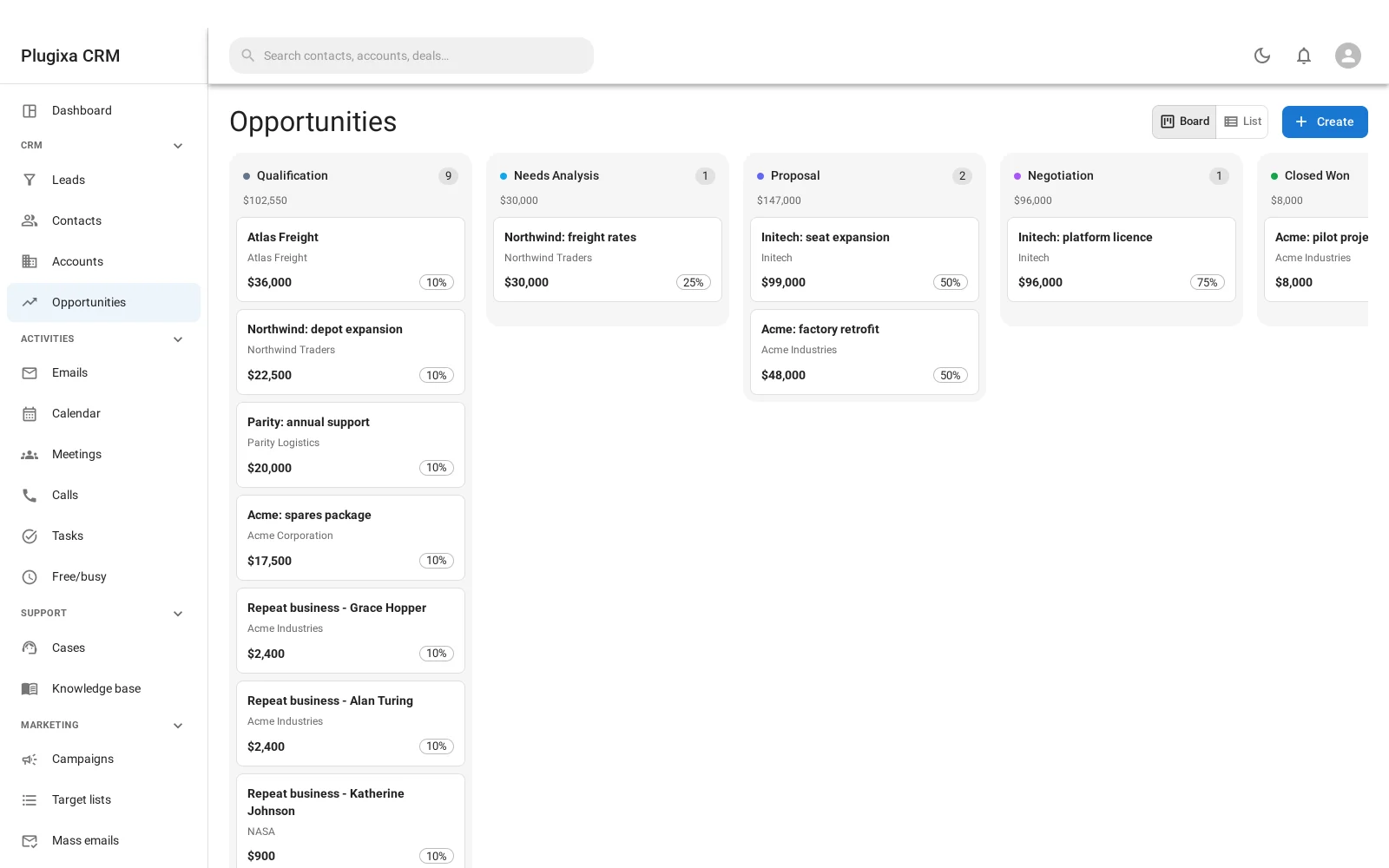
Two views of the same list
Board is the kanban: a column per stage, each with a count and a total, and cards you drag between them.
List is the table, for when you want to sort by close date or filter by owner rather than see the shape of the pipeline.
Fields
| Field | Why it is there |
|---|---|
| Name | What the deal is |
| Account | The company. Contact and lead are optional links too |
| Amount and currency | What it is worth |
| Close date | When you expect it to land |
| Pipeline and stage | Where it is |
| Probability | Copied from the stage, and editable per deal |
| Status | Open, won or lost. Derived from the stage, never set by hand |
| Lost reason | Recorded when a deal moves into a losing stage |
| Source | Where the deal came from |
Pipelines and stages
A pipeline is an ordered set of stages, and each stage carries three things that matter:
- A type:
open,wonorlost. - A probability, as a percentage.
- A colour, which is what makes the board readable at a glance.
The default pipeline ships with five: Qualification (10%), Needs Analysis (25%), Proposal (50%), Negotiation (75%) and Closed Won (100%).
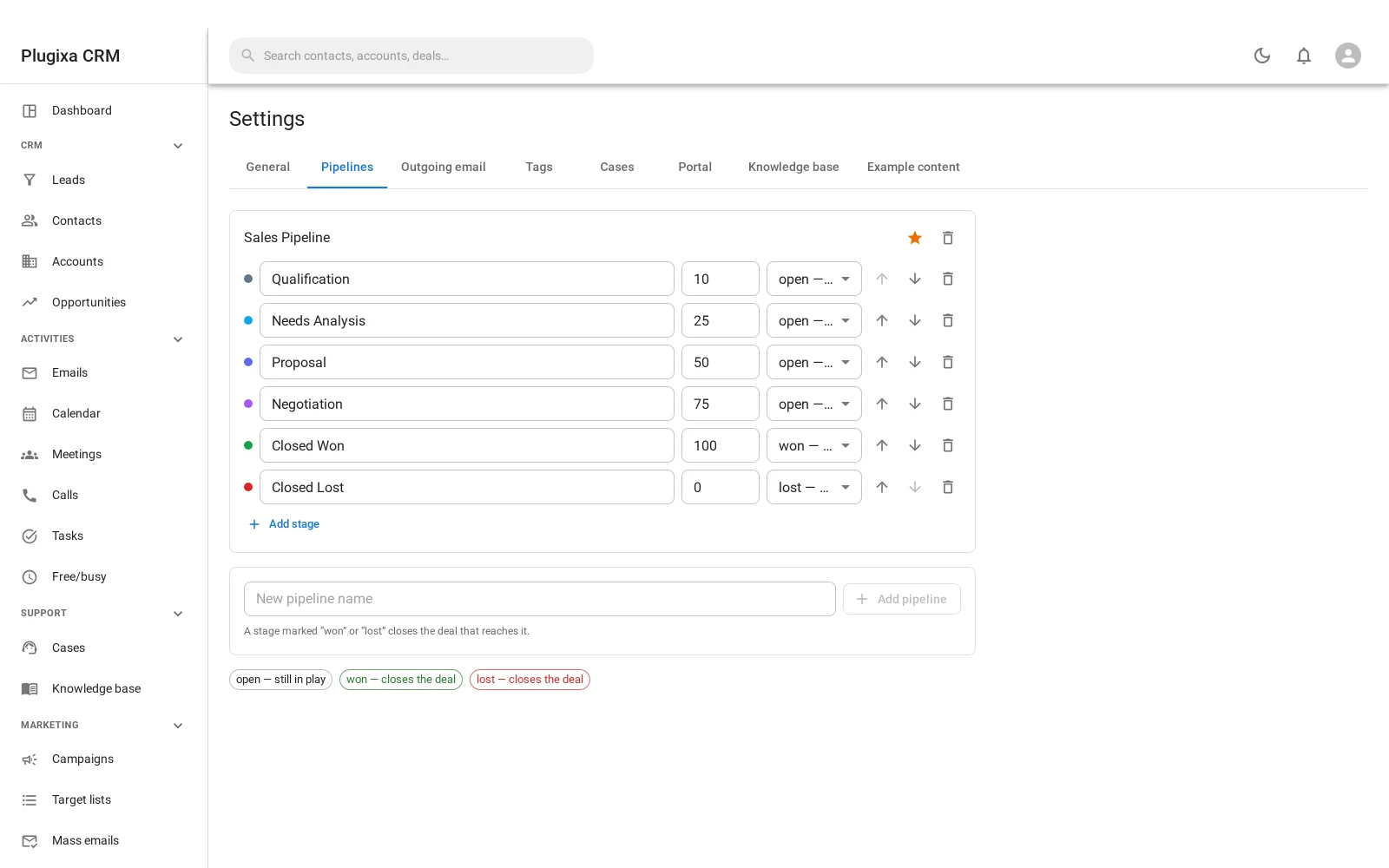
Add your own stages, reorder them, change the probabilities, or build a second pipeline for a different kind of sale.
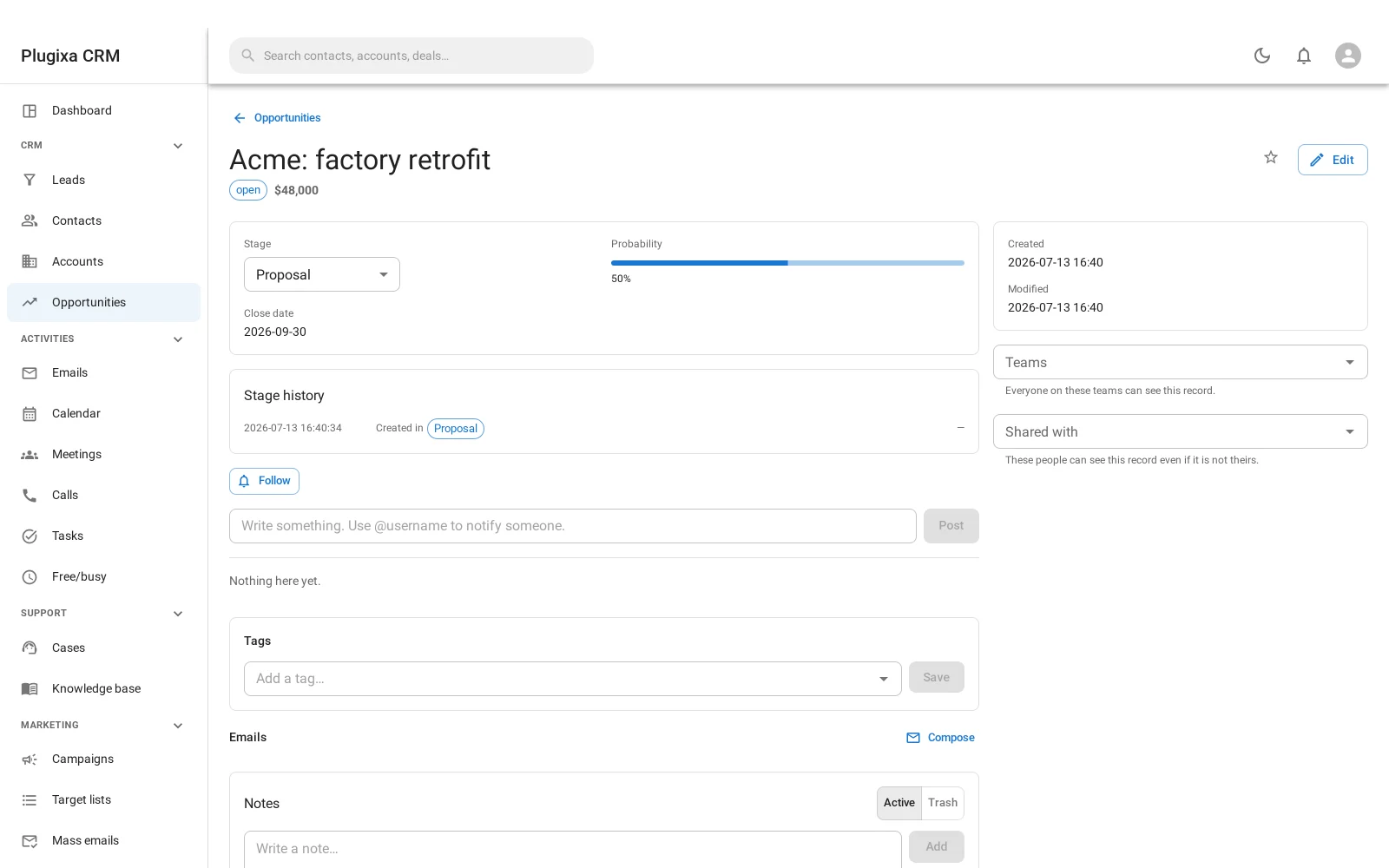
Moving a stage is the only way a deal changes status
You never set “won” on a deal. You move it into a stage whose type is won, and
four things happen together:
- The stage changes.
- The status becomes the stage’s type.
- The probability is taken from the stage.
- The closed date is stamped, or cleared if the deal is being reopened.
That last one is easy to get wrong by hand. Reopening a deal clears the close stamp, or it would stay closed forever with a date in the past.
A stage from another pipeline is refused
Moving a deal to a stage that belongs to a different pipeline would leave it off its own board entirely: visible nowhere, and counted in the wrong forecast. The move is rejected rather than allowed to produce that.
Stage history
Every move is recorded: which stage it came from, which it went to, what the deal was worth at the time, and how long it spent in the stage it left.
That last figure is what makes “where do deals stall” answerable, and it is why the reports can show more than a snapshot.
The weighted forecast
The forecast is not the total of everything open. It is each open deal multiplied by its probability, added up.
A pipeline of ten deals worth 10,000 each, all sitting at 10%, forecasts 10,000 rather than 100,000. That is the number worth reporting, and it is what the dashboard and the reports both show.
Troubleshooting
| Symptom | Usual cause |
|---|---|
| “That stage belongs to a different pipeline” | Correct. Move the deal to a stage on its own pipeline, or change its pipeline first. |
| A deal shows closed with a past date after reopening | It should not: reopening clears the stamp. Report it if you see it. |
| Status cannot be edited | By design. Move the stage; the status follows. |
| The forecast is far below the pipeline total | That is what weighted means. Check the stage probabilities. |
| A card will not drag | Your role may allow reading but not editing. |
| Probability keeps resetting | Moving a stage copies the stage’s probability over the deal’s. |
| Lost reason is empty on a lost deal | It is captured when you move into a losing stage. Nothing backfills it. |
| A stage cannot be deleted | Deals are in it. Move them first. |
What to do next
- Where deals come from: Leads.
- The company behind them: Accounts.
- Report on them: Reports and Forecasting.
- Keep them moving: Tasks.