

Contents
Notes, files, tags and the stream - Plugixa CRM
Four features that are not about any kind of record, because they are about records in general. Every detail page in the CRM carries all four.
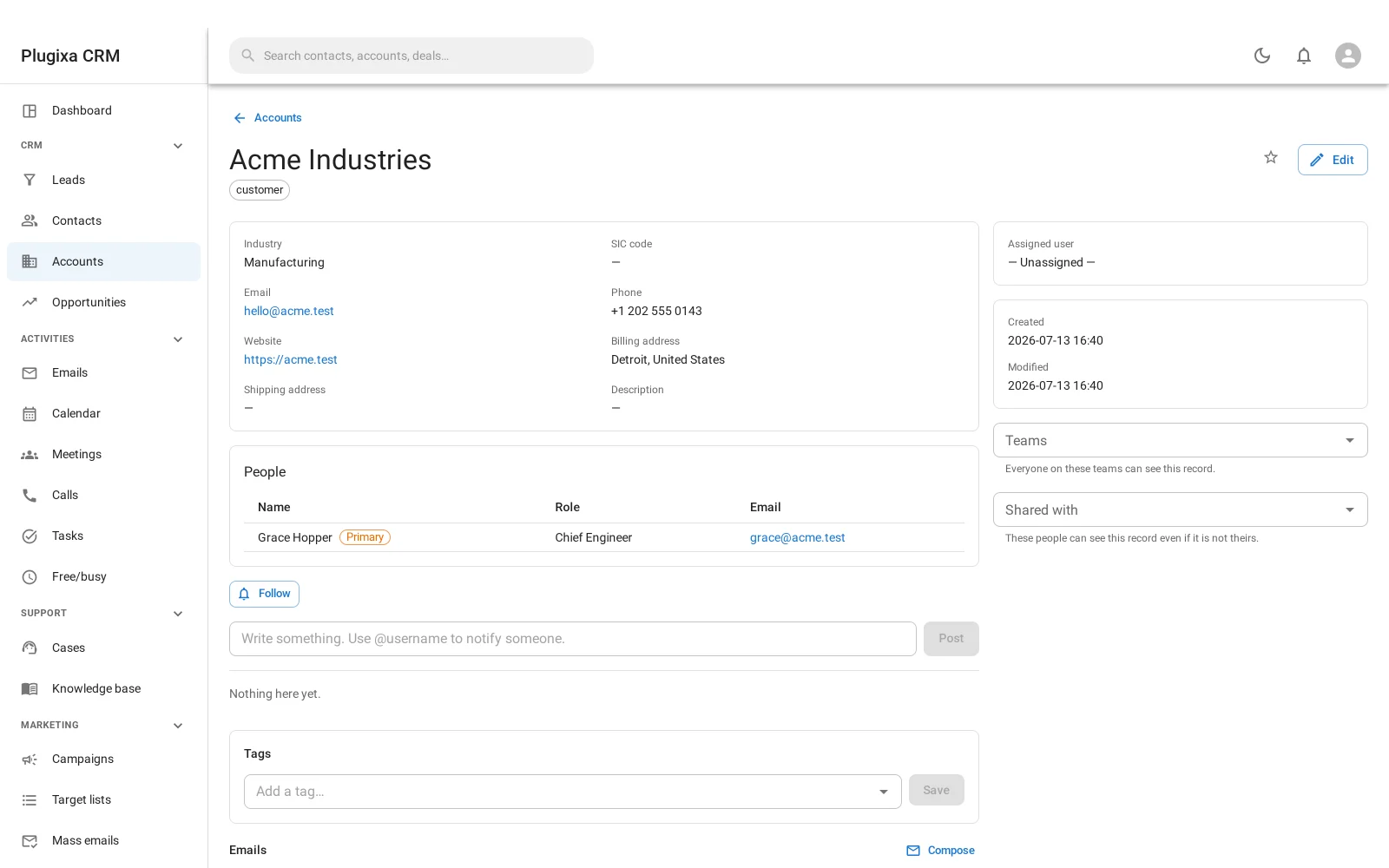
Notes
Free text on anything. A note is not something you navigate to; it is something a record has.
Use them for the things that do not fit a field: what was actually agreed, why the discount was given, who to avoid calling on Fridays.
A note is a stream post
The stream and the notes share the same rows, which is not an implementation detail you can ignore - it is the behaviour.
The stream is the record’s feed: what happened to it, and when. It shows notes people wrote alongside the things the CRM recorded itself, because both belong in the same history.
Followers are the people who asked to be told when that record changes.
The stream needed no change to any write path. The events it reads - created, updated, assigned, deleted, restored - had been fired on every write since the first module, with nothing listening to them at all. That is the argument for emitting events before anybody consumes them.
Files
Attachments on any record. And they are not in the WordPress media library, which is the important part.
Three barriers, and a check that proves it
A file uploaded to a CRM is a contract, an invoice, a passport scan. So:
- An unguessable name. What is on disk is 32 random hex characters, not the filename you uploaded. The real name is stored in the database and restored on download.
- An inert extension. Everything is written as
.bin, so nothing on disk is a file type a web server might decide to execute or render. - A server deny rule. An
.htaccess, aweb.configand anindex.php, so the directory refuses to be served.
And then the part that makes those three trustworthy rather than decorative:
A health check writes a canary file with known random content and asks the web server for it over HTTP. If the body comes back and matches, the directory is being served and the barrier is not holding. If the request fails or returns something else, it is.
That check exists because a deny rule is only a gesture until something has tried
it. nginx does not read .htaccess at all, so a site behind nginx can have a
perfectly correct .htaccess and a completely open directory.
Tags
One label vocabulary across every entity. A tag means the same thing on an account, a contact, a lead, a deal and a case, which is what makes filtering by one worth doing.
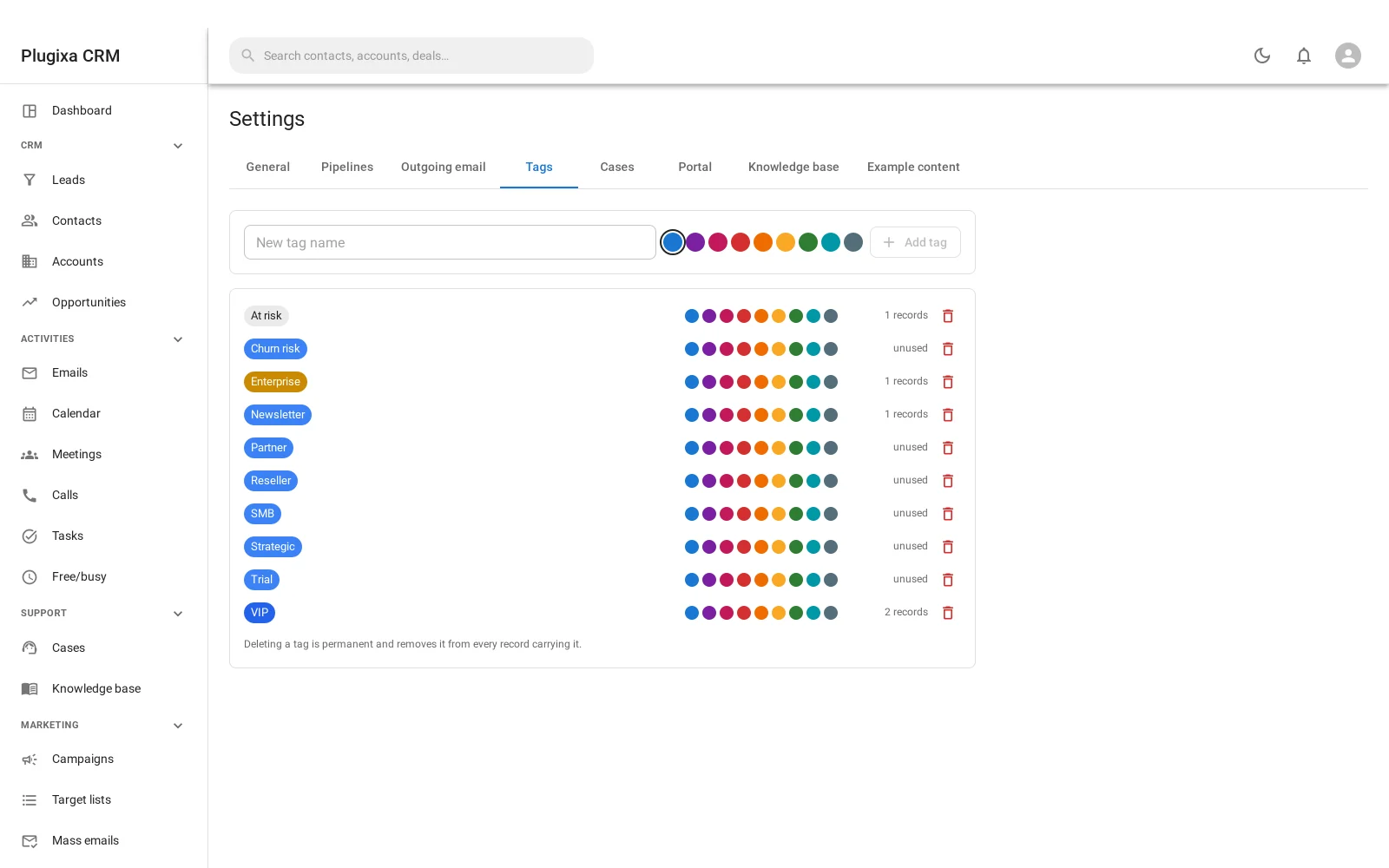
Tags are managed centrally rather than typed freely per record, which is the difference between a vocabulary and a mess.
Favourites
Star a record to find it again. Per person: see Working with Records.
None of these is searchable as a thing
A note, a tag assignment, a file and a stream entry are things that happen to records, not records. None appears in global search as itself; you find the record and the panels are on it.
Troubleshooting
| Symptom | Usual cause |
|---|---|
| A note appears in the stream | Correct. A note is a stream post; they share the same rows. |
| I am not being told about a record | You are not following it. Follow it from the stream panel. |
| A file downloads with a strange name | It should not. The real name is restored on download; report it if not. |
| The health check says the directory is served | Your web server is ignoring the deny rule. Very likely nginx, which does not read .htaccess. |
| A file is in the media library | It should not be. CRM attachments are stored separately on purpose. |
| A customer can see a file | Only if the portal documents panel is on, the file is marked visible in the portal, and it is linked to them. |
| A tag is missing from the picker | Tags are a managed vocabulary. Add it in settings. |
| Deleting a record left its files | Purging removes them. A soft delete does not. |
What to do next
- What changed and when: Audit Log.
- Files that are not attached to a record: Document Library.
- The shared list behaviour: Working with Records.