

Contents
Calendar and availability - Plugixa CRM
Three kinds of activity, one calendar over all of them, and an honest answer to when somebody is free.
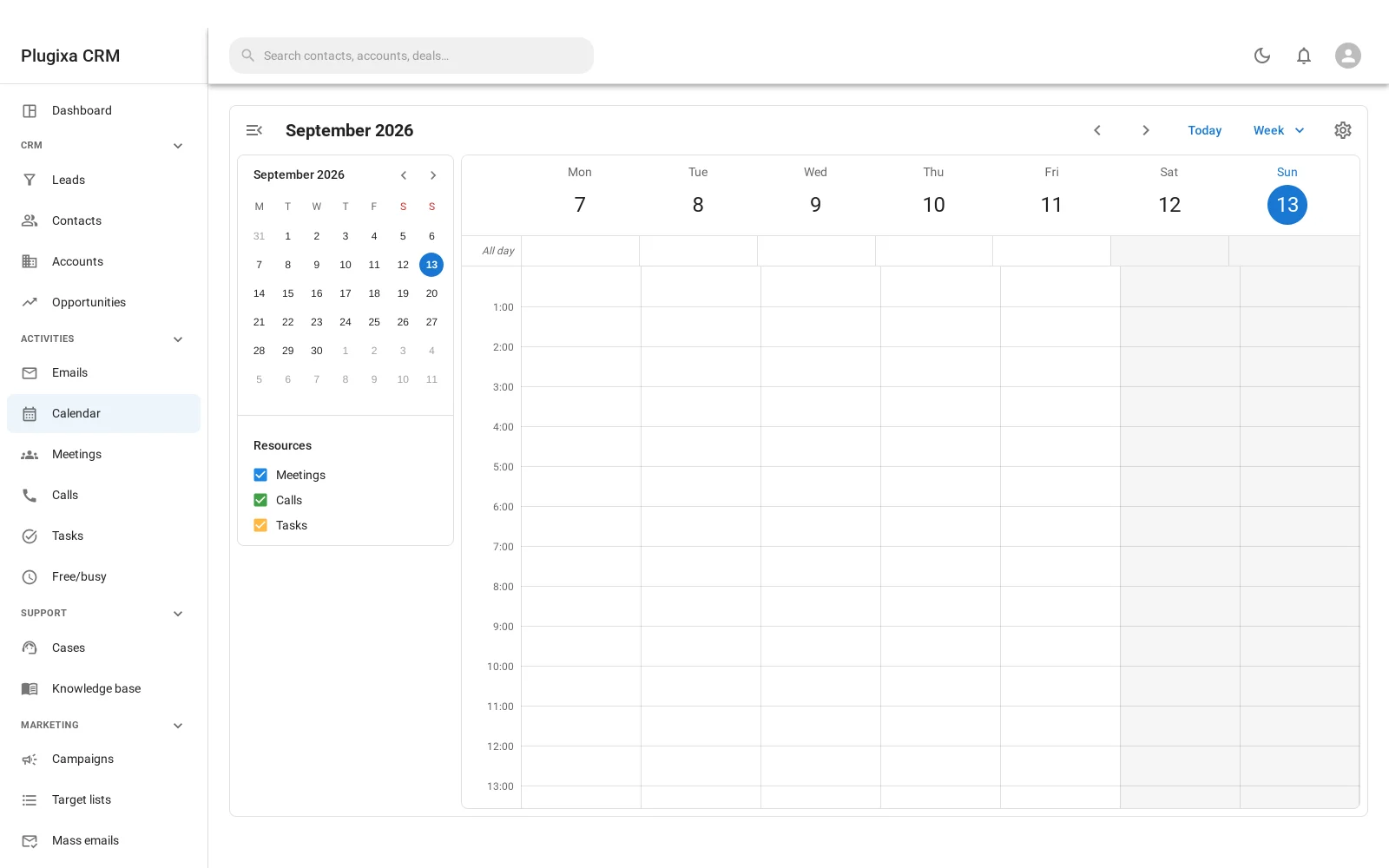
One calendar, not three
Meetings, calls and tasks are separate records with different fields, and they appear on the same calendar because a week with two meetings and four overdue tasks is one week, not two.
Switch between month, week and day. Drag an activity to move it.
Working hours
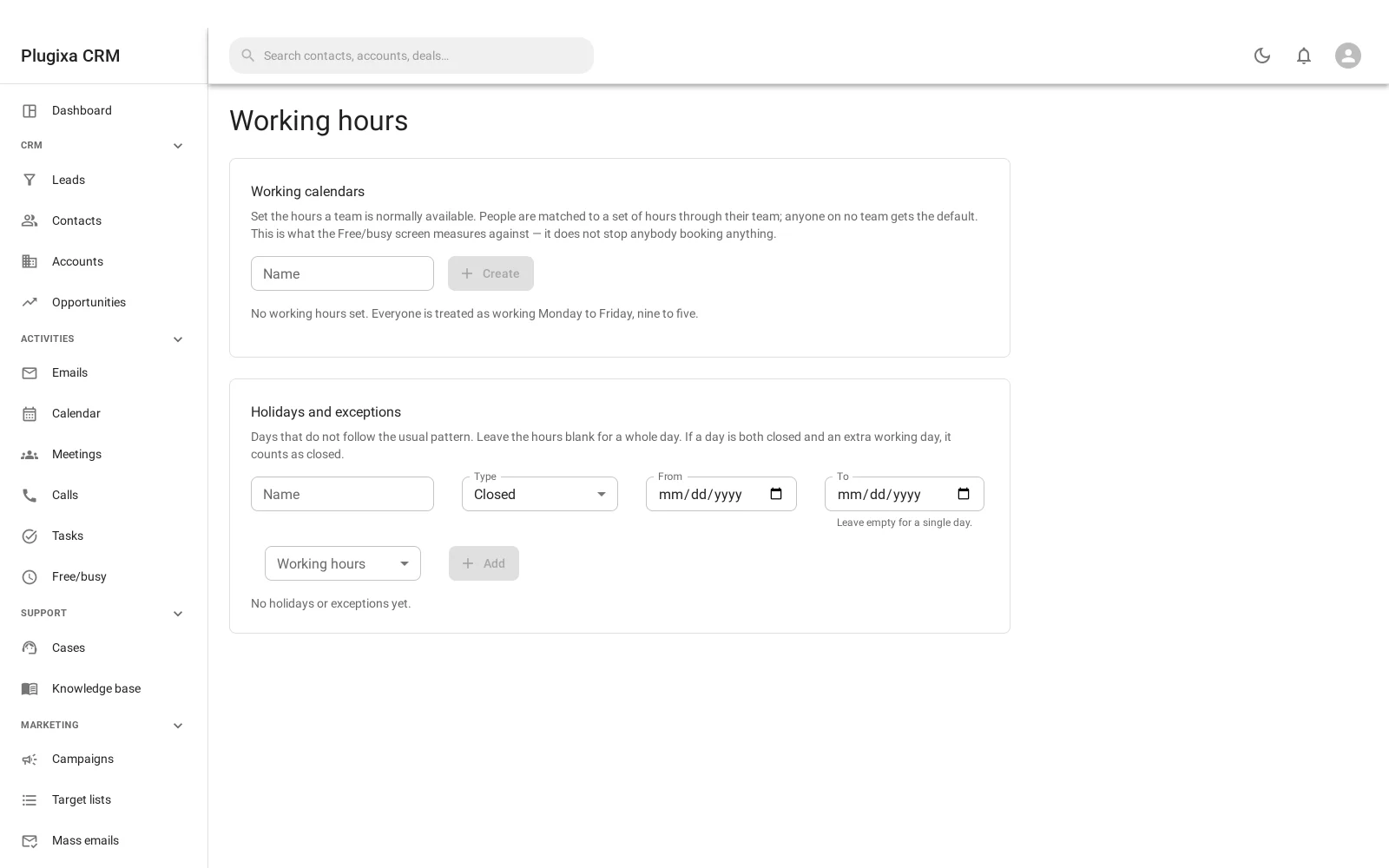
A working calendar says which hours count as business hours, day by day, and which dates are holidays.
This is not decoration. Without it, “when is Sam free” answers with every empty slot in the week, including 3am on Sunday. With it, the answer is the time Sam can actually be booked.
Holidays override the weekly pattern, so a public holiday or a shutdown week takes precedence over “Tuesdays are working days”.
Free/busy
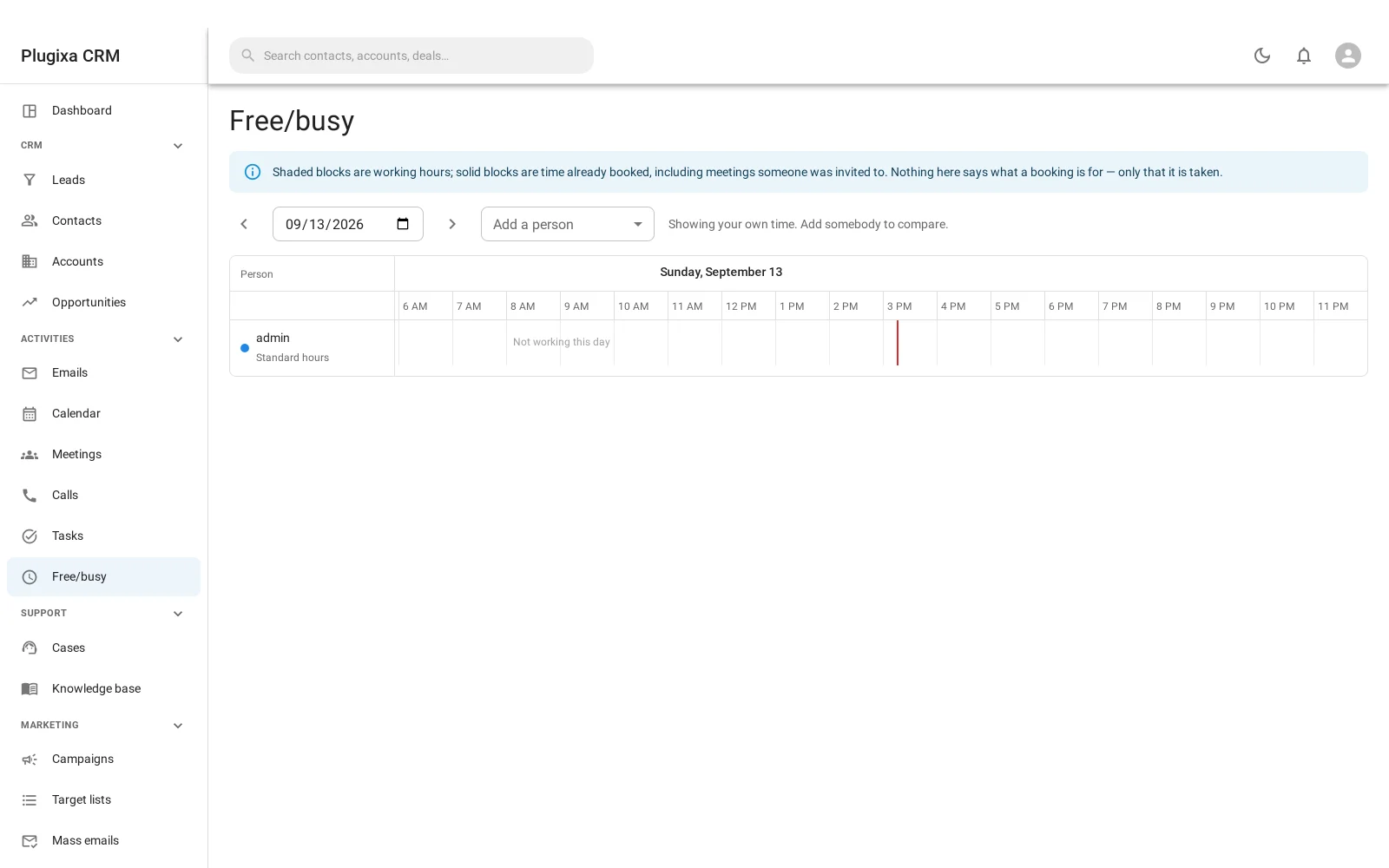
Free/busy reads the working calendar and everything already booked, and shows who is available across a range of dates.
The range is capped at 62 days. A query over a year of several people’s calendars is a slow question whose answer nobody reads; two months is the window that gets used.
What counts as busy
An activity makes somebody busy when they are on it - an attendee of a meeting or a call - and when it is still planned rather than completed or cancelled.
A task does not block time the way a meeting does: it is something owed by a date rather than an appointment, so it appears on the calendar without making its owner unavailable.
Pushing it to a calendar people already use
Staff who live in Google Calendar or Outlook do not want a second calendar to check. Two premium connectors send meetings out to the one they already use:
- Google Calendar PRO
- Microsoft 365 PRO
Both sign in as a person rather than as the site, so each member of staff connects their own account and sees only their own meetings.
Troubleshooting
| Symptom | Usual cause |
|---|---|
| Free/busy shows somebody free at midnight | No working calendar is set for them. |
| A holiday was ignored | Holidays belong to a working calendar. Check it is the one in force. |
| The date range was rejected | It is capped at 62 days. |
| A meeting does not block time | The person is not an attendee, or it is completed or cancelled. |
| Tasks do not make anybody busy | Correct. A task is owed by a date, not an appointment. |
| The calendar is empty | Your role may scope activities to your own. |
| Nothing appears in Google or Outlook | Those are premium connectors, and each person connects their own account. |
What to do next
- The activities themselves: Meetings and Calls and Tasks.
- Be told beforehand: Reminders and Notifications.
- Sync it out: Google Calendar PRO.