

Contents
PDF templates - Plugixa CRM
Design a layout once and print records to PDF from it.
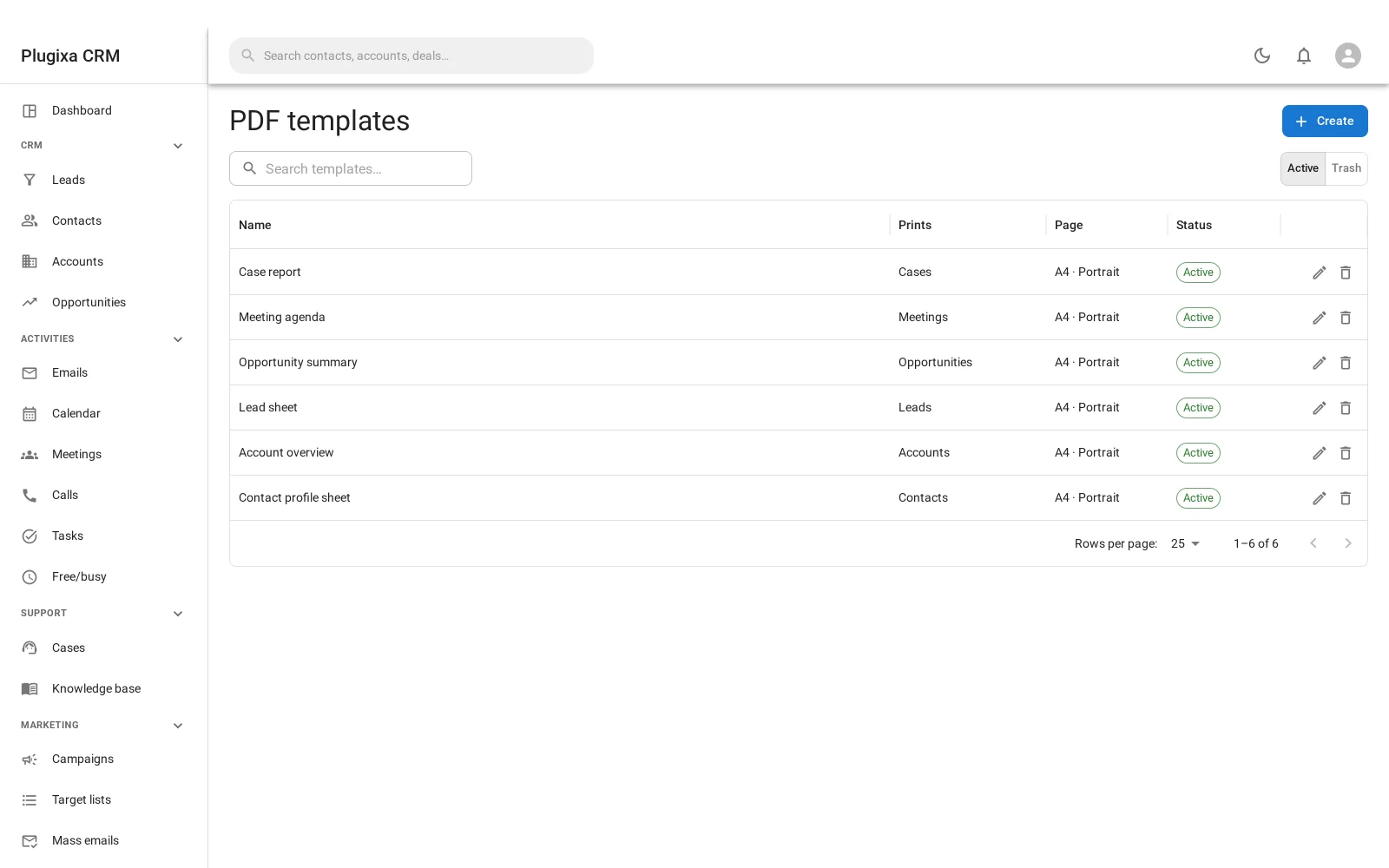
A template names the entity it prints
Each template says which kind of record it is for: a contact, an account, a deal, a case. The list of what you can print from a record is the templates that name that record’s type.
The PDF engine deliberately does not know what a contact is. It prints whatever entity the template names, through the same record loader the rest of the CRM uses. That is why adding a new kind of record does not mean teaching the PDF engine about it.
Placeholders
The same {Type.attribute} syntax as
email templates, and the same
guarantee: a placeholder is a field read and is guarded like one.
A field somebody may not see on screen renders empty in their PDF rather than handing it over. That matters more here than in email, because a PDF is a file that leaves the building.
Page setup
Size, orientation and margins are part of the template, along with a header and a footer. Those are configuration rather than content, which is why a template is not just a body.
Printing
Open a record, choose Print, pick a template. The PDF is generated on the spot from the record as it stands now.
Nothing is stored unless you save it: if you want the PDF kept, attach it to the record or put it in the document library.
What this is not
It is not an invoicing feature. Quotes, invoices and their line items were part of this plugin once and were removed; what remains is the ability to print a document from any record you already have.
If you see a reference in older notes to “nine document types” or to a filter that adds more, it does not exist. PDF prints registered entities.
Troubleshooting
| Symptom | Usual cause |
|---|---|
| No template offered on a record | No template names that entity type. |
| A placeholder is empty | The field is empty, or your role may not read it. |
| The PDF is blank | The template body is empty, or every placeholder resolved to nothing. |
| Fonts look wrong | The engine ships its own fonts. Non-Latin scripts may need a template that selects one. |
| The header repeats oddly | Header and footer are per page by design. |
| A saved PDF is out of date | PDFs are generated from the record as it is now. A saved copy is a snapshot. |
| I cannot find quotes or invoices | They were removed from this plugin. Print from the records you have. |
What to do next
- Where to keep the output: Document Library.
- The same placeholder syntax: Email Templates.
- Why a field renders empty: Roles, Teams and Permissions.