

Contents
Accounts - Plugixa CRM
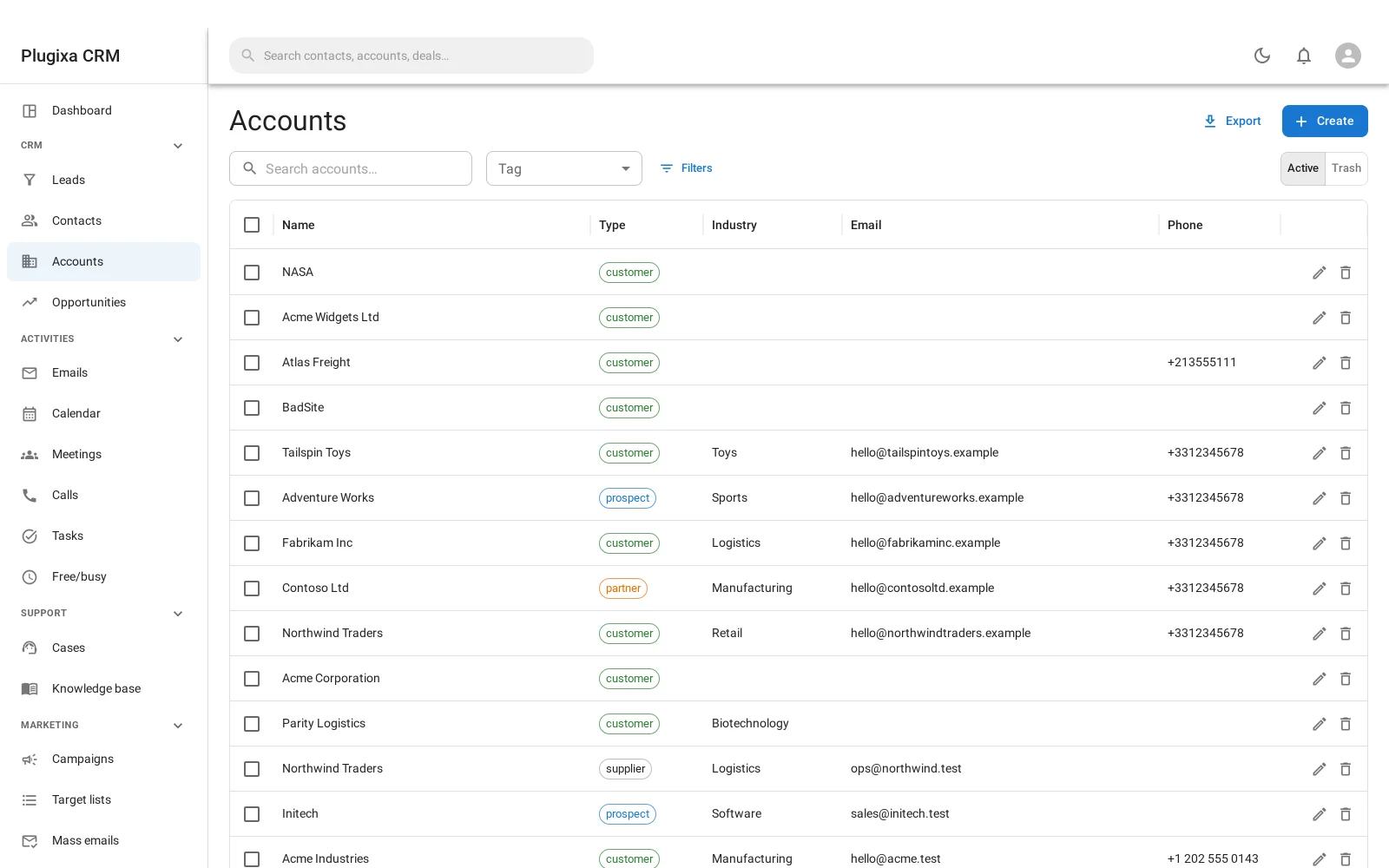
An account is a company. It is the record most reporting groups by, and the thing almost everything else eventually points at.
Fields
| Field | Why it is there |
|---|---|
| Name | The only required field |
| Type | Customer, prospect, partner, competitor, and so on |
| Industry | Groups the list, and reports break down by it |
| Website, Email, Phone | The company’s own, not any one person’s |
| Billing address | Street, city, state, postcode, country |
| Shipping address | Kept separately, because it is often somewhere else |
| Parent account | For a subsidiary or a division |
| Description | Free text |
| Assigned user | Who owns the relationship |
Contacts belong through a link, not a field
This is the decision worth understanding, because it is what separates a CRM from an address book.
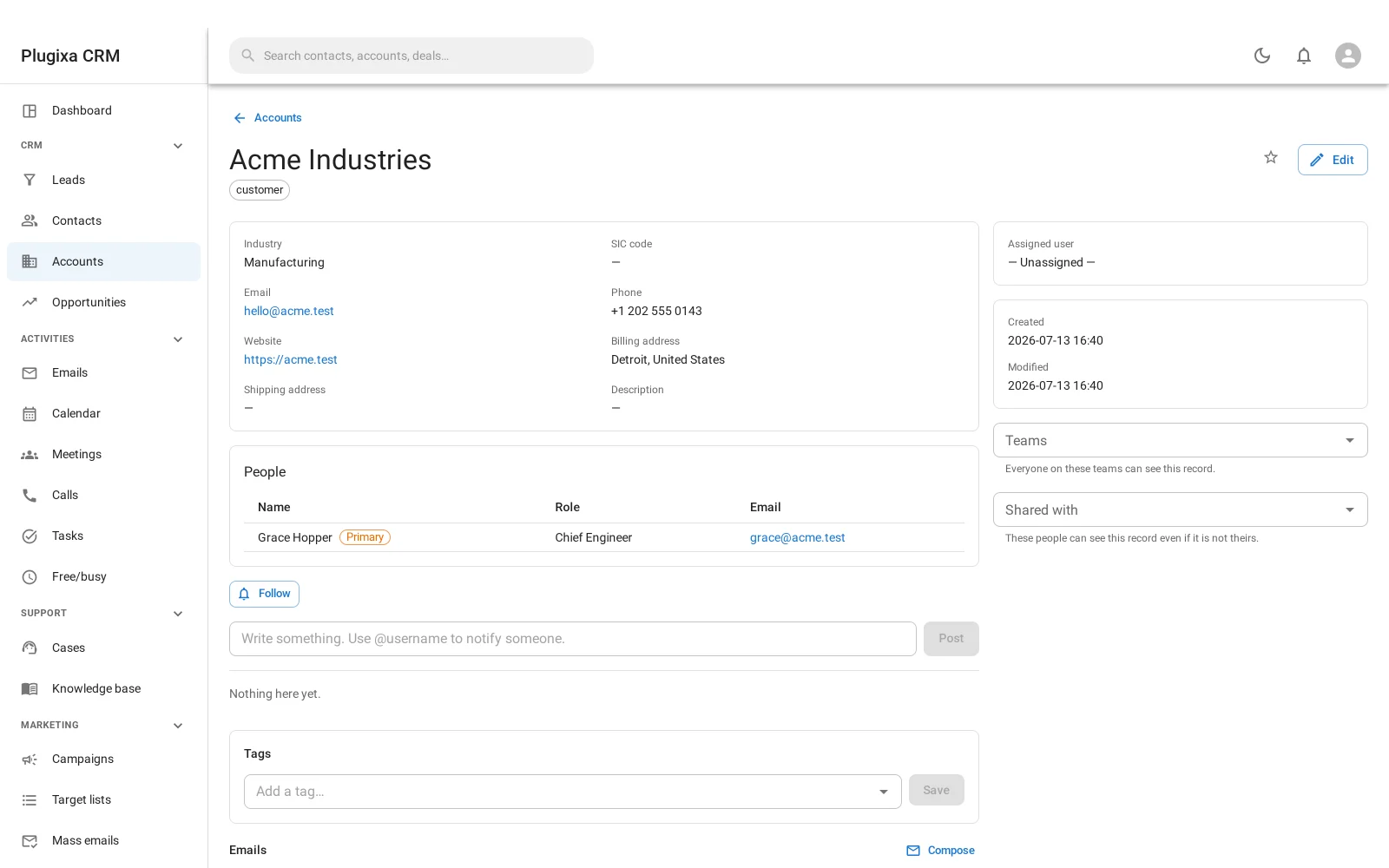
A contact is not stuck to one company. The relationship is its own record, and it carries:
- The role that person plays at that company
- Whether they are the primary contact there
- Whether the link is inactive, for somebody who has moved on
So the person who signs the contract at one company can be the technical evaluator at another, and both are true at once. Neither has to be retyped, and neither is lost when they change jobs.
Parent accounts
An account can name a parent. Use it for a subsidiary, a division or a franchise, where the deals belong to the branch but somebody eventually wants the group total.
It is a single link rather than a tree you administer, so it stays cheap to keep accurate.
What hangs off an account
Opening one shows the rest of the CRM from that company’s point of view:
- Contacts, with their roles
- Opportunities, open and closed
- Cases
- Activities: meetings, calls and tasks
- Notes, files, tags, followers and the audit log, which every record carries. See Notes, Files, Tags and the Stream
Duplicates
Two people entering the same company is the most common data problem a CRM has. Administration -> Duplicates finds them, and merging brings the notes, files, activities, stars and history of both onto the survivor rather than stranding half of it. See Working with Records.
Troubleshooting
| Symptom | Usual cause |
|---|---|
| A contact appears under two companies | That is the feature. The link records the role at each. |
| A contact is still listed after they left | Mark the link inactive rather than deleting it, so the history stays. |
| The account total ignores a subsidiary | Parent is a link, not an automatic roll-up. Report on the group explicitly. |
| An account cannot be deleted | Something still points at it. The message says what. |
| Two records for one company | Use Duplicates, then merge. Merging is not the same as deleting one. |
| Billing and shipping are the same | They are separate fields on purpose. Fill in either or both. |
| Industry is missing from a report | The field is empty on those accounts. |
What to do next
- The people at them: Contacts.
- The deals: Opportunities.
- Before they are customers: Leads.
- Find the duplicates: Working with Records.