

Contents
Sending email - Plugixa CRM
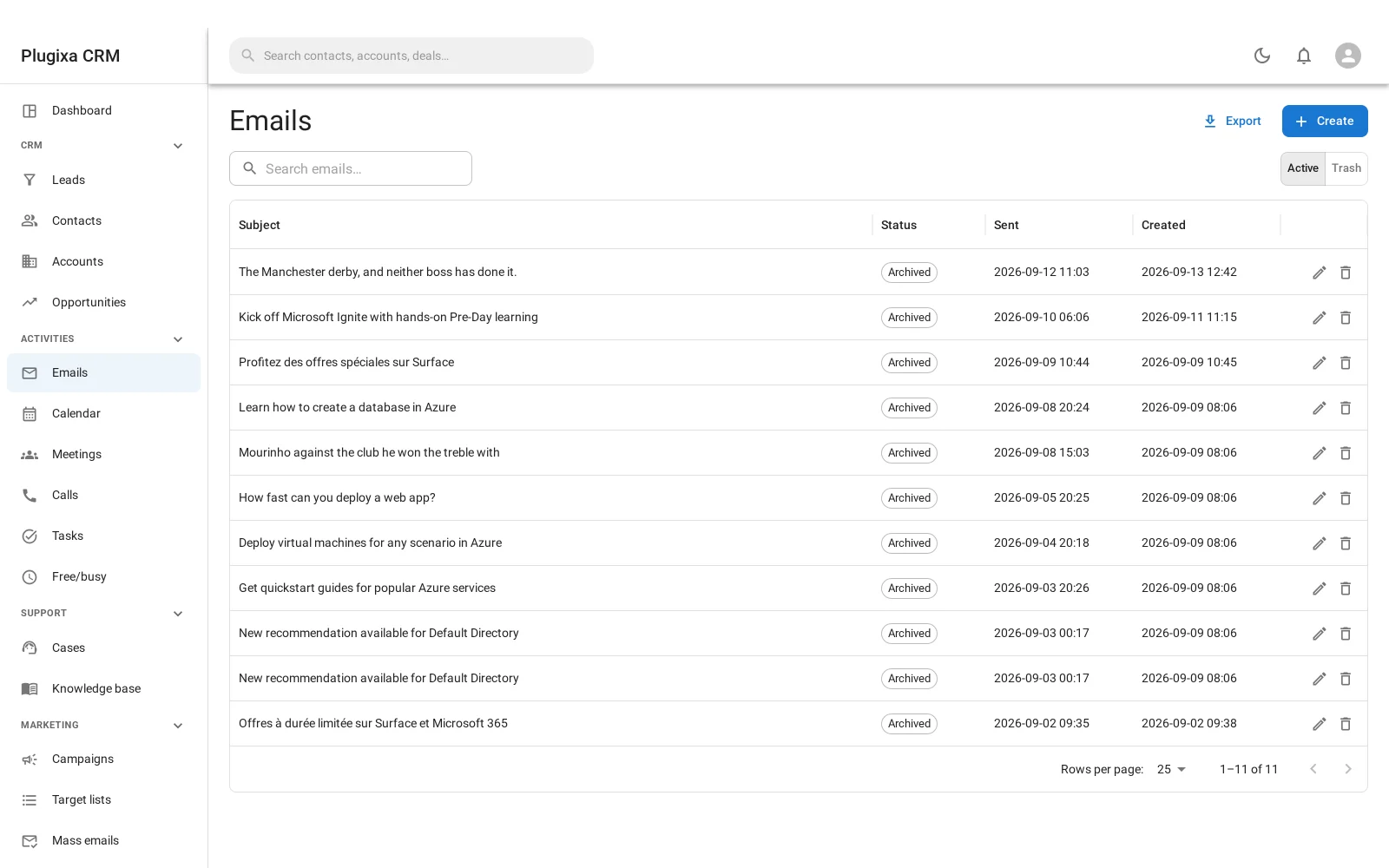
Send from any record, and the message is filed against the person it concerns rather than living in one employee’s inbox.
Composing
Open a contact, a lead, an account or a case and compose from it. The message records which record it belongs to, so the next person to open that record can see what was said.
Start from an email template to avoid retyping, and the merge fields fill themselves in from the record you are sending against.
The outgoing identity
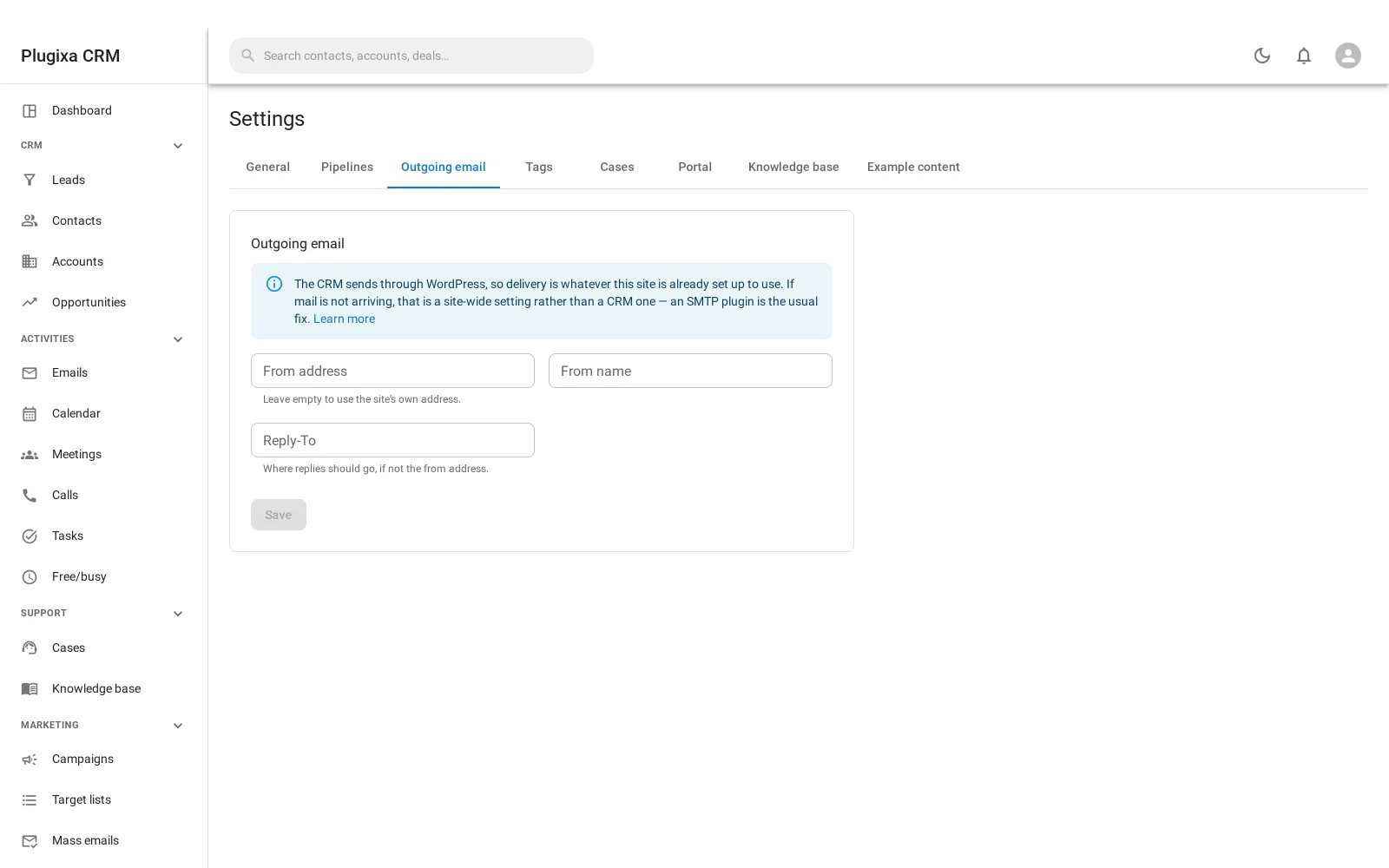
Settings -> Outgoing email configures three things:
| Setting | What it does |
|---|---|
| From address | What recipients see the message came from |
| From name | The display name beside it |
| Reply-to | Where replies should go, if that is somewhere else |
Setting reply-to to a mailbox the CRM monitors is what closes the loop: a reply then comes back into the CRM rather than into somebody’s personal inbox.
There is deliberately no SMTP client
This is the most common question about this feature, so here is the answer in full.
Delivery is wp_mail, WordPress’s own mail layer. The plugin ships no SMTP
client, and that is a decision rather than an omission.
A standalone CRM needs its own SMTP client because there is no mail layer beneath it. Inside WordPress there already is one, and every SMTP plugin in existence hooks it. Configuring a second set of SMTP credentials here would give your site two places to be wrong and no way to tell which one sent a message.
So if your mail is not arriving, install an SMTP plugin and configure it once, for the whole site. Plugixa CRM will use it automatically, along with everything else that sends mail from your site.
What this module configures is the CRM’s outgoing identity, not its transport.
The status ladder
| Status | Means |
|---|---|
| Draft | Written, not sent |
| Sending | Handed to the mail layer, outcome not yet known |
| Sent | Accepted for delivery |
| Failed | The mail layer refused it |
| Archived | Filed away |
Sending exists for a reason. The handoff can take seconds, and a second
click must not send the message twice. The status is written before the attempt
and moved after it, so a message stuck in sending is a crash rather than a
silence - and that is a useful thing to be able to tell apart.
Sent means accepted, not delivered.
wp_mailreturning true means the mail layer took the message. What happens after that is between your mail provider and theirs.
Sending to many people
One message to one person is this feature. One message to thousands is mass email, which queues and sends in batches, adds an unsubscribe link that cannot be switched off, and tracks opens and clicks on your own domain.
Troubleshooting
| Symptom | Usual cause |
|---|---|
| Nothing arrives | wp_mail is not delivering on this site. Install and configure an SMTP plugin; this is not a CRM problem. |
| A message is stuck in “sending” | The send crashed mid-handoff. That is exactly what the status is for. |
| Replies go to a personal inbox | Set reply-to to a mailbox the CRM monitors. |
| Sent but the recipient says no | Sent means accepted by the mail layer, not delivered. Check your provider’s logs. |
| The from address is ignored | Some SMTP plugins override it. Theirs wins, because they own the transport. |
| There is nowhere to enter SMTP details | Correct, and deliberate. Use an SMTP plugin. |
| The message is not on the record | It was composed without a parent. Compose from the record. |
What to do next
- Stop retyping: Email Templates.
- Receive as well as send: Inbound Email and Email-to-Case.
- Send to many: Campaigns and Mass Email.