

Contents
On this page
Check-in with QR Codes - Plugixa Car Parking
Check-in PRO is the screen your staff keep open at the gate. Every booking carries a QR code. Staff scan it with the camera of a phone, tablet or laptop, or type the booking reference or the licence plate, and press Check in when the car arrives and Check out when it leaves. Checking a car out completes the booking.
Check-in was added in version 1.3.0.
Where the QR code is
The customer gets the code without asking for it. It is printed on:
| Where | Notes |
|---|---|
| The booking summary page | Under the invoice heading, with “Show this code when you arrive.” |
| The PDF invoice | The same code, drawn inside the PDF so it prints without an internet connection. |
| The Booking received and Payment received emails | As a picture in the designed email. See Email templates. |
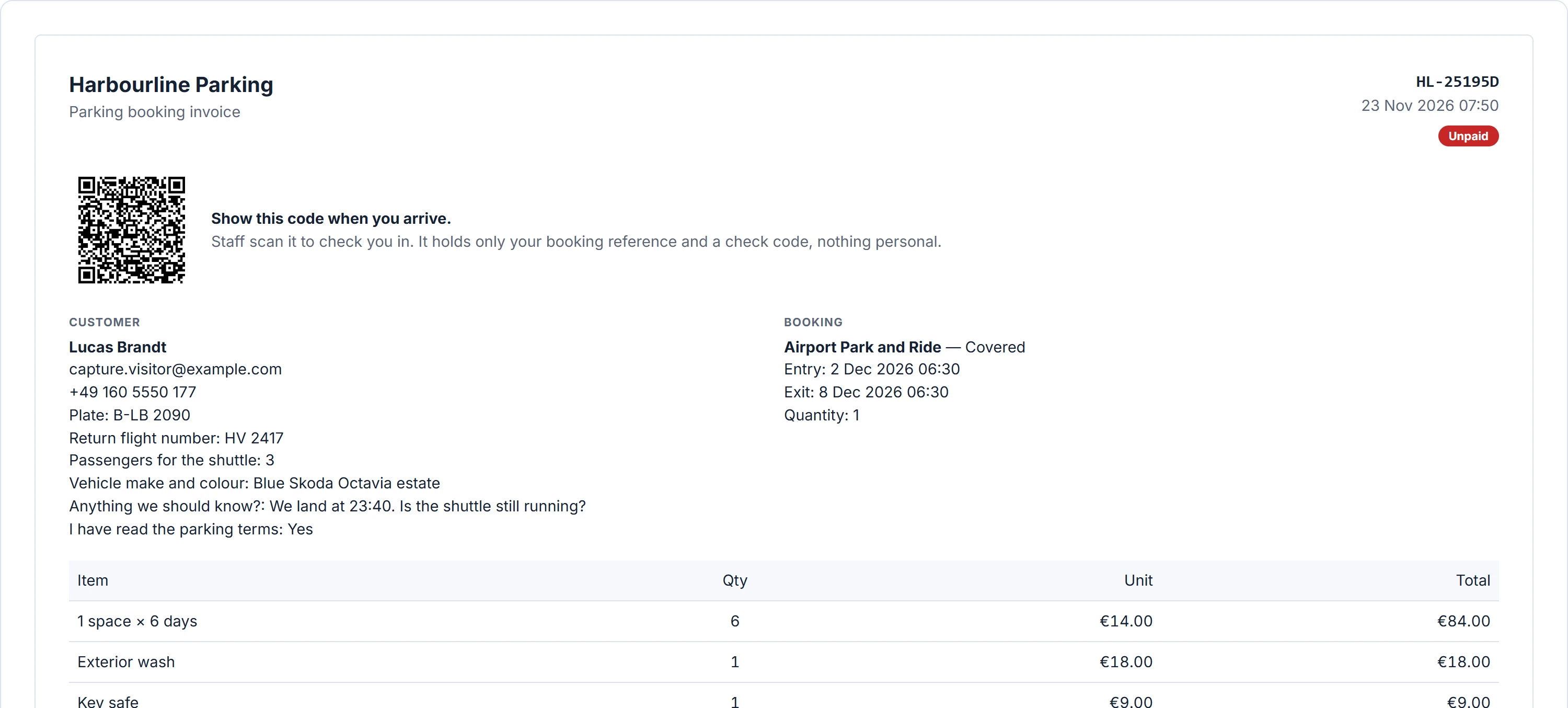
The code holds the booking reference and a check code, nothing personal. A code cannot be made up from a reference alone, so a guessed reference does not scan.
The Check-in screen
Open Plugixa Car Parking -> Check-in. It is the first item under Bookings.
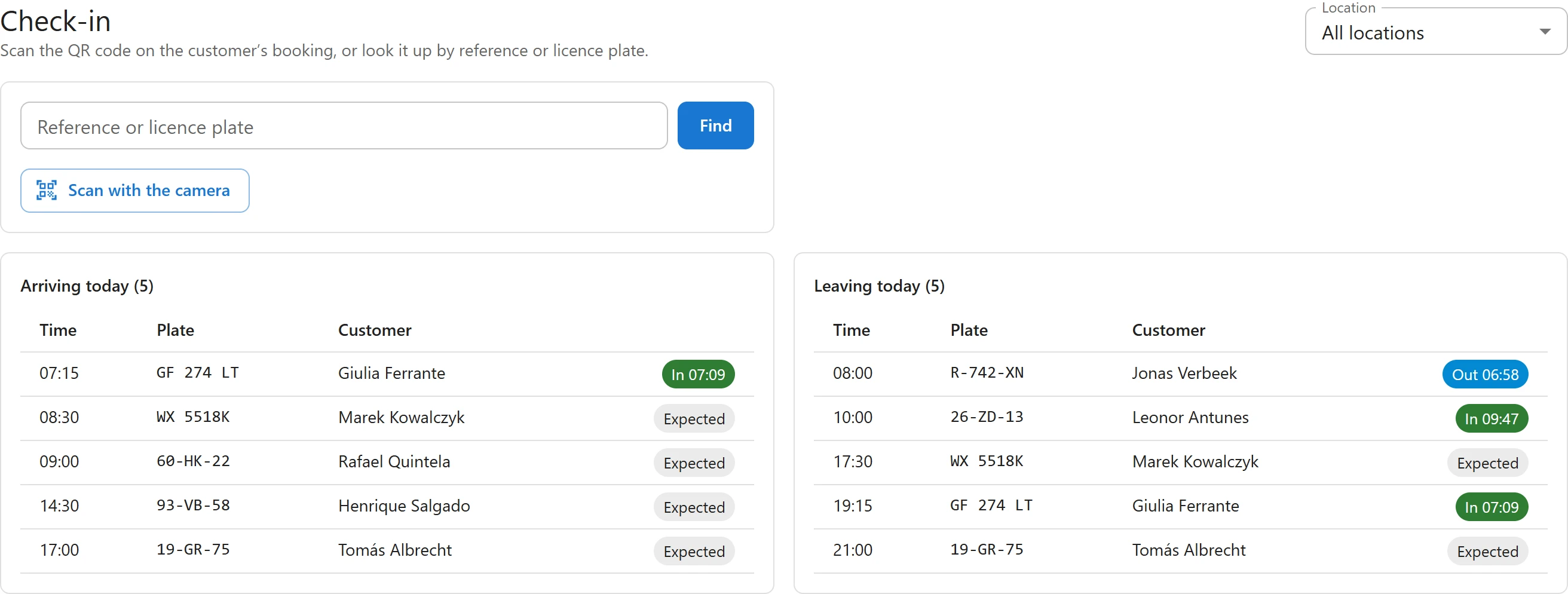
| Part | What it does |
|---|---|
| Location | Limits the screen to one car park. Staff at a single gate choose theirs once. |
| Reference or licence plate | Type a reference such as HL-9F25EB or a plate, with or without spaces, and press Find. |
| Scan with the camera | Opens the camera. Point it at the QR code and the booking opens by itself. |
| Arriving today | Every booking whose stay starts today, by time, with its plate and customer. |
| Leaving today | Every booking whose stay ends today. |
Each row shows where the car stands:
| Badge | Meaning |
|---|---|
| Expected | Not checked in yet. |
| In 07:09 | Checked in at that time. |
| Out 06:58 | Checked out at that time. The booking is completed. |
| Cancelled | The booking was cancelled, expired or refunded. It cannot be checked in. |
Check a car in and out
Find the booking, by scan or by search. Its card shows the reference, the customer, the plate, the stay and the time it arrived.
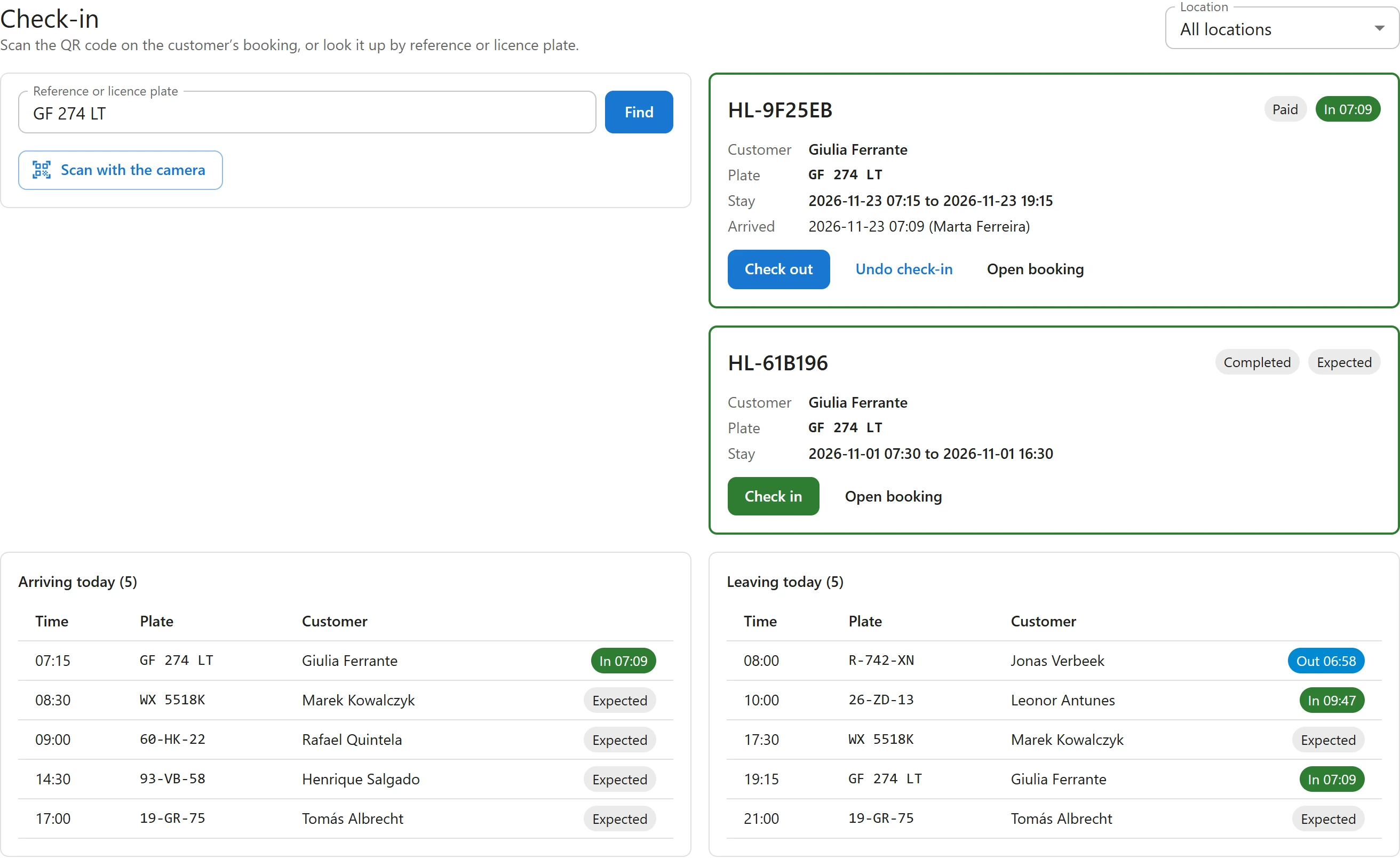
| Button | What it does |
|---|---|
| Check in | Records the time the car arrived and who let it in. |
| Check out | Records the time it left, and moves the booking to Completed. |
| Undo check-in / Undo check-out | Takes back the last step, for a tap on the wrong card. Undoing a check-out puts the booking back to the status it had. |
| Open booking | Opens the booking in the admin. |
A search can find more than one booking: a plate that has parked with you before, for example. Each comes as its own card, so pick today’s.
A card says This booking is not paid in full. when money is still owed, so staff can take the rest at the gate. Record it on the booking’s Payments panel.
A cancelled, expired or refunded booking cannot be checked in. The screen says so.
Season pass holders
A season pass holder can register two licence plates. Searching either plate finds the pass, so a holder who comes in the second car is found as well.
The camera
Scan with the camera uses the browser’s own camera access. Nothing is sent to an outside service: the code is read in the browser.
- The browser asks for permission the first time. If it is refused, the screen says “The camera could not be opened. Allow it in the browser, or type the reference or plate instead.”
- Browsers only open the camera on a site served over https. On http the screen says so, and typing the reference or plate still works.
Who can use it
Check-in comes with its own capability, plugixa_carparking_check_in.
Administrators get it when Pro is activated. Give it to gate staff with a role
editor plugin, and they see Check-in in the menu without being able to change
prices, settings or other bookings.
For developers
| Hook | Type | Use |
|---|---|---|
plugixa_carparking_checkin_plate_bookings |
filter | Add bookings a plate should find. Season passes use it for their second plate. |
The routes are under plugixa-car-parking/v1/check-in. See the
REST API.
Quick Links
Share