

Contents
On this page
Season Passes for Monthly Parking - Plugixa Car Parking
Season passes PRO sell monthly parking at a fixed price: a commuter pays 89.00 a month for a standard space at your station car park, every day of the month, until they cancel. You decide which car park and which kind of space each pass is for, its price, and how many people may hold it.
A pass is sold on its own page with the [plugixa_car_parking_passes]
shortcode, and paid by card through
Stripe: the first month when it is
bought, then the same amount each month. Each pass holds a space for as long
as it runs, and its holder can register two licence plates.
Season passes were added in version 1.3.0.
What you need
| Requirement | Why |
|---|---|
| Pro, with Stripe set up | Each month is charged by card through Stripe. |
| The Stripe webhook, with the monthly payment events | Each month paid, each failed month and each cancellation reaches your site through it. See Monthly payments. |
| A page with the shortcode | Where customers choose and buy a pass. |
Create a pass
Open Plugixa Car Parking -> Season passes and press Create.
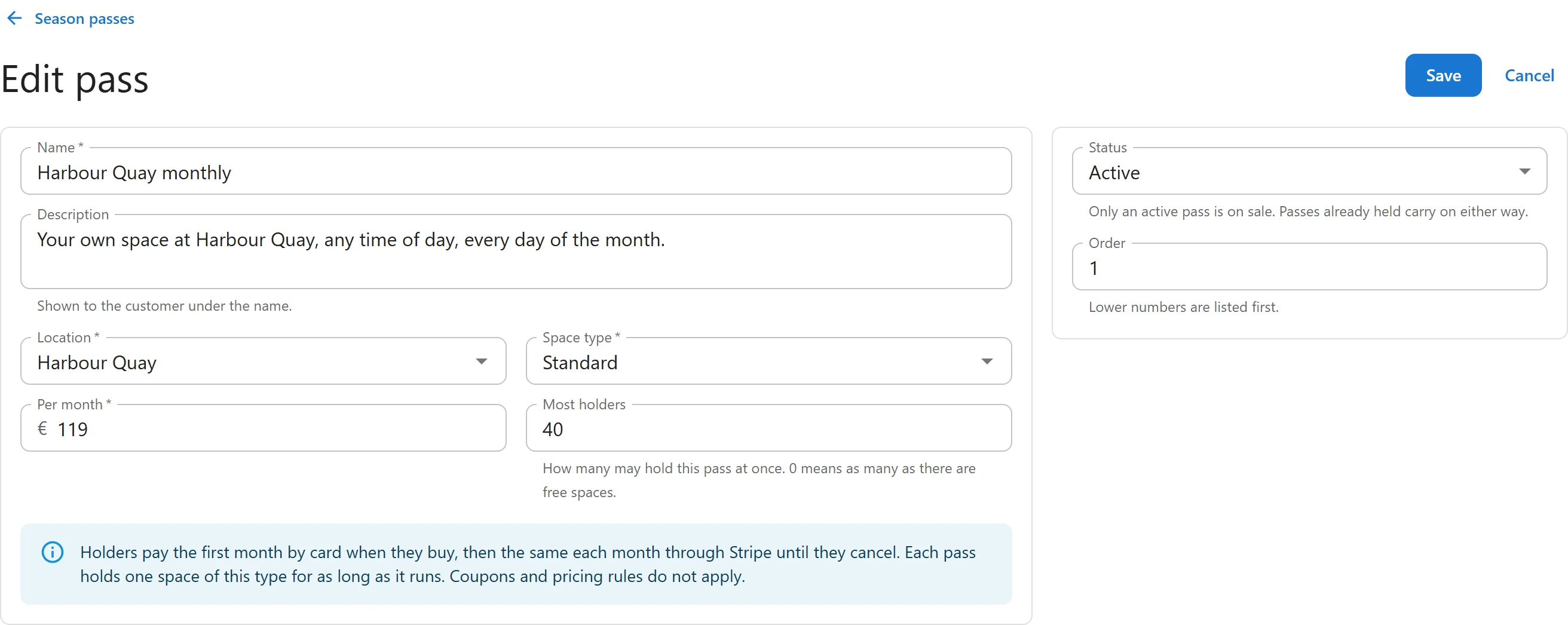
| Field | What it does |
|---|---|
| Name | What the customer sees, such as “Harbour Quay monthly”. |
| Description | Shown to the customer under the name. |
| Location | The car park the pass is for. |
| Space type | The kind of space it holds, such as Standard or Covered. |
| Per month | The price of one month. |
| Most holders | How many may hold this pass at once. 0 means as many as there are free spaces. |
| Status | Only an active pass is on sale. Passes already held carry on either way. |
| Order | Lower numbers are listed first on the page. |
The price of a pass is its price. Coupons, pricing rules, extras, taxes and deposits do not apply to it.
The passes list
The same screen lists your passes, and under them Pass holders: everyone who holds one.
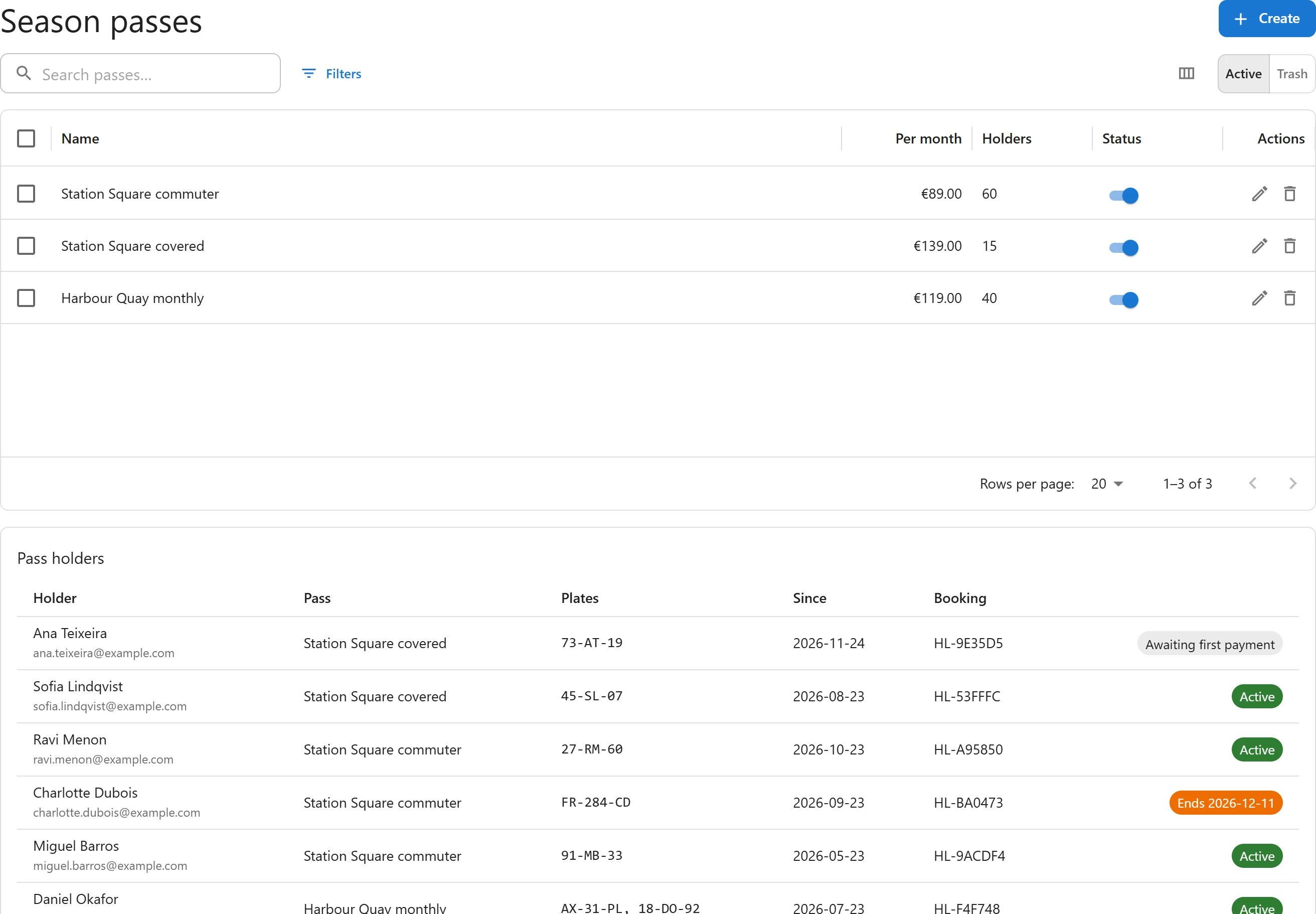
| Holder state | Meaning |
|---|---|
| Active | Paid and running. |
| Ends 2026-12-11 | Cancelled. It runs until the last month paid, then stops. |
| Payment overdue | A month could not be charged. Stripe tries the card again. |
| Awaiting first payment | Chosen on the page, first month not paid yet. |
| Ended | The pass has stopped. |
Each holder links to the pass’s booking, where you see its payments and its monthly plan.
Sell passes on your site
Put the shortcode on a page, such as “Monthly parking”:
[plugixa_car_parking_passes]
The page lists every active pass with its car park, space type, description, price and the places left.
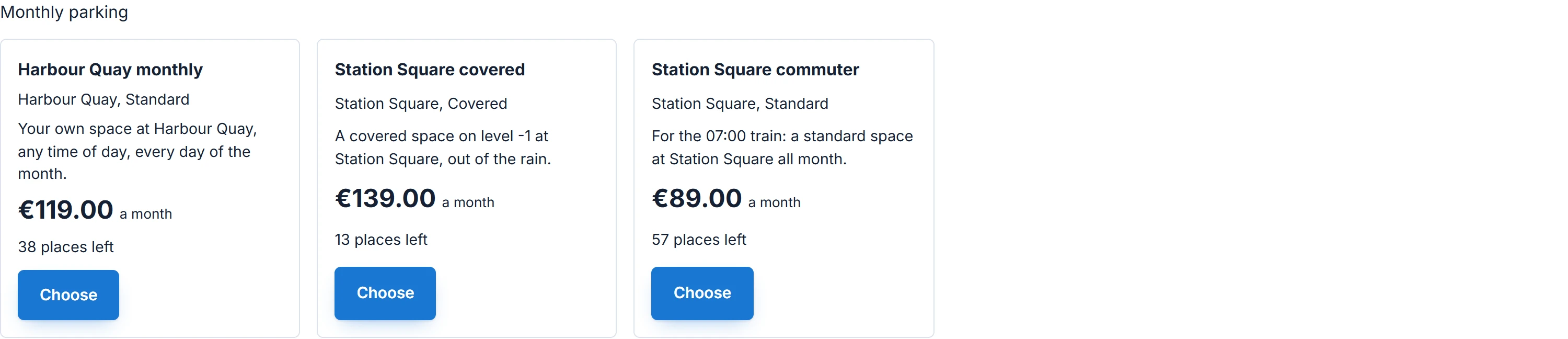
The customer presses Choose and fills in a short form: the start date, the licence plate, an optional second plate, their name, email and phone.
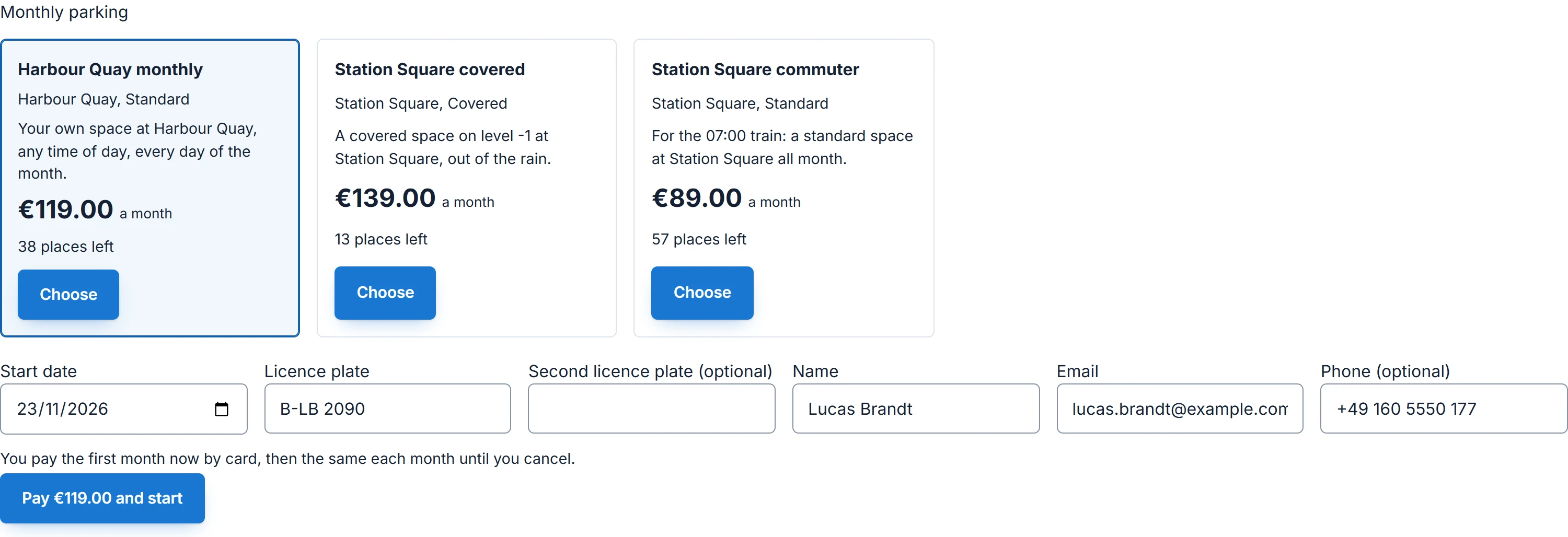
Pay and start takes them to Stripe for the first month. When it is paid, the pass starts on the chosen date and they get the usual booking emails, with the QR code for check-in.
A pass that is full says so: “This pass is full at the moment.”
While a pass runs
- Each month Stripe charges the same amount on the same day. The pass holds its space further ahead each time a month is paid.
- Licence plates The holder can change their two plates from the pass’s booking summary page, for a new car or a second one. At the gate, either plate finds the pass.
- Cancelling The holder presses Manage monthly payments on the booking summary page, which opens Stripe’s own billing page, as for any rolling monthly plan. There they change the card or cancel. The pass runs until the end of the last month paid, then the space is free again.
- A missed month marks the pass overdue and emails the holder and you, as for monthly payments.
For developers
A pass is a booking paid by a rolling monthly plan, so the booking hooks and
the monthly payment hooks apply to it. The admin routes are under
plugixa-car-parking/v1/pass-products. See the
REST API.
Quick Links
Share