

Contents
On this page
Email Templates - Plugixa Car Parking
Email templates PRO send every email the plugin writes in a designed layout: your logo on a band of your colour, the booking details in a clean table, a button to the booking, and your footer. Mail apps that cannot show designed emails get the same words as plain text, so nothing is lost.
They also add four emails the free plugin does not send: when a booking is cancelled, when an unpaid booking runs out, when it is moved to other dates, and when you change its status in the admin. Each email can be switched off, reworded, copied to other addresses, previewed and sent to yourself as a test.
Email templates were added in version 1.3.0. The three emails of the free plugin, and their wording, are described on Emails.
Open the settings
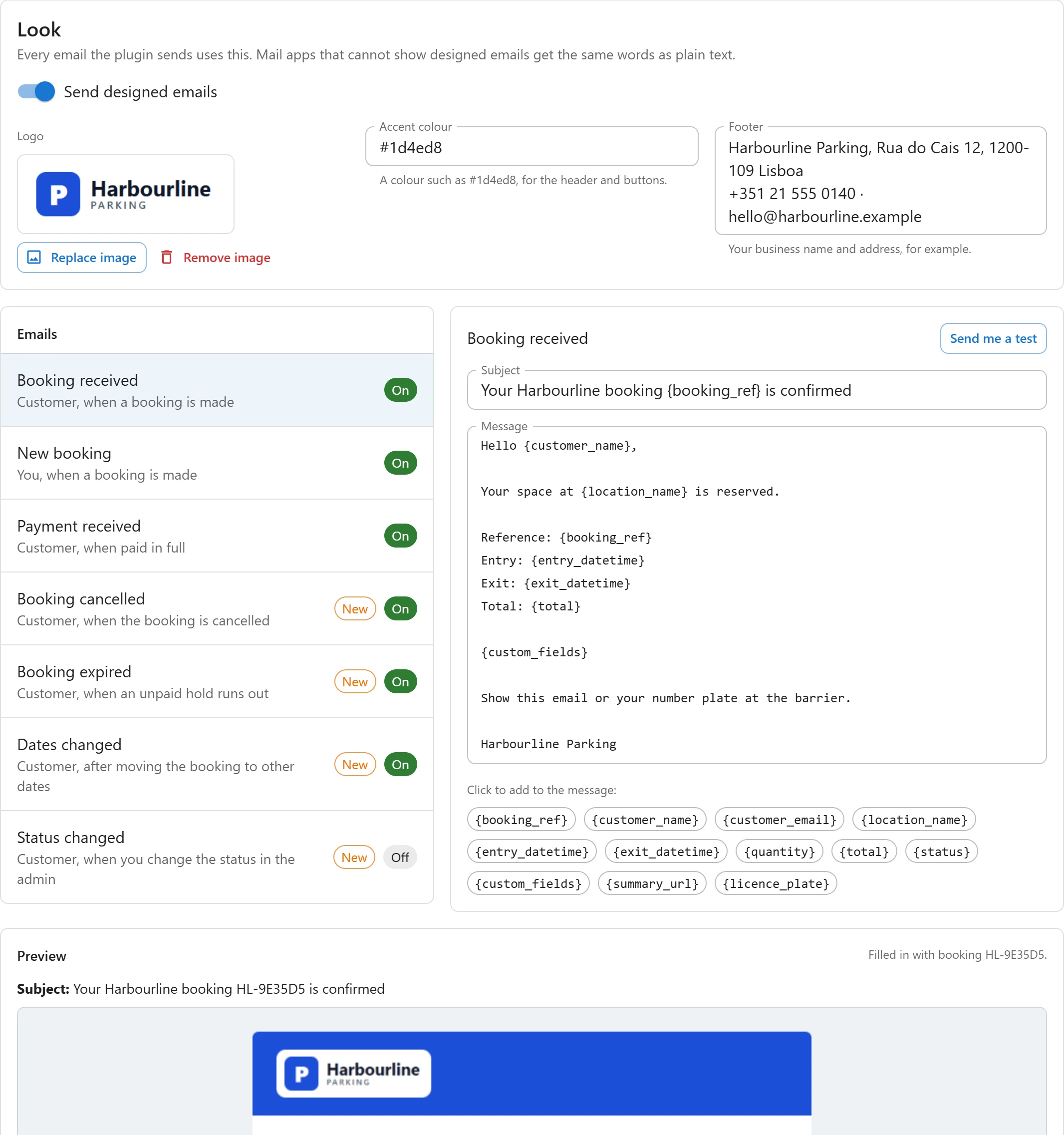
Open Plugixa Car Parking -> Settings -> Emails. The page has three parts: the Look of every email, the list of Emails, and the wording of the one you pick, with its Preview underneath.
The look
| Setting | What it does |
|---|---|
| Send designed emails | On by default with Pro. Off, every email goes out as plain text, as in the free plugin. |
| Logo | A picture from the Media Library, shown at the top of each email. A wide logo on a white or transparent background reads best on the colour band. |
| Accent colour | A colour such as #1d4ed8, for the header and buttons. |
| Footer | Your business name and address, for example. Shown at the bottom of each email. |
The look applies to every email about a booking, including the reminder before arrival. The daily report to your own address stays plain text.
The emails
| Sent to | When | Starts | |
|---|---|---|---|
| Booking received | The customer | A booking is made | On |
| New booking | You | A booking is made | On |
| Payment received | The customer | The booking is paid in full | On |
| Booking cancelled | The customer | The booking is cancelled, by the customer or by you | On |
| Booking expired | The customer | An unpaid hold runs out and the space is let go | On |
| Dates changed | The customer | The booking is moved to other dates | On |
| Status changed | The customer | You change the status in the admin | Off |
The last four are new in 1.3.0, and carry a New tag in the list.
A status changed to Cancelled or Expired in the admin sends that email instead of Status changed, because it says more.
If Send booking emails is off under Notifications, none of these is sent, and the screen says so.
The wording of one email
Pick an email in the list. Its card holds:
| Field | What it does |
|---|---|
| Send this email | Switches this one email on or off. |
| Subject and Message | The wording. Left empty, the standard wording is sent. Click a placeholder under the message to add it where the cursor is. |
| Also send a copy to | Email addresses, separated by commas. Left empty, it goes to the customer only. |
| Use the standard wording | Puts the plugin’s own wording back. |
| Send me a test | Sends this email, filled in with your latest booking, to your own address. |
The placeholders are those of the free emails,
plus {licence_plate}, and {invoice_number} when
invoice numbers are on.
Preview
The Preview under the editor shows the email as it will arrive, filled in with your latest booking. It changes as you type.
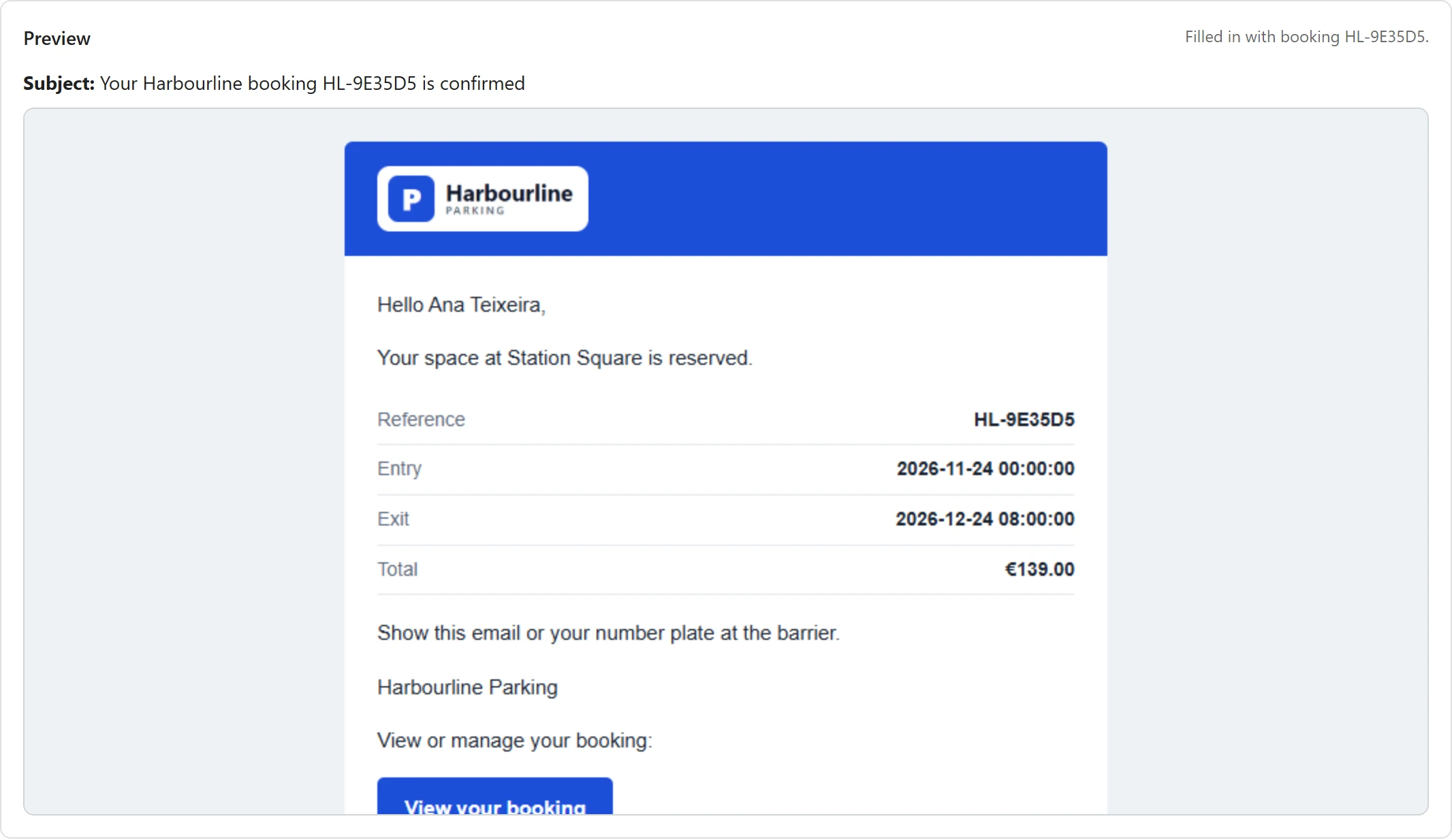
The Booking received and Payment received emails also carry the booking’s QR code, which staff scan at the gate. See Check-in.
Text messages and Telegram
Since 1.3.0, text messages and Telegram notices are sent only for a new booking, a payment and the reminder. They used to say “confirmed” for every event, including a failed monthly payment.
For developers
| Hook | Type | Use |
|---|---|---|
plugixa_carparking_email_message |
filter | Change an email’s message before it is sent. |
plugixa_carparking_email_placeholders |
filter | Add your own placeholders. |
plugixa_carparking_booking_expired |
action | Runs when an unpaid booking expires. |
plugixa_carparking_booking_status_changed |
action | Runs when a status is changed in the admin, with the old and new status. |
See the Hooks reference.
Quick Links
Share