

Contents
On this page
Purchase orders - Plugixa Inventory
A purchase order is what you asked a supplier for. When the goods arrive you receive them against the order, in one delivery or several, and only then does stock go up. Whatever never comes can be cancelled.
Purchase orders are a Pro app, new in version 1.2.0. They need the Suppliers app. You find them under Purchasing > Purchase orders.
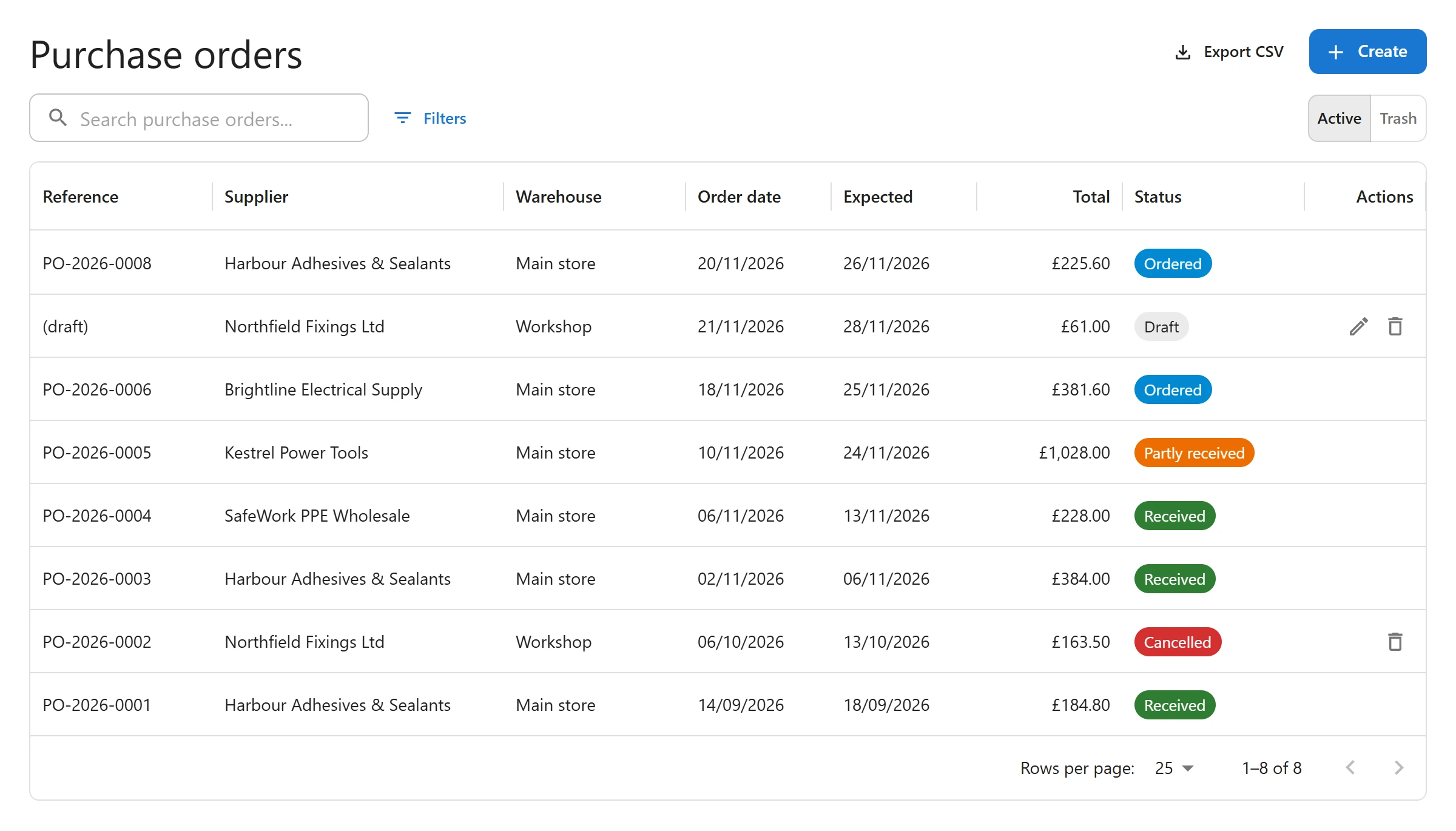
The life of an order
| Status | What it means |
|---|---|
| Draft | Being written. Lines can still be changed. |
| Ordered | Sent to the supplier. The lines are now what the supplier was sent and can no longer be edited. |
| Partly received | Some of it has arrived. The rest is still expected. |
| Received | Everything has arrived. |
| Cancelled | Nothing more is expected. Whatever had already arrived stays in stock. |
Writing an order
Click Create and choose:
- Supplier and Receive into warehouse: who you order from, and where the goods will go.
- Reference: left empty, a PO number such as
PO-2026-0006is given when the order is sent. - Order date and Expected: when it was ordered and when it should arrive.
- Items to order: search an item, enter a quantity and a cost per unit. The cost starts at the price this supplier charges for the item, from its Suppliers panel.
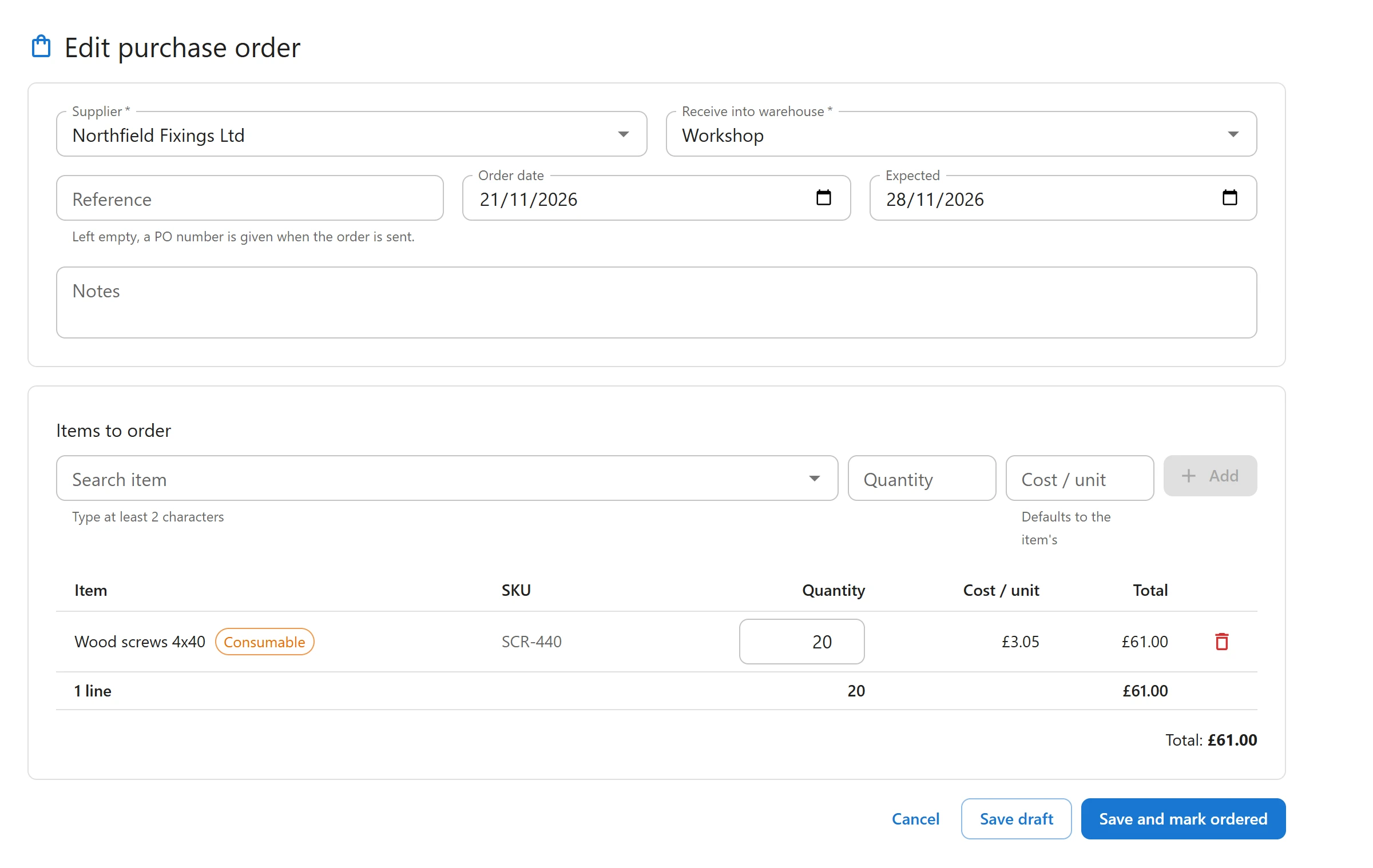
Save draft keeps it to finish later. Save and mark ordered sends it: it gets its PO number and its lines are locked. A draft can also be marked as ordered later from its page with Mark as ordered.
The order’s page has a Print button for a copy to send to the supplier.
Receiving a delivery
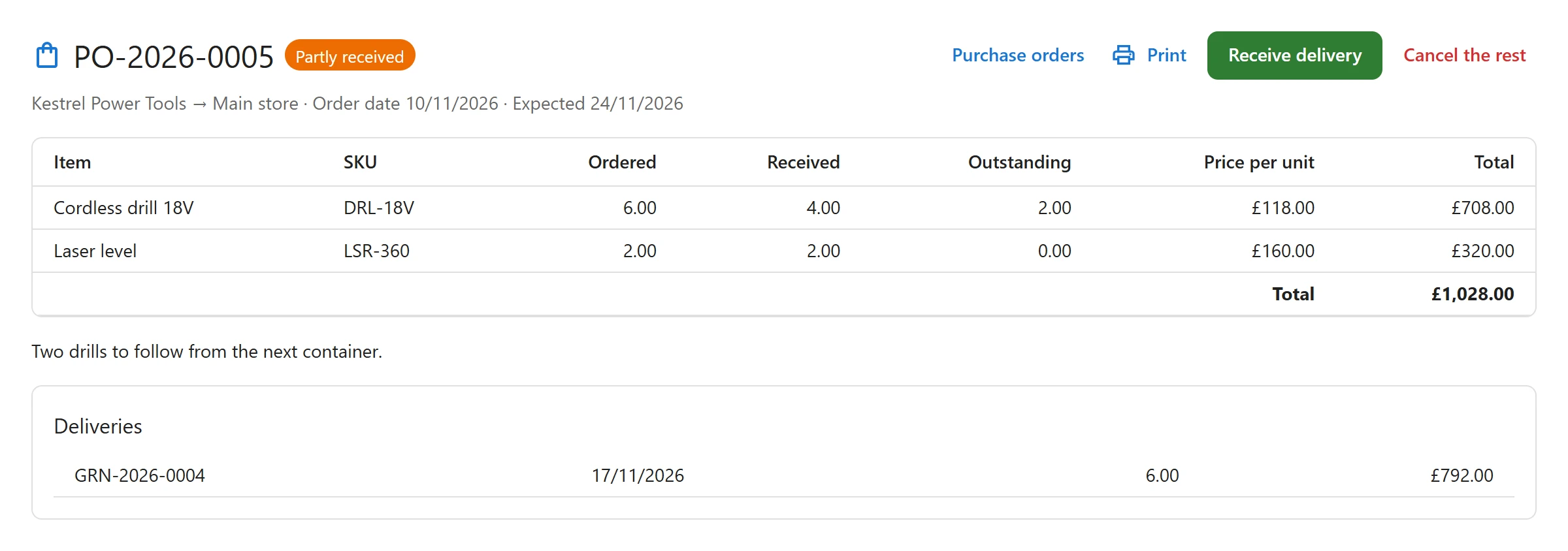
Open the order and click Receive delivery. Enter what actually arrived in Received now, line by line. Anything you leave out is still expected and can be received later.
Add to stock puts the goods into the warehouse. Each delivery:
- is a receipt of its own, with a
GRNreference, listed under Deliveries on the order, - posts the stock at the price on the order, so FIFO and LIFO layers and the valuation carry what you really paid,
- cannot receive more than is still outstanding on a line.
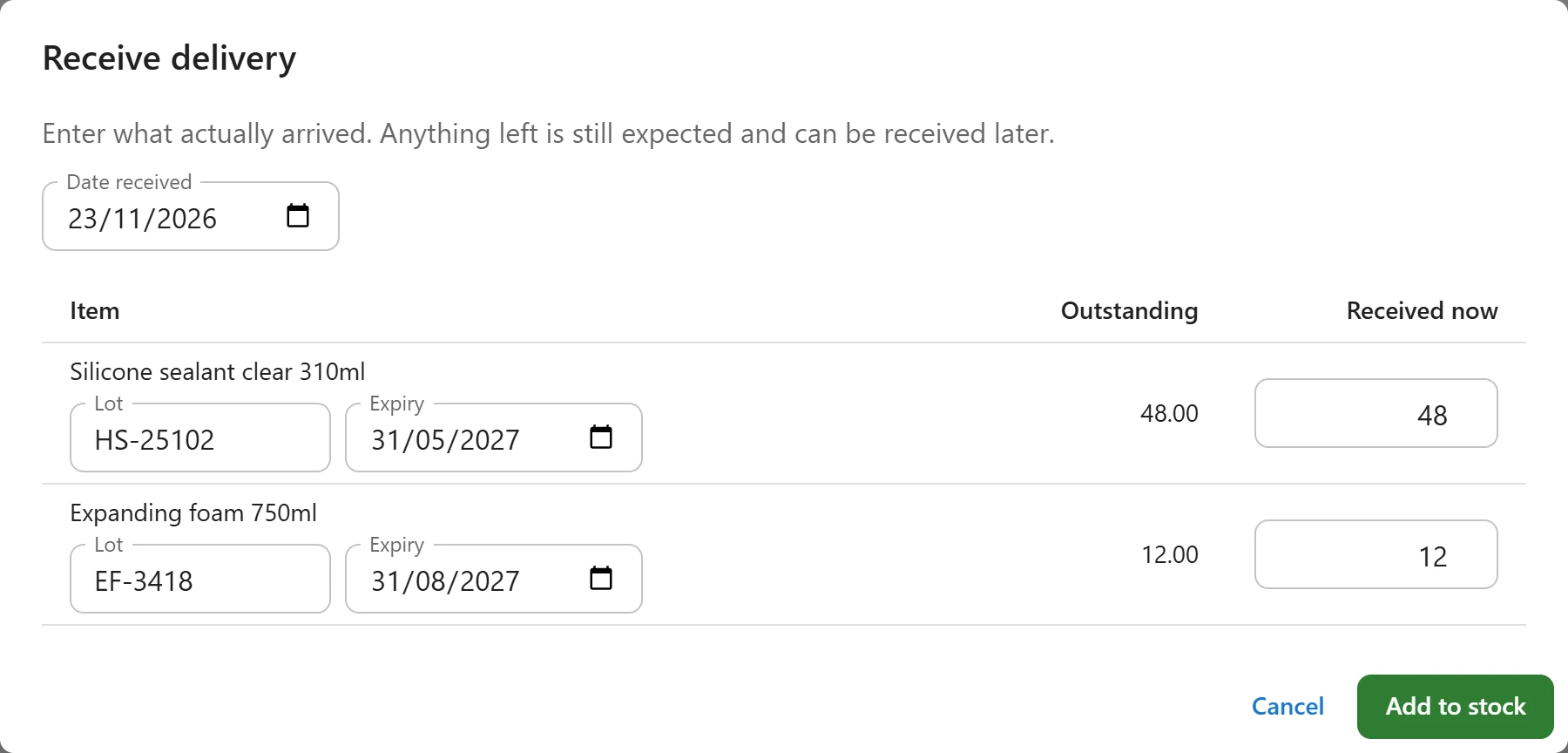
Lots, expiry dates and serial numbers
For an item tracked by lot, the dialog asks for the Lot number and its Expiry date. For an item tracked by serial number, it asks for the serial numbers, one per line, and counts them against the quantity.
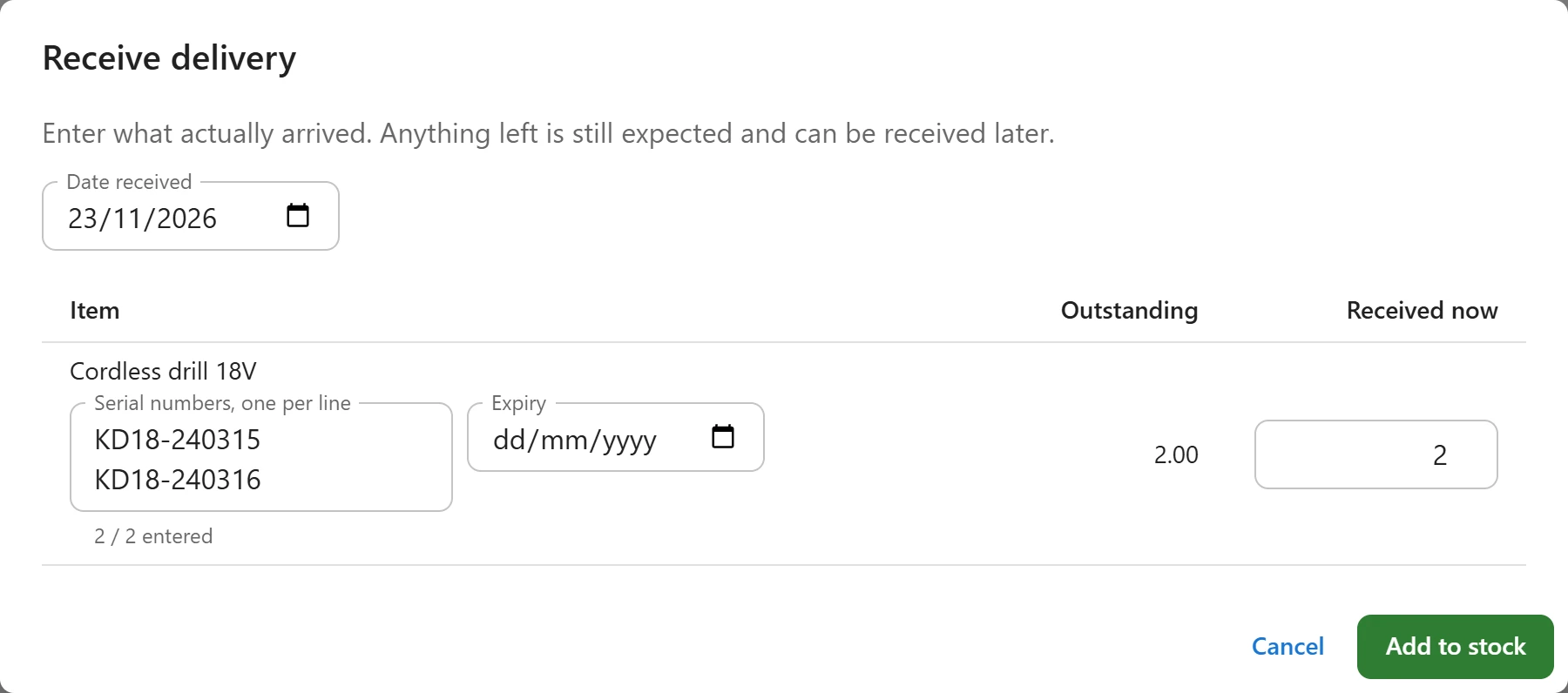
Enter one serial per unit, or none to number the units later from the item’s page. See Lots and serial numbers.
Cancelling
Cancel order on an order nothing has arrived for, or Cancel the rest on a partly received one, closes it. Nothing more is expected, and anything already received stays in stock. This cannot be undone.
Reorder
Purchasing > Reorder lists every item at or below its reorder level, less whatever is already on order, drafts included. So an item does not stay on the list while its delivery is on the way, and you cannot order it twice by accident.
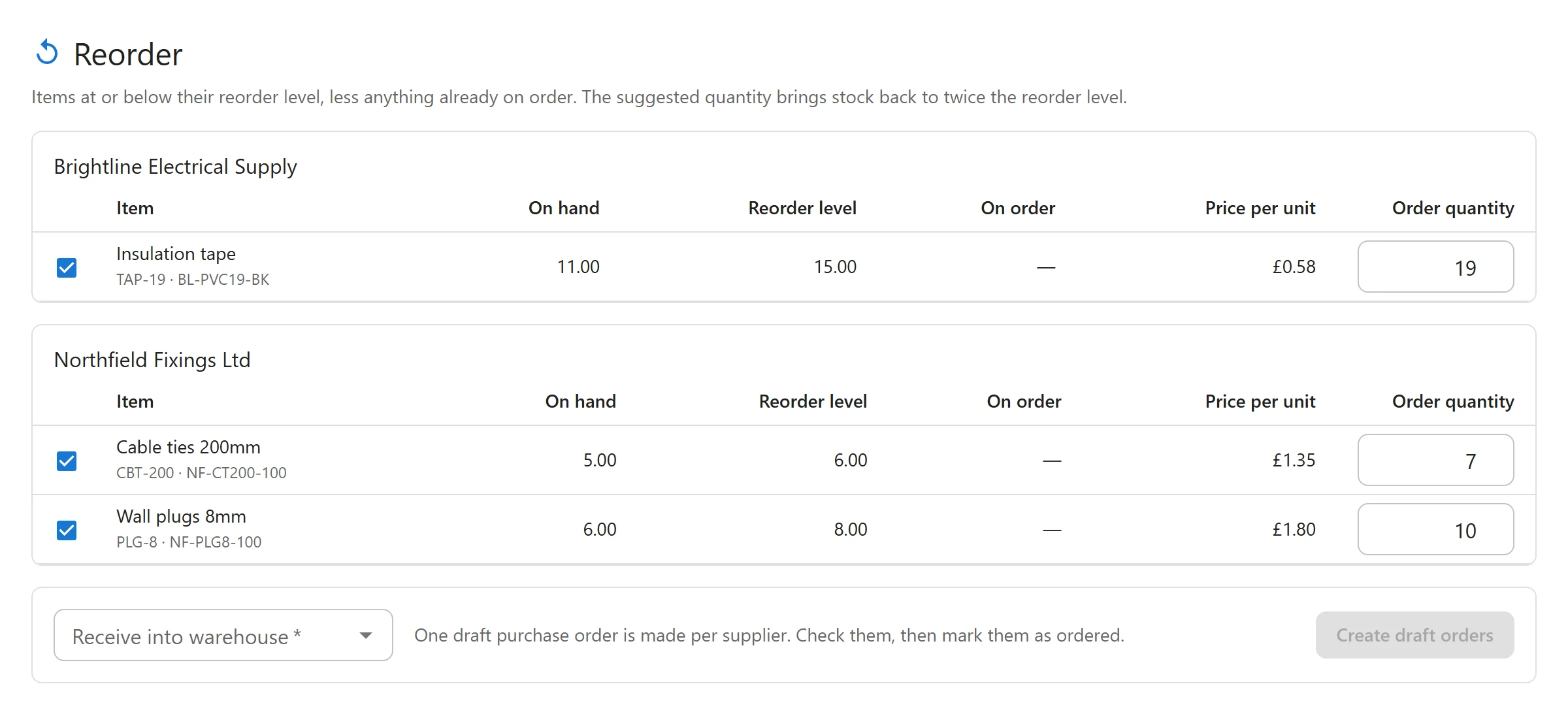
Items are grouped by their preferred supplier. An item without one is listed under No preferred supplier: set one on the item’s page before ordering it.
The suggested Order quantity brings stock back to twice the reorder level: twice the level, less what is on hand, less what is on order. Change it as you like, untick what you do not want, choose the warehouse to receive into, and click Create draft orders. One draft is made per supplier. Check them, then mark them as ordered.
Switching the app off
The app cannot be switched off while orders are still awaiting delivery. Receive or cancel them first. See App manager.
Troubleshooting
| Symptom | Usual cause |
|---|---|
| I cannot edit the lines | The order has been sent. Only drafts can change. |
| “Some lines receive more than is still outstanding” | The delivery is larger than what is left on the order. Receive the outstanding quantity, and the rest as a stock movement. |
| The serial numbers are refused | One is listed twice or is already in stock, or the number of serials is not the number of units received. |
| An item is not on the Reorder screen | It has no reorder level, is above it, or enough is already on order. |
| A supplier cannot be deleted | It still has open orders. |
What to do next
- Set up who you buy from: Suppliers.
- See what the stock is worth: Valuation and Costing.
Quick Links
Share