

Contents
On this page
Suppliers - Plugixa Inventory
Suppliers are the companies you buy from. Each one keeps its contact details and, for each item it sells you, its own code and price. Purchase orders are written to a supplier, and the Reorder screen uses each item’s preferred supplier to draft them.
Suppliers are a Pro app, new in version 1.2.0. You find them under Purchasing > Suppliers.
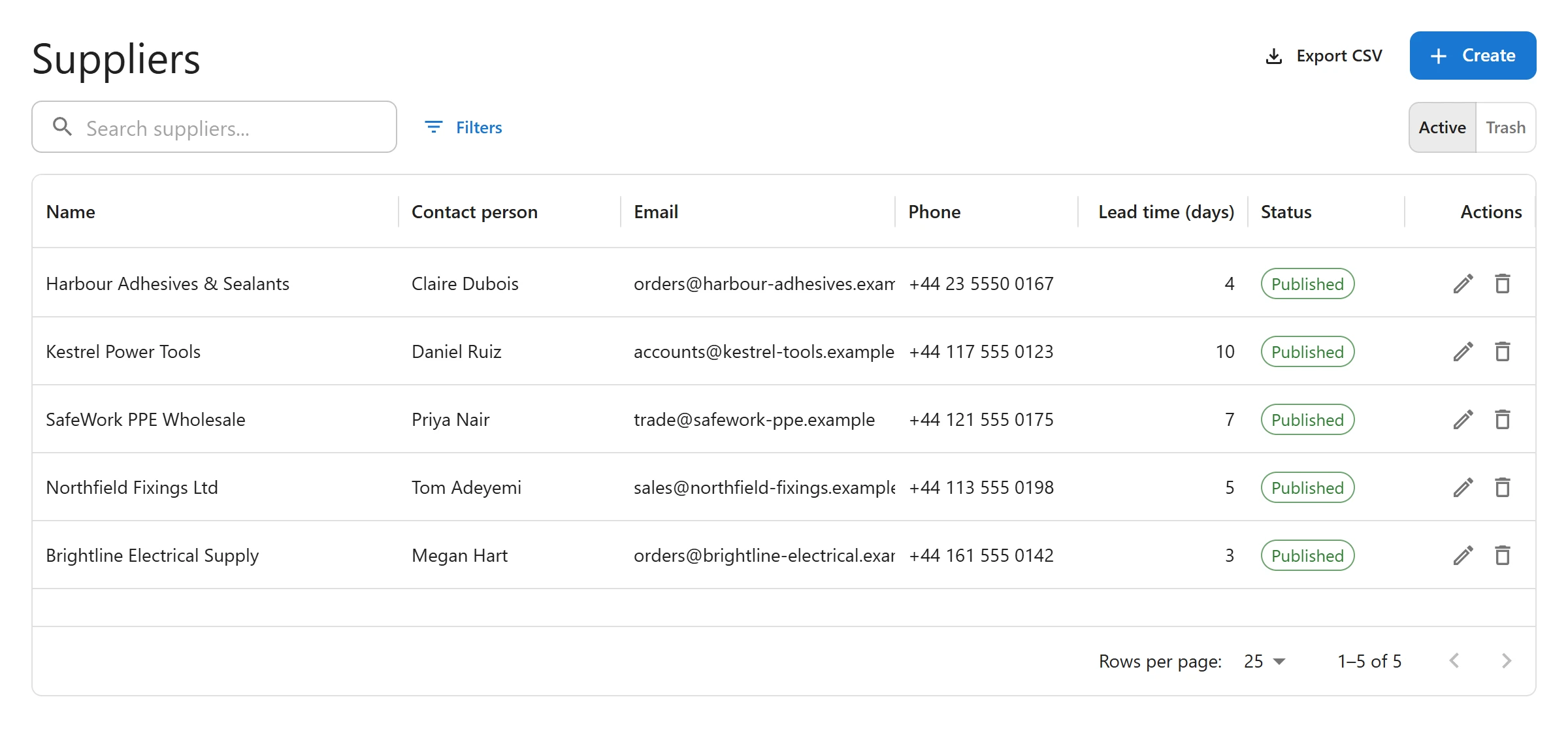
Adding a supplier
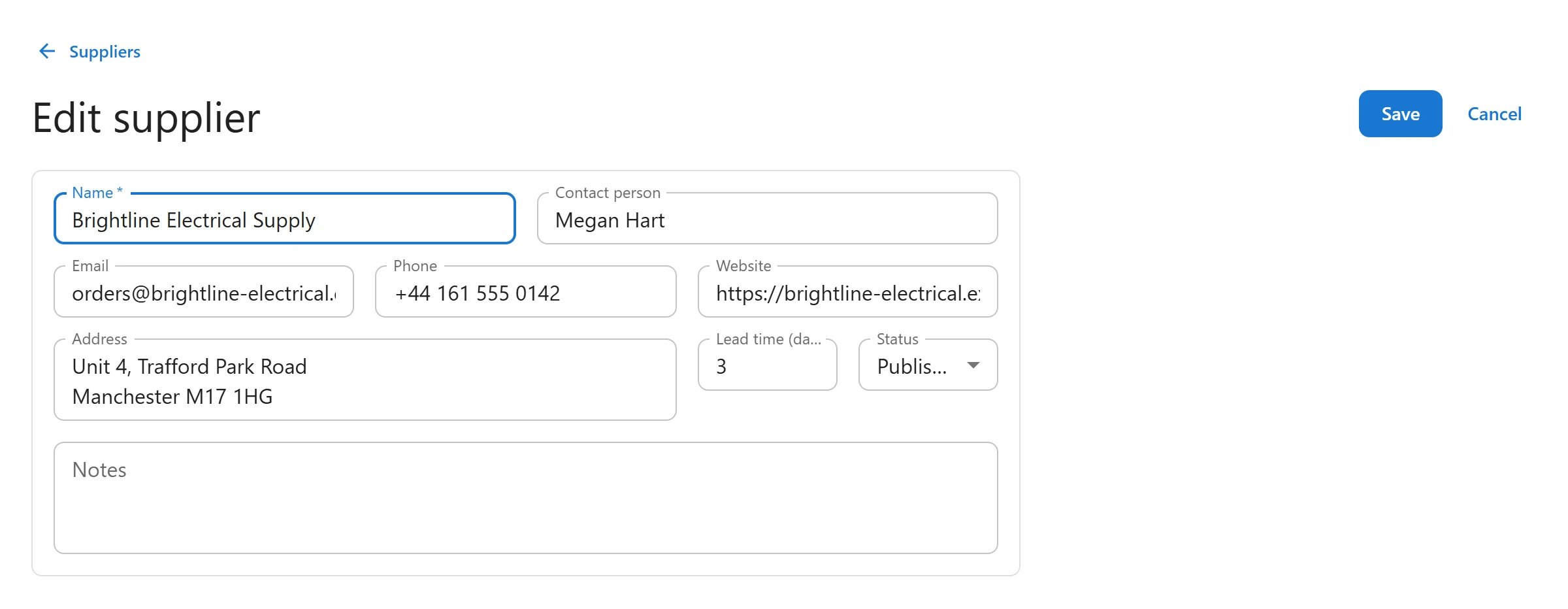
Click Create and fill in what you have:
| Field | Notes |
|---|---|
| Name | Required. |
| Contact person, Email, Phone, Website, Address | Who to call when a delivery is late. |
| Lead time (days) | How long the supplier usually takes to deliver. |
| Status | Published or unpublished. Unpublish a supplier you no longer use. |
| Notes | Account numbers, delivery days, anything else. |
A supplier with open purchase orders cannot be deleted. Receive or cancel those orders first.
Who supplies an item
Every item’s page has a Suppliers panel. Add each supplier that sells the item, with:
- Supplier code: the supplier’s own code for it, the one to quote on an order.
- Price per unit: what that supplier charges you. A line on a purchase order to that supplier starts at this price.
- Preferred: the supplier the Reorder screen orders from. One per item. An item with only one supplier makes it the preferred one automatically.
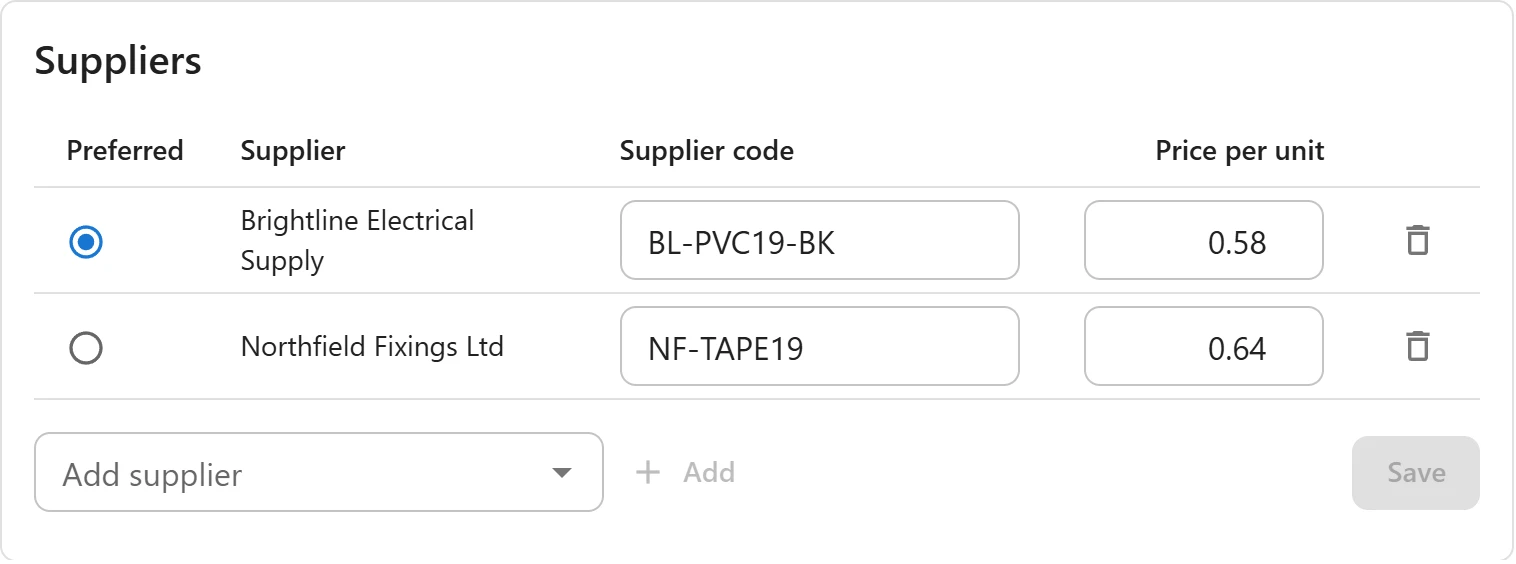
Click Save in the panel to keep the changes.
What to do next
- Order from a supplier: Purchase orders.
- Set reorder levels on items: Items.
Quick Links
Share