

Contents
Locations - Plugixa Car Wash
A location is a car wash site, or the base a mobile team drives from. Each location has its own opening hours, its own rules for which start times customers are offered, its own closed dates, and its own currency, tax and time zone. There is no limit on the number of locations.
Open the list from Plugixa Car Wash, then Locations, the first item of the Configuration group in the app’s sidebar.
The plugin creates no location when it is activated. A location can take bookings once three things are true:
- its status is Published,
- it has at least one published bay or team of the kind its service type uses, and
- a published booking form offers it (a form with no locations picked offers all of them).
The list
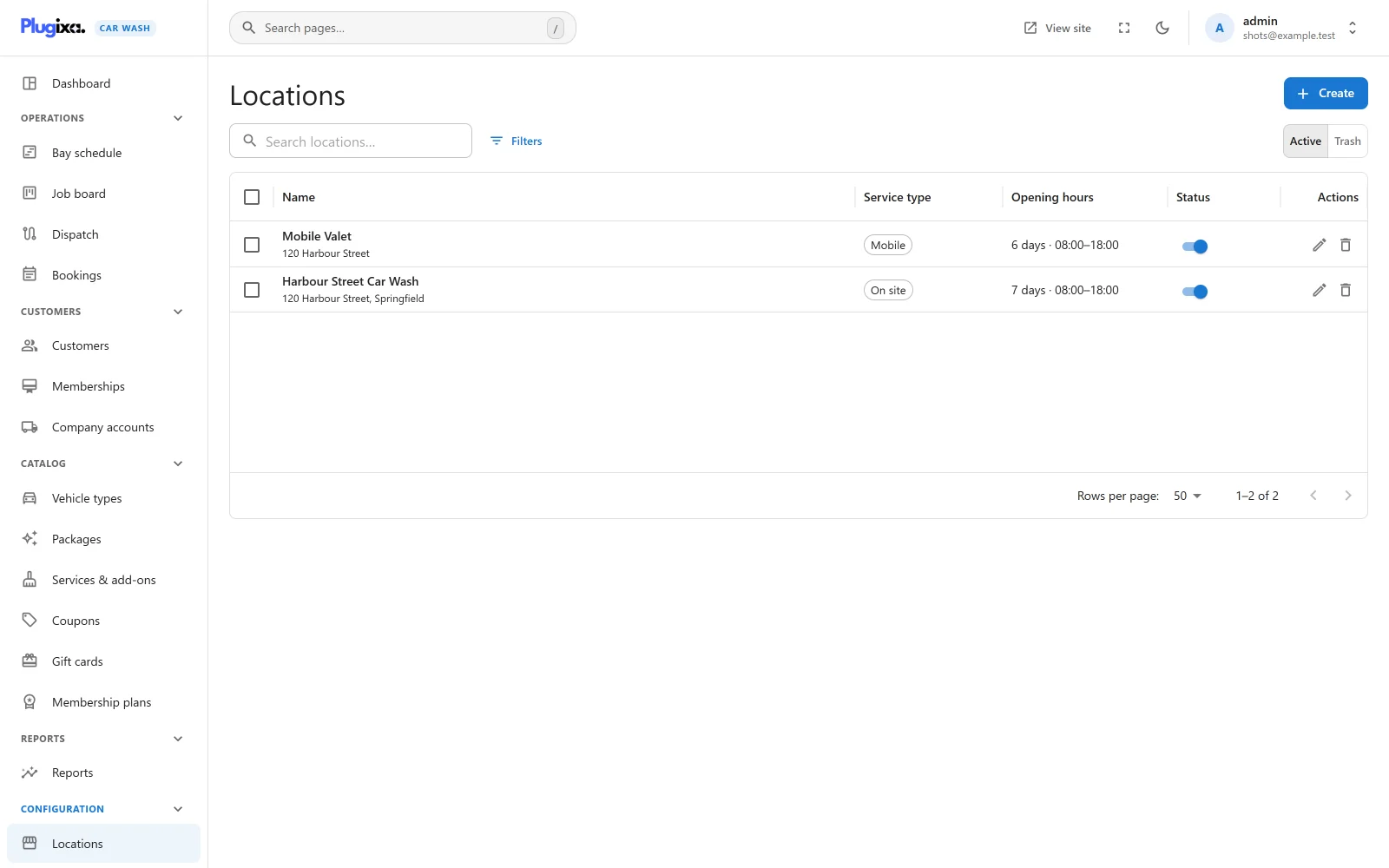
| Column | What it shows |
|---|---|
| Name | The location’s name, with its address and city underneath. |
| Service type | On site, Mobile or On site and mobile. |
| Opening hours | A summary such as “6 days · 08:00-18:00”: how many days a week it opens, the first opening time and the last closing time of the first open day. “Closed” when no day is open. |
| Status | A switch between Published and Unpublished. |
The search box reads “Search locations…”. Filters narrows the list by Status, Service type and City. Export CSV downloads the list. Tick rows to publish, unpublish or trash several locations at once.
An empty list reads “No locations yet” with the hint “Start here: add the site you wash cars at, or the base your mobile team drives from, with its opening hours.”
Adding a location
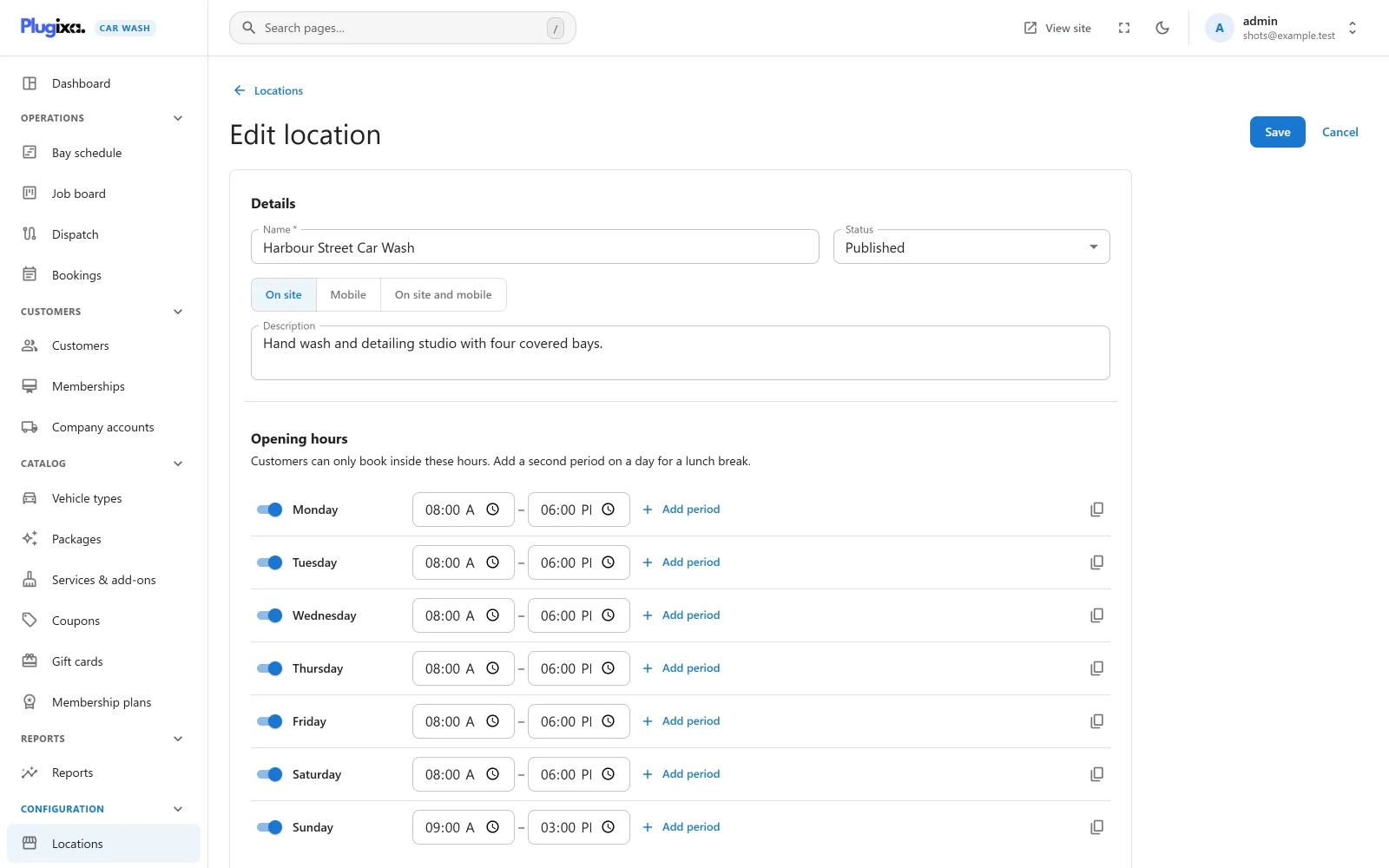
Click Create. Everything on the form, hours and closed dates included, is saved together when you press Save.
Details
| Field | Default | Notes |
|---|---|---|
| Name | Empty | Required, up to 190 characters. Placeholder “e.g. Downtown Car Spa”. “A name is required.” |
| Status | Published | Published or Unpublished. |
| Service type | On site | Three buttons: On site, Mobile, On site and mobile. See below. |
| Description | Empty | Plain text, kept with the location. |
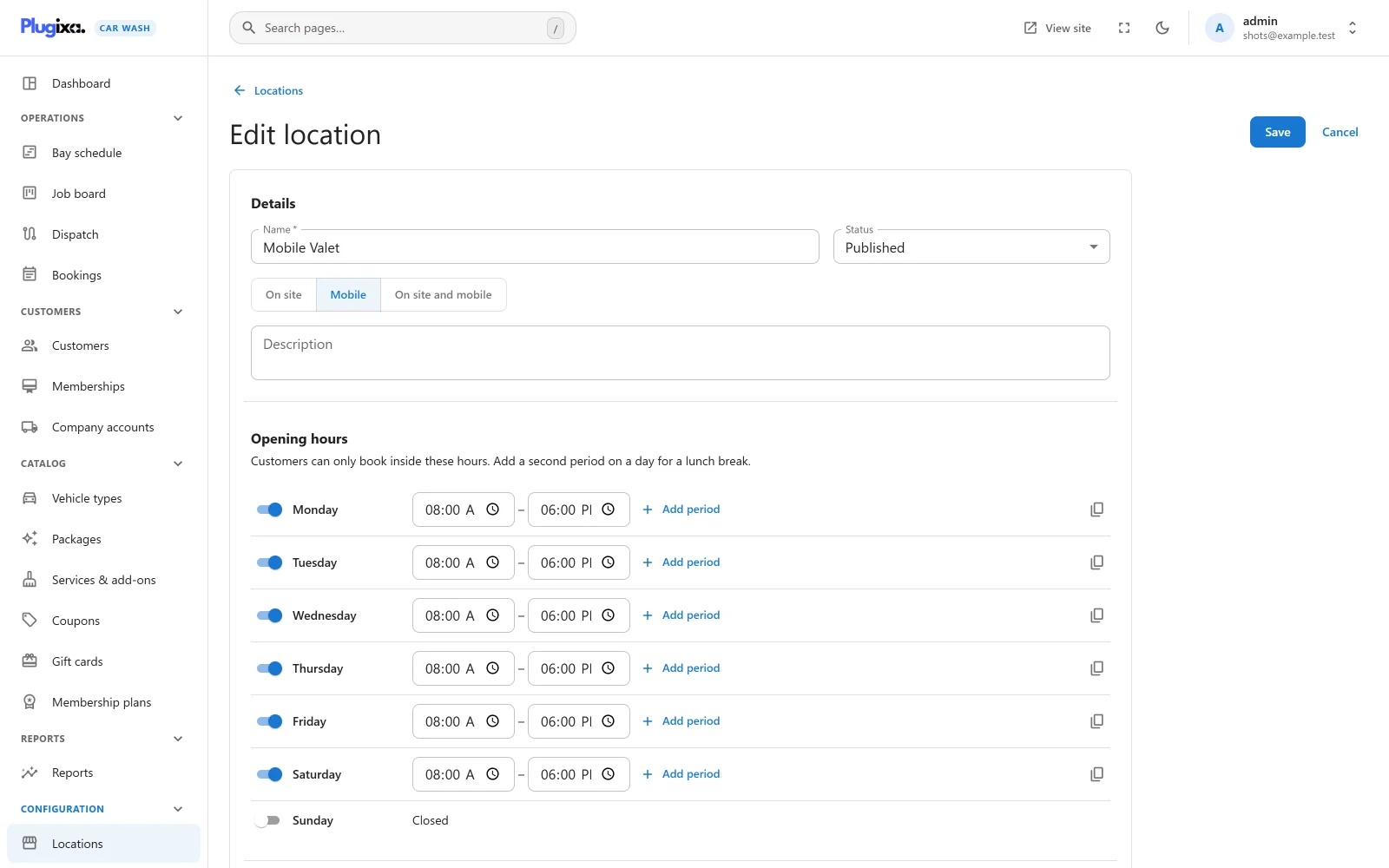
Service type
| Type | Who does the work | On the booking form |
|---|---|---|
| On site | The location’s wash bays. | The customer comes to you. The date and time step shows the location’s name and address. |
| Mobile | The location’s mobile teams. | The customer is asked “Where should we come?” and has to enter an address before the calendar appears (“Enter your address to see when we can come.”). A booking without one is refused with “Enter the address we should come to.” |
| On site and mobile | The location’s wash bays. | As for On site. This type books exactly like On site: the form does not ask for an address, and the booking goes to a wash bay. |
In the free plugin any address is accepted, and the drive costs nothing and takes no time on the team’s calendar. Checking that the address is inside your area, charging for the drive by distance and blocking the drive time are the work of the Mobile service PRO app. It applies only to locations of type Mobile.
Opening hours
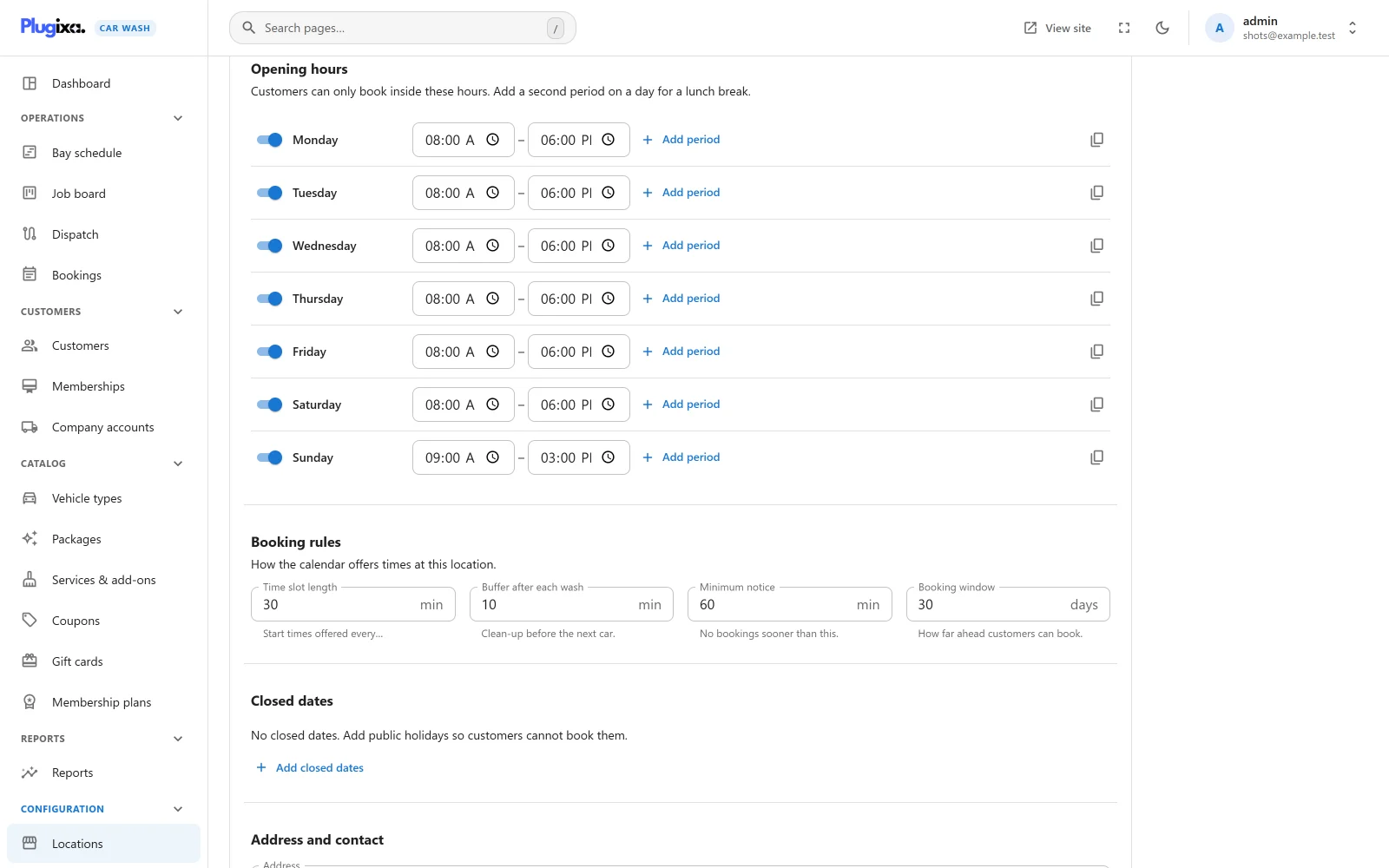
“Customers can only book inside these hours. Add a second period on a day for a lunch break.”
There is one row per weekday, Monday to Sunday. A new location starts open Monday to Saturday, 08:00 to 18:00, and closed on Sunday.
| Control | What it does |
|---|---|
| Day switch | On opens the day at 08:00 to 18:00. Off closes it and clears its periods; the row reads “Closed”. |
| Opens / closes | The two times of a period, in 5-minute steps. |
| Add period | “Add a second period, leaving a gap for a break.” On a day with one period long enough, it splits that period around its middle with a one-hour break: 08:00 to 18:00 becomes 08:00 to 12:00 and 13:00 to 18:00. On a day that already has a break, it adds a period an hour after the last one, as long as an hour still fits before midnight, and otherwise splits the longest period or adds one before the first. The new times never overlap, so the day can be saved as it is; adjust them if your break is at another time. The button is greyed out when no period of at least an hour fits. |
| x | Removes a period. Shown only when the day has more than one. |
| Copy icon | “Use these hours for every open day.” Copies this day’s periods to every day that is switched on. Closed days stay closed. |
The rules, checked when you save:
| Rule | Refused with |
|---|---|
| Each time is written as HH:MM. | “Opening hours must be written as HH:MM.” |
| A period closes after it opens. | “Each opening period must close after it opens.” |
| Two periods on one day neither overlap nor touch. | “Opening periods on the same day cannot overlap. Leave a gap for the break.” |
Periods are stored in time order. 24:00 is accepted as a closing time when sent through the REST API, for a site open until midnight.
The hours are read in the location’s Time zone, below. 08:00 means eight in the morning where the bay is.
Booking rules
“How the calendar offers times at this location.”
| Field | Default | Limits | Hint |
|---|---|---|---|
| Time slot length | 30 min | 5 to 240, in steps of 5 | “Start times offered every…” |
| Buffer after each wash | 0 min | 0 to 240 | “Clean-up before the next car.” |
| Minimum notice | 60 min | 0 to 43,200 (30 days) | “No bookings sooner than this.” |
| Booking window | 30 days | 1 to 365 | “How far ahead customers can book.” |
How start times are offered
For a given date, the booking form offers a start time when all of this is true:
- The date is bookable. It is today or later, no more than the booking window ahead (with 30 days, today plus the next 30 days), not a closed date, and its weekday has at least one opening period.
- The start is on the grid. Start times step through each opening period from its opening time, one Time slot length apart: 08:00, 08:30, 09:00 and so on.
- The job fits. The booking’s whole duration, worked out for the vehicle and everything chosen, ends by the time the period closes. A 90-minute detail is not offered at 17:00 when the period closes at 18:00. The buffer may run past closing.
- There is enough notice. The start is at least the Minimum notice after the current time.
- A bay is free. At least one published bay (or team, for a Mobile location) that takes the customer’s vehicle has nothing booked from the start until the end of the job plus the Buffer after each wash.
The form shows only the free times (“Only times with a free bay are shown.”), grouped into morning, afternoon and evening. Dates with no free time are greyed out on the calendar, and a day whose times are all taken reads “This day is fully booked. Please choose another.” How the bay is chosen is explained in Bays and teams.
The same check runs again when the booking is saved, inside a lock on the location, so two customers can never take the last bay at the same moment. A public booking for a time the location does not offer is refused with “That time cannot be booked. Please choose one of the times shown.” Staff booking from the admin may book outside these rules, as long as the bay is free.
Closed dates
Public holidays, maintenance days and anything else that closes the location for whole days.
Click Add closed dates to add a row:
| Field | Notes |
|---|---|
| From | The first closed day. Picking it also sets To when To is empty or earlier. |
| To | The last closed day. Use the same date for a single day. |
| Reason | For your own reference, up to 190 characters. Placeholder “e.g. Christmas”. |
The bin icon removes a row. With no rows, the section reads “No closed dates. Add public holidays so customers cannot book them.”
A row without a start date, or one that ends before it starts, stops the save with “Each closed period needs a start date, and must not end before it starts.”
A closed date offers no times at all. Bookings already made for that date stay as they are: move or cancel them yourself.
Address and contact
| Field | Limits | Notes |
|---|---|---|
| Address | 255 characters | Shown with the location’s name on the booking form’s date step. |
| City | 120 characters | Shown after the address. |
| Postcode | 30 characters | |
| Country code | 2 characters | Typed in capitals, such as US. |
| Phone | 50 characters | |
| 190 characters | An invalid address is refused with “Email is not a valid email address.” |
Currency, tax and time zone
“Leave blank to use the site settings.”
| Field | Default | Notes |
|---|---|---|
| Time zone | Site default | Pick a zone from the list, such as Europe/London. Opening hours, start times, closed dates and the booking window all follow it. Left empty, the site’s time zone from Settings -> General in WordPress is used. A zone that is not on the list is refused with “Choose a time zone from the list.” |
| Currency | Site default | A three-letter code, such as USD or EUR, typed in capitals. Prices on the booking form and bookings at this location are in it. Left empty, the currency from Settings is used. Anything else is refused with “A currency is a three-letter code such as USD or EUR.” |
| Tax rate | 0% | 0 to 100, with up to two decimals in the field. |
| Prices already include tax | On | On, the tax is the part of each total that is tax. Off, the tax is added on top. |
There is no exchange rate: a location’s currency is a label on its prices, and the amounts you typed in the catalogue are used as they are. The tax calculation is shown step by step in the Packages worked example.
Status, trash and restore
An Unpublished location is not offered on any booking form, and a booking request that names it is refused with “Choose a location.”
Deleting a location moves it to the trash, but only when nothing depends on it. Two things block it:
- its bays and teams: “This location still has 4 bays or teams. Move or delete them first.”
- open bookings (Awaiting payment, Pending, Confirmed or In the bay): “1 upcoming booking still depends on this. Cancel or move it first.”
Switch the list to Trash to Restore a location or Delete permanently.
What is stored
| Table | Holds |
|---|---|
{prefix}plugixa_carwash_locations |
One row per location, with its service type, weekly hours, booking rules, address, currency, tax and time zone. |
{prefix}plugixa_carwash_location_closures |
The closed dates, one row per period. |