

Contents
Vehicle types - Plugixa Car Wash
A vehicle type is the kind of vehicle a customer brings: a car, an SUV, a van, a motorcycle. It is the first thing the booking form asks, and it changes the price and the duration of everything chosen after it.
Each type carries two numbers that apply to your whole catalogue at once:
- an Extra fee, added once to the booking, and
- a Time multiplier, which makes every wash take longer (or shorter) for that vehicle.
So you price a package once, for a regular car, and every other vehicle is worked out from it. Where the arithmetic is not what you want, you type an exact price or time for one vehicle on the package or service itself. See Packages.
Open the list from Plugixa Car Wash, then Vehicle types, the first item of the Catalog group in the app’s sidebar.
The plugin creates no vehicle types when it is activated. Add your own before you build packages, so the Price per vehicle tables have rows to show.
The list
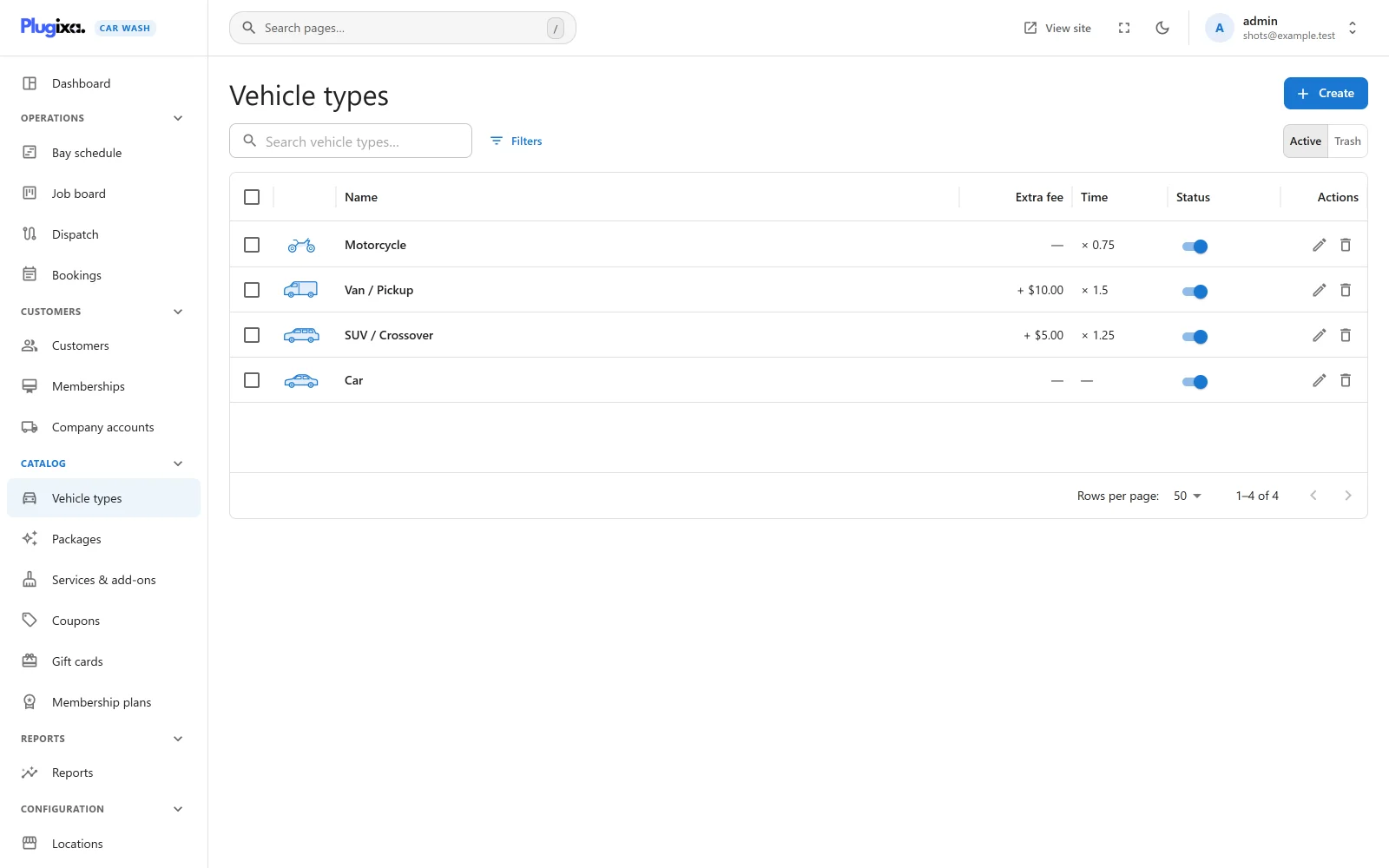
| Column | What it shows |
|---|---|
| (picture) | The type’s photo, or its icon when it has no photo. |
| Name | The type’s name. |
| Extra fee | The fee as “+ $5.00”, or - when there is none. |
| Time | The multiplier as “x 1.25”, or - when it is 1. |
| Status | A switch between Published and Unpublished. |
The search box reads “Search vehicle types…”. Filters narrows the list by status. Export CSV downloads the list. Tick rows to publish, unpublish or move several types to the trash at once.
An empty list reads “No vehicle types yet” with the hint “Customers start by picking their vehicle: sedan, SUV, van. Each type can add a fee and extra time to every package.”
Adding a vehicle type
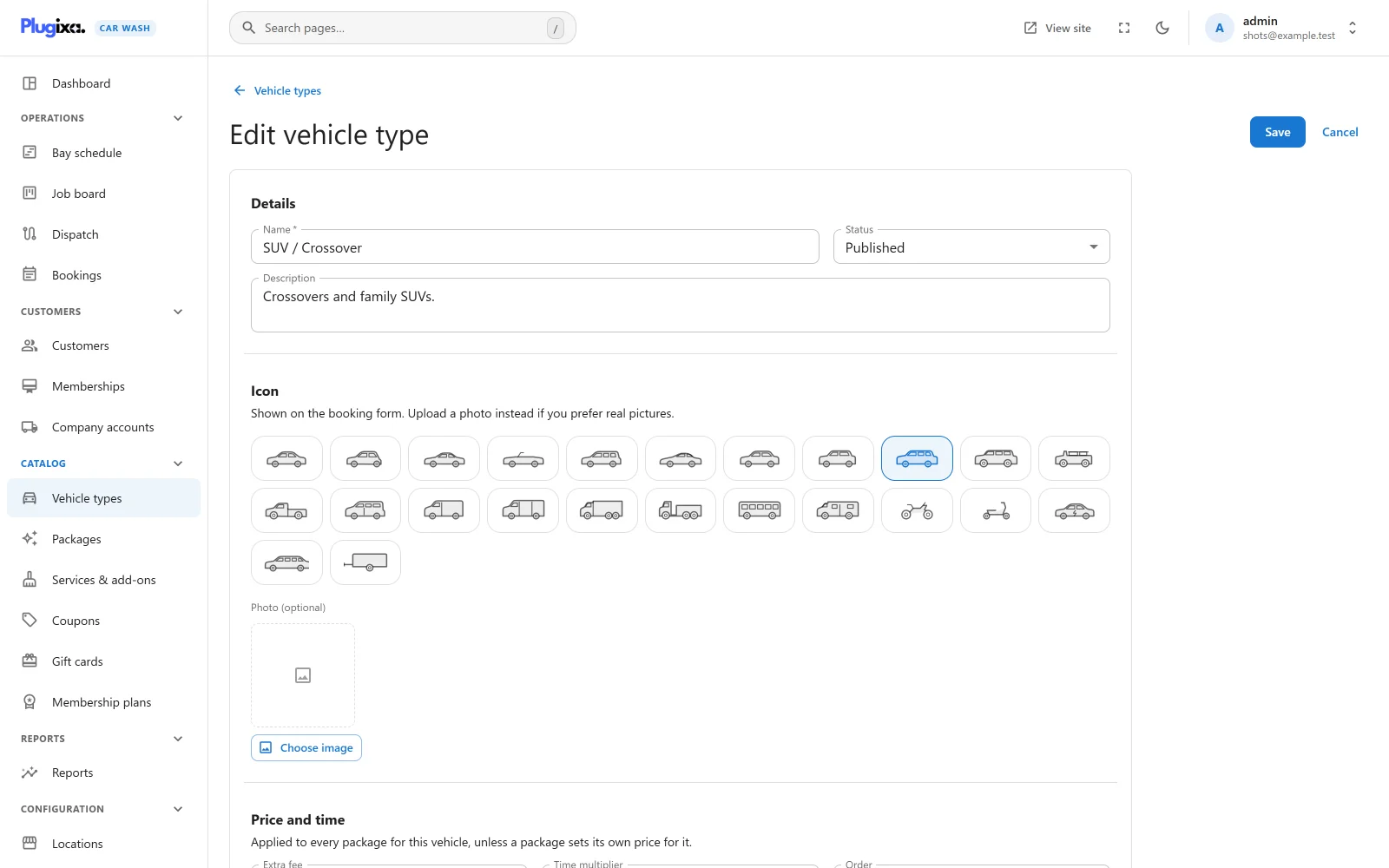
Click Create. The form has three parts.
Details
| Field | Default | Notes |
|---|---|---|
| Name | Empty | Required, up to 190 characters. The placeholder suggests “e.g. Compact SUV”. A save without a name is refused with “A name is required.” |
| Status | Published | Published or Unpublished. |
| Description | Empty | Plain text. It appears under the name on the booking form’s vehicle card. |
Icon
“Shown on the booking form. Upload a photo instead if you prefer real pictures.”
| Field | Default | Notes |
|---|---|---|
| Icon | Sedan | One of 24 drawn vehicles: sedan, hatchback, coupe, convertible, wagon, sports, crossover, compact SUV, SUV, large SUV, jeep, pickup, minivan, van, cargo van, box truck, truck, bus, RV, motorcycle, scooter, electric, limousine and trailer. Hover over an icon to read its name. The chosen one is outlined. |
| Photo (optional) | None | Chosen from the WordPress media library with Choose image. When a photo is set, the booking form and the list show it instead of the icon. |
Price and time
“Applied to every package for this vehicle, unless a package sets its own price for it.”
| Field | Default | Limits | Notes |
|---|---|---|---|
| Extra fee | 0 | 0 to 1,000,000, two decimals | “Added once to the booking.” |
| Time multiplier | 1 | 0.5 to 5, in steps of 0.05 | “1.25 means a quarter longer than a regular car.” A value outside the range is refused with “Time multiplier cannot be less than 0.5.” or “Time multiplier cannot be more than 5.” |
| Order | 0 | 0 to 100,000 | “Lower numbers are shown first.” |
Press Save to store the type, or Cancel to go back to the list.
How a vehicle type changes prices and times
The booking form works out every price and duration for the chosen vehicle. The rules, in the order they apply:
| What | Price for this vehicle | Duration for this vehicle |
|---|---|---|
| A package | The exact price typed for this vehicle on the package, if any. Otherwise the package price plus the vehicle’s extra fee. | The exact time typed for this vehicle, if any. Otherwise the package duration x the time multiplier, rounded to the nearest minute. |
| An add-on (on top of a package) | The exact price typed for this vehicle on the service, if any. Otherwise the service’s own price. The extra fee is not added. | As for a package. |
| A service, on a form that sells services one by one | As for an add-on. | As for a package. |
Three consequences worth knowing:
- The fee is charged once. It rides on the package, not on every add-on, so an SUV’s tyre shine costs the same as a car’s.
- An exact package price replaces the fee. If you typed $49.00 for a van on a package, the van pays $49.00, not $49.00 plus the van’s fee.
- On a services-only form there is no package to carry the fee, so it is added as its own line on the order, named after the vehicle: “SUV / Crossover surcharge”.
A worked example with a package, an add-on and tax is on the Packages page.
The time multiplier also decides how long the bay is held. A 45-minute package for an SUV at x 1.25 books 56 minutes of the bay, so the slots offered are the ones where 56 minutes fit.
What the customer sees
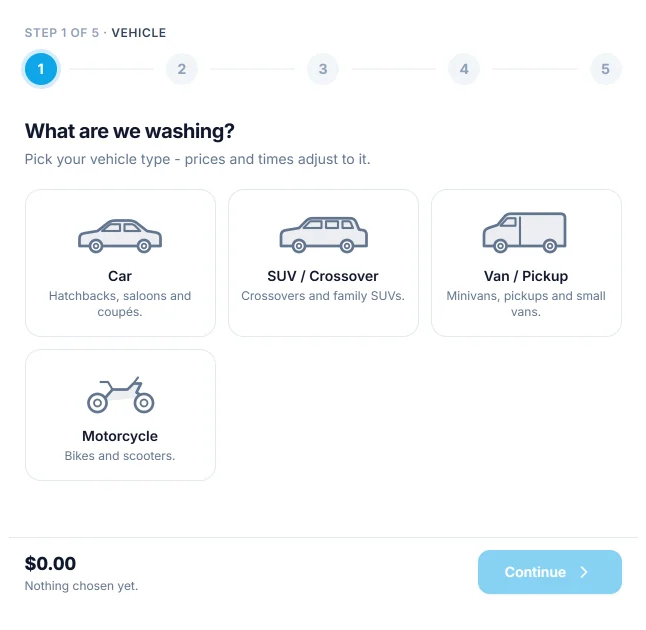
The vehicle step is titled “What are we washing?”. Each published type is a card with its photo or icon, its name and its description, in the Order you set. Once a vehicle is picked, every package and add-on card shows its price and time for that vehicle, and the package step says “Prices shown for your SUV / Crossover.”
The step is left out when there is nothing to choose:
| Published types the form offers | What happens |
|---|---|
| None | No vehicle step. Prices and times are the base ones, with no fee and no multiplier. |
| One | No vehicle step. That type is chosen for the customer. |
| Two or more | The vehicle step is shown and a choice is required. |
A booking form can offer only some vehicle types. Changing the vehicle on the form clears the chosen time, because the new duration may no longer fit, and clears the package if that package is not offered for the new vehicle.
Where else vehicle types are used
| Place | Effect |
|---|---|
| Packages and Services and add-ons | The Price per vehicle table has one row per type, where you can type an exact price or time, or untick Offered to withhold the item from that vehicle. |
| Bays and teams | Vehicles it can take restricts a bay to some types, so a van is never booked into a small bay. |
| Booking forms | Vehicle types limits which types a form offers. |
Status, trash and restore
An Unpublished type is not offered on any booking form, and a booking request that names it is refused with “Choose your vehicle type.”
Deleting a type moves it to the trash. A type that open bookings still use (Awaiting payment, Pending, Confirmed or In the bay) cannot be trashed: “1 upcoming booking still depends on this. Cancel or move it first.” Switch the list to Trash to Restore a type or Delete permanently.
Bookings keep the prices and times they were made with. Changing a fee or a multiplier affects new bookings only.
What is stored
| Table | Holds |
|---|---|
{prefix}plugixa_carwash_vehicle_types |
One row per vehicle type, with its icon, photo, extra fee and time multiplier. |
{prefix}plugixa_carwash_price_rules |
The exact prices and times typed for a vehicle on a package or a service. |