

Contents
On this page
Creators and moderation - Plugixa Video
Creators and moderation PRO let other people publish on your site. They are part of Pro.
A creator is someone who publishes videos on your site without running it: a teacher on a course site, a filmmaker on a festival site, a host on a podcast network. Plugixa Video gives them their own WordPress role, Video Creator, with access to their own work and nothing else. If you want to see what they publish before visitors do, switch on moderation.
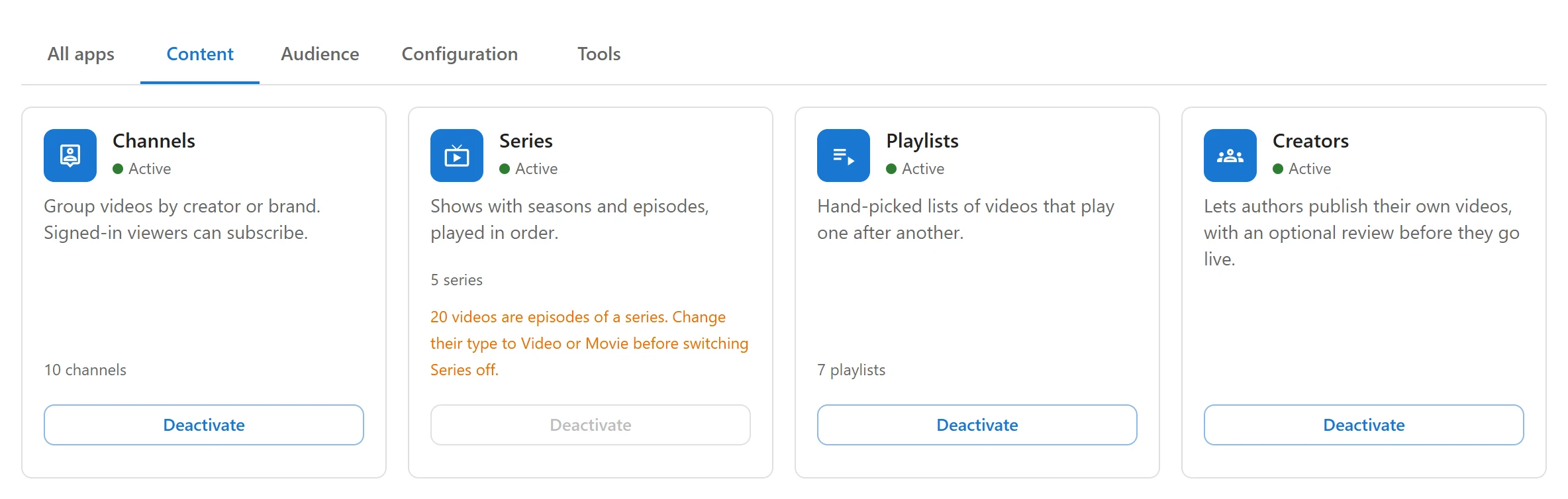
Creators come from the Creators app, which is on by default in Pro. You can switch it off in the App manager.
Make someone a creator
- In WordPress, open Users and add a new user, or edit an existing one.
- Set their Role to Video Creator.
- Save. The next time they sign in, they see Plugixa Video in the WordPress menu.
The role is created when the plugin is activated. It carries WordPress’s read and upload_files capabilities (so a creator can add posters and files to the media library), plus the plugin’s own capabilities listed below.
What a creator can do
A creator opens the same admin app as you, but sees only their own work:
| Area | What a creator gets |
|---|---|
| Videos | Add, edit, publish and delete their own videos. The list shows only videos they wrote. |
| Channels | Create and manage their own channels. A video can only be placed in a channel they can edit. |
| Series | Create and manage their own series, with seasons and episodes. |
| Playlists | Make their own playlists, like any signed-in member. |
| Analytics | Views and watch time for their own videos only. |
Behind this, the plugin grants the creator role the “own” set of WordPress post
capabilities for each content type: edit_, edit_published_, publish_, delete_ and
delete_published_ on pvx_videos, pvx_channels and pvx_shows (series). WordPress then
checks ownership itself: a creator can edit a video they wrote, and gets a “not allowed” answer
on anyone else’s.
What a creator cannot do
- No settings. The Appearance and Settings screens need the
plugixa_video_manage_settingscapability, which only administrators get. - No App manager. It needs WordPress’s
manage_options, so it is for site administrators only. - No one else’s content. They cannot open, change or delete other people’s videos, channels or series, and cannot see other people’s drafts.
- No featured playlists. Only editors and administrators can mark a playlist Featured on the home page.
- No categories. The Categories item opens WordPress’s own category screen, which needs the Manage Categories capability that creators do not have.
Editors and administrators
The plugin also gives the WordPress Editor role its back-office capabilities, and the full set of post capabilities on videos, channels and series. An editor sees and edits everyone’s content and approves what creators submit, but cannot open Settings, Appearance or the App manager.
Administrators have every capability, always.
| Role | Own content | Everyone’s content | Settings and Appearance | App manager |
|---|---|---|---|---|
| Video Creator | yes | - | - | - |
| Editor | yes | yes | - | - |
| Administrator | yes | yes | yes | yes |
Moderation: review before it goes live
By default, what a creator publishes is live at once. To review it first:
- Open Plugixa Video -> Settings and choose the Creators tab.
- Switch on Review what creators publish before it goes live.
- Click Save in the bar at the bottom of the screen.

With moderation on:
- When a creator sets a video, channel or series to Published or Unlisted, it is saved as Pending review instead. Visitors do not see it.
- A video set to publish automatically once its upload is converted is held the same way.
- The site’s admin email address gets a message each time an item starts waiting, with a subject such as “[Your site] Video awaiting review: Iceland: The Ring Road” and a link to the admin app.
- Editors and administrators are never held back: what they publish goes live.
Saving as Draft or Private is not affected.
Approve or reject
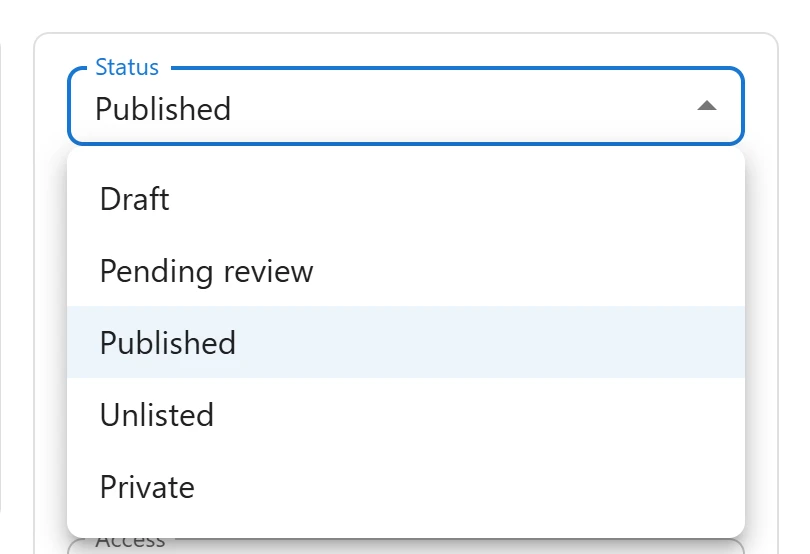
Pending items are marked Pending review in the Videos, Channels and Series lists. To approve one, open it, set its Status to Published (or Unlisted) and save. To send it back, set it to Draft and tell the creator what to change.
Switching the Creators app off
Switching Creators off in the App manager hides the Creators settings tab and stops the review emails. It does not remove the Video Creator role: people who have it keep access to their own videos, channels and series. To take that away, change their role in Users.
The role itself is removed only when the plugin is deleted with data erasing switched on (see Privacy and uninstall). Anyone who had only that role then becomes a Subscriber, so they can still sign in.
Pro: creator revenue sharing
With the Pro licence for unlimited sites, sales of a creator’s videos are split between the site’s commission and the creator. See Invoices and earnings.
For developers
The capabilities are plugixa_video_view, plugixa_video_create, plugixa_video_edit,
plugixa_video_delete and plugixa_video_manage_settings. Anyone holding one of them can open
the admin app. The plugixa_video_user_can filter lets you change a single decision; see
Hooks.
Quick Links
Share