

Contents
On this page
App manager - Plugixa Video
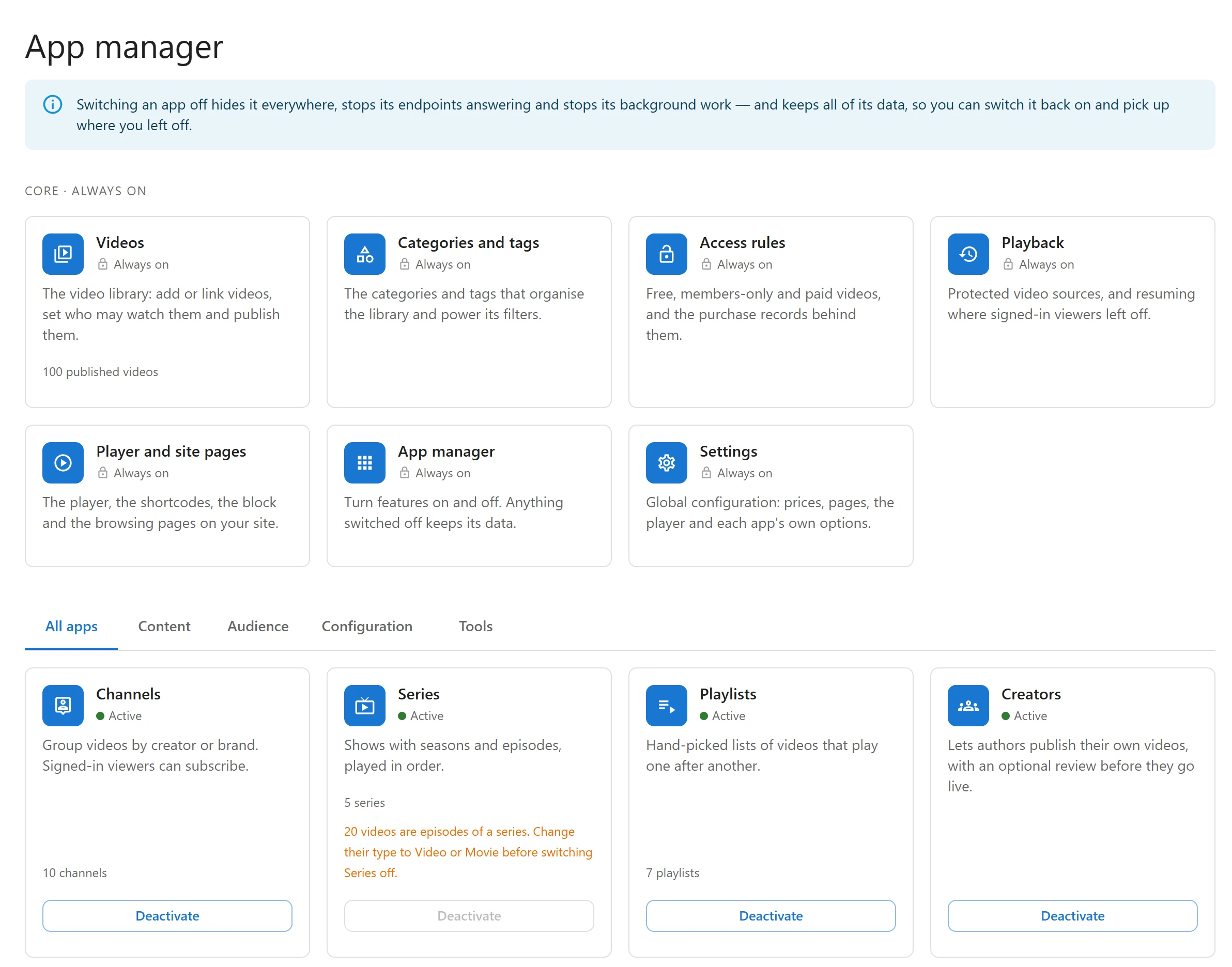
Plugixa Video is built from apps: one for channels, one for series, one for analytics, and so on. The App manager is where you switch the optional ones on and off, so the admin and your site show only what you use.
Open Plugixa Video -> App manager, the last item of the Configuration group. It is for
site administrators only (WordPress’s manage_options capability).
What “off” means
The note at the top of the screen says it: switching an app off hides it everywhere, stops its endpoints answering and stops its background work, and keeps all of its data, so you can switch it back on and pick up where you left off.
In practice, an app that is off:
- leaves the admin menu and the Settings tabs;
- stops answering its part of the REST API;
- has its scheduled jobs cleared, including jobs already waiting in the queue;
- keeps its records and its settings. Nothing in the App manager deletes anything.
Switch an app on or off
- Pick a tab: All apps, Content, Audience, Configuration or Tools.
- On the app’s card, click Deactivate (or Activate).
- The page reloads, so the menu and screens match what is now running.
Each card shows the app’s name, what it does, whether it is Active or Inactive, and, when it depends on another app, Needs followed by that app’s name.
Core apps
The Core · always on row lists what everything else is built on. These cards have no button.
| App | What it is |
|---|---|
| Videos | The video library: add or link videos, set who may watch them and publish them. |
| Categories and tags | The categories and tags that organize the library and power its filters. |
| Access rules | Free, members-only and paid videos, and the purchase records behind them. |
| Playback | Protected video sources, and resuming where signed-in viewers left off. |
| Player and site pages | The player, the shortcodes, the block and the browsing pages on your site. |
| App manager | This screen. |
| Settings | Global configuration: prices, pages, the player and each app’s own options. |
Optional apps in the free plugin
All are on by default.
| App | Tab | What switching it off does |
|---|---|---|
| Channels | Content | The Channels screen, channel pages and subscriptions stop. Pro’s Notifications needs it. |
| Playlists | Content | The Playlists screen and playlist pages stop, for you and for members. |
| Viewer library | Audience | Favorites, likes, “Mark as watched” and the member library stop answering for signed-in viewers. |
Apps that Pro adds PRO
With Pro installed, these appear on the same screen. They are also on by default, and an app whose need is off stays off.
Library, watching and tools apps:
| App | Tab | What switching it off does |
|---|---|---|
| Series | Content | The Series screen and series pages stop. Cannot be switched off while any video is an episode (see below). |
| Creators | Content | The Creators settings tab and the review emails stop. The Video Creator role stays. See Creators and moderation. |
| Related videos | Audience | No more suggestions of what to watch next under each video. |
| Analytics | Audience | The Analytics page goes and the player stops reporting. View counts still rise when a video’s source loads. |
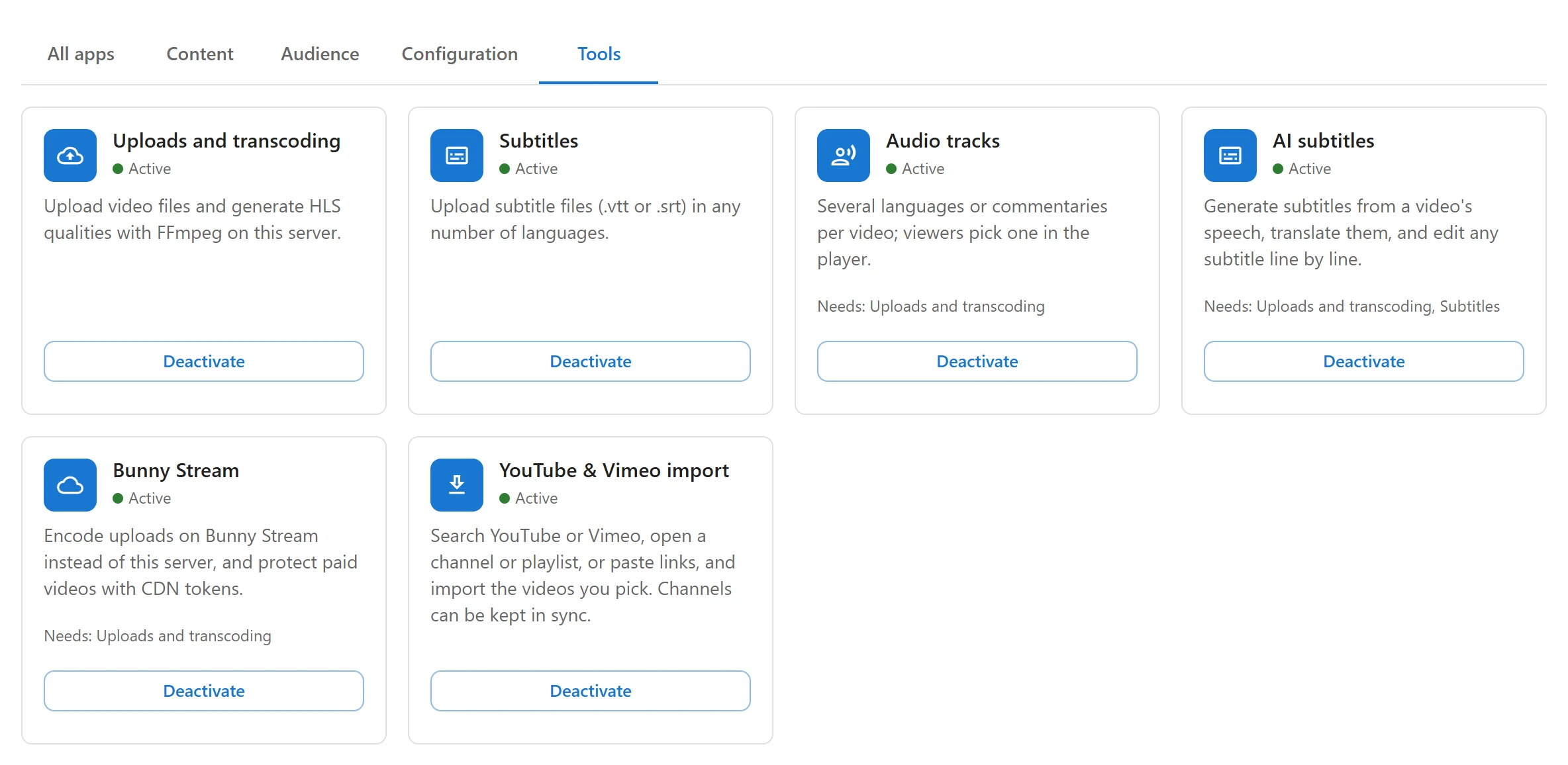
| Uploads and transcoding | Tools | Nothing can be uploaded or converted. Videos already converted keep playing: their files are served by the web server. |
| Subtitles | Tools | Subtitle files can no longer be uploaded. Files already uploaded keep playing. |
Series and episodes
Series refuses to be switched off while any video’s type is Episode: an episode without its series cannot be saved, and its page would lose its seasons. The card then says how many videos are episodes, for example “20 videos are episodes of a series. Change their type to Video or Movie before switching Series off.”, and its button cannot be clicked. Change those videos’ type first. Switching Series back on is never blocked.
Pro also adds these apps:
| App | Tab | Needs |
|---|---|---|
| Payments | Audience | Access rules |
| Audience insights | Audience | Analytics |
| Notifications | Audience | Channels |
| Custom fields | Configuration | - |
| Audio tracks | Tools | Uploads and transcoding |
| AI subtitles | Tools | Uploads and transcoding, Subtitles |
| Bunny Stream | Tools | Uploads and transcoding |
| YouTube & Vimeo import | Tools | - |
The player logo and page layouts are not apps: with nothing chosen they change nothing, so they have no card.
Apps that need another app
When an app needs one that is off, it stops too. Its card says “Off because something it needs is off.” Switch the needed app back on and it runs again.
Clicking Activate on an app whose need is off answers “Switch these on first:” with the names to switch on.
For developers
The plugixa_video_app_toggled action fires after an app is switched, with its id and its new
state. See Hooks.
Quick Links
Share