

Contents
On this page
Settings - Plugixa Video
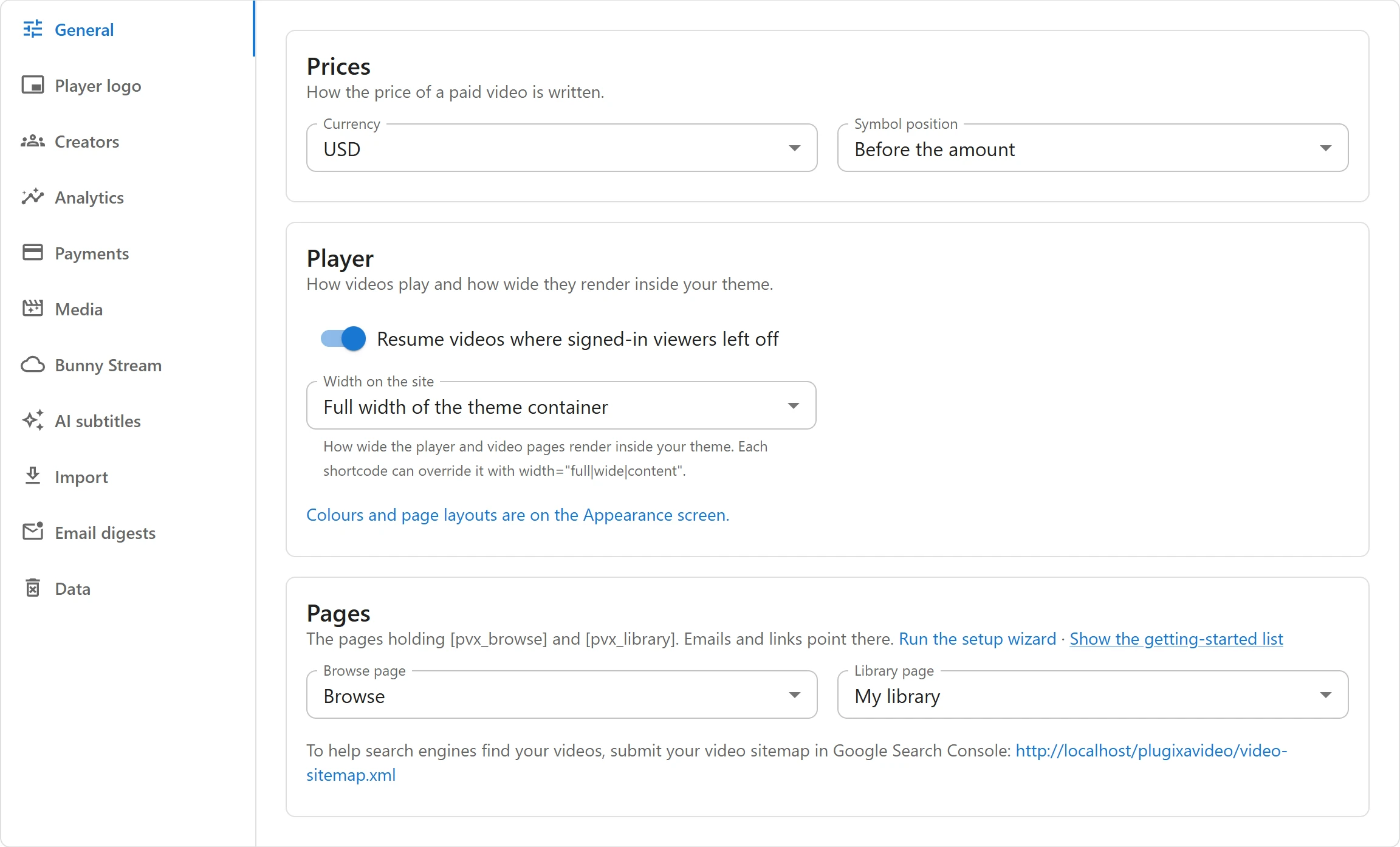
Settings holds the site-wide options: how prices are written, how the player behaves, which pages hold the browse and library views, and each app’s own options. Colors and page layouts are not here: they are on the Appearance screen.
Open Plugixa Video -> Settings. Only users who may manage settings see it; out of the box
that is administrators. The tabs run down the left side (across the top on a phone), and the
open tab is in the address, for example #/settings?tab=media, so you can link to one.
Saving
All tabs share one save bar. As soon as anything differs from what is saved, a bar appears at the bottom of the screen with “You have unsaved changes.” Click Save to keep your changes or Discard to go back to what is stored. A change made on one tab is not lost when you open another tab before saving.
A tab that belongs to an app is shown only while that app is on in the App manager. Its saved values are kept while the app is off and come back when you switch it on again.
General
Prices
How the price of a paid video is written. These matter once you sell videos with Pro.
| Field | Default | What it does |
|---|---|---|
| Currency | USD | One of 24 currencies: USD, EUR, GBP, CAD, AUD, CHF, JPY, SEK, NOK, DKK, PLN, TRY, INR, AED, SAR, QAR, EGP, ZAR, MAD, DZD, TND, XOF, BRL, MXN. |
| Symbol position | Before the amount | Before the amount or After the amount. |
Player
| Field | Default | What it does |
|---|---|---|
| Resume videos where signed-in viewers left off | On | Signed-in viewers continue from their last position, on any device. Guests always start at the beginning. |
| Width on the site | Full width of the theme container | How wide the player and video pages render inside your theme: Full width of the theme container, Theme’s wide width or Theme’s content width. Each shortcode can override it with width="full", width="wide" or width="content". |
A link under these fields takes you to the Appearance screen for colors and page layouts.
Pages
| Field | Default | What it does |
|---|---|---|
| Browse page | None | The published page that holds [pvx_browse]. Emails and links point there. |
| Library page | None | The published page that holds [pvx_library]. |
The setup wizard fills both when it creates your pages. Two links sit above the fields: Run the setup wizard opens it again, and Show the getting-started list puts the checklist back on the Videos page if you hid it.
Under the fields is the address of your video sitemap (/video-sitemap.xml), to submit in
Google Search Console. See SEO.
Creators
The Creators tab comes with Pro PRO. It has one switch, Review what creators publish before it goes live (off by default). When it is on, new videos, channels and series from creators wait as Pending review until an editor publishes them, and the site admin is emailed. See Creators and moderation.
Analytics
The Analytics tab comes with Pro PRO.
| Field | Default | What it does |
|---|---|---|
| Is your site behind a proxy? | No | No, Yes, Cloudflare or Yes, another proxy or load balancer. Tells the plugin where the visitor’s real address is, so viewers behind a proxy are not counted as one. |
If the settings page itself reached you through Cloudflare or another proxy, a note suggests the matching choice. See Analytics.

Media
The Media tab comes with Pro PRO.
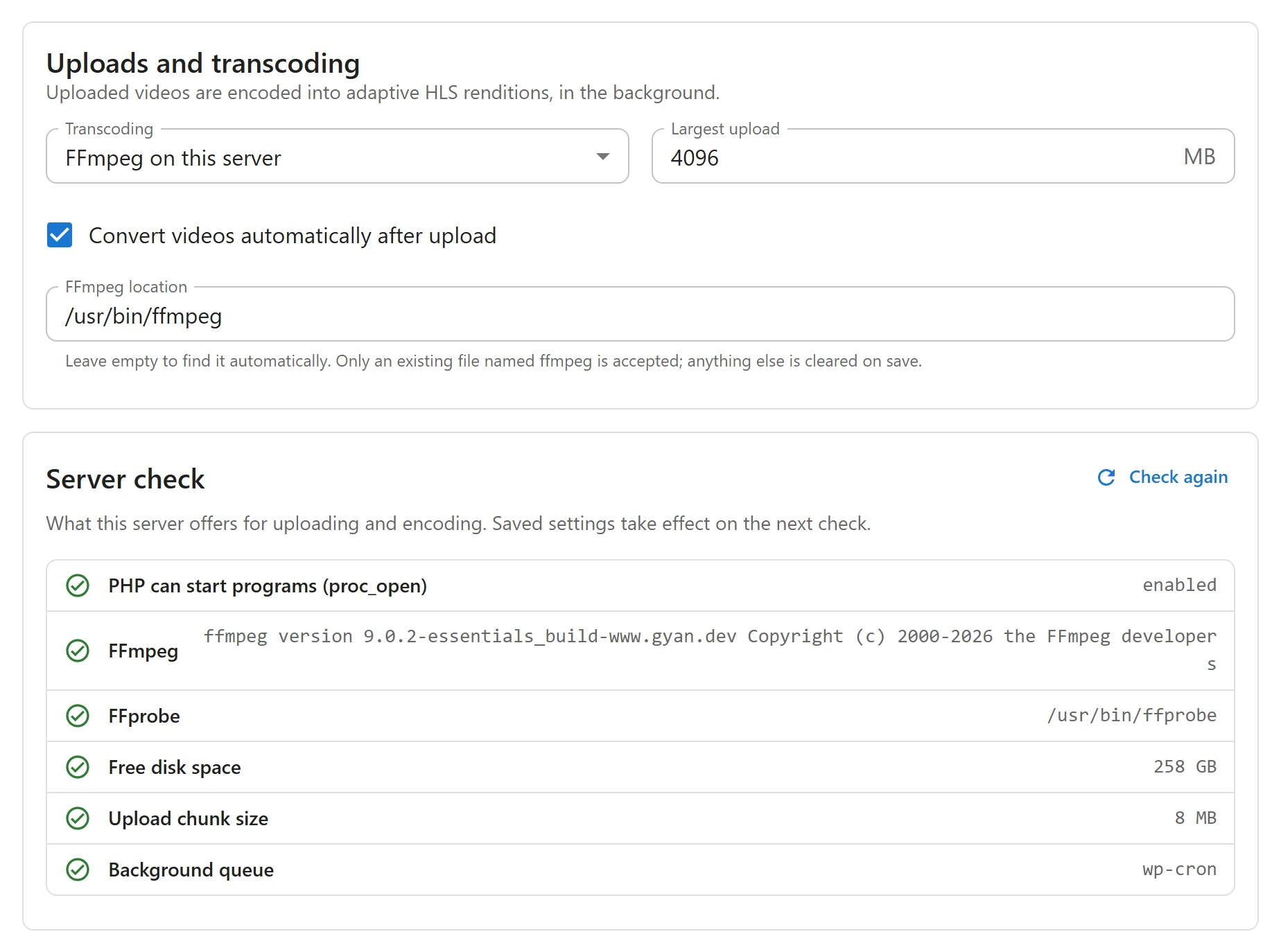
Uploads and transcoding
| Field | Default | What it does |
|---|---|---|
| Transcoding | FFmpeg on this server | Which service converts uploads into HLS qualities: FFmpeg on this server, or Bunny Stream when its app is on. |
| Largest upload | 4096 MB | The largest file that can be uploaded, from 1 to 102400 MB. A bigger file is refused when its upload starts. |
| Convert videos automatically after upload | On | Starts the conversion as soon as an upload is complete. Off, you start it from the video. |
| FFmpeg location | Empty | The full path to the ffmpeg program. Leave it empty to use the ffmpeg on the server’s path. Only an existing file named ffmpeg (or ffmpeg.exe) is accepted; anything else is cleared when you save. |
A PLUGIXA_VIDEO_FFMPEG constant in wp-config.php, when defined, is used instead of the
FFmpeg location field.
Server check
Under the fields, a read-only list shows what this server offers, with Check again to refresh it after your host changes something:
| Row | What is checked |
|---|---|
| PHP can start programs (proc_open) | FFmpeg needs proc_open(). Some hosts disable it. |
| FFmpeg | The FFmpeg version found, or “Not found”. |
| FFprobe | ffprobe, next to ffmpeg. |
| Free disk space | Flagged below 5 GB. |
| Upload chunk size | Files are sent in pieces of up to 8 MB, sized under your PHP upload limit. Flagged when PHP allows less than 2 MB. |
| Background queue | Whether conversions start on time, and whether jobs run from WP-Cron or a server cron. |
See Uploading and encoding and Troubleshooting.
Data
Shown to site administrators only, and last.
| Field | Default | What it does |
|---|---|---|
| Erase videos, progress and access records when the plugin is deleted | Off | When on, deleting the plugin removes its videos, channels, series, playlists, progress and access records, its files and these settings. Files in the media library are never deleted. |
A warning appears as soon as you switch it on. Even then nothing is erased while another copy of the plugin (Free beside Pro) is still installed, because both use the same data. See Privacy and uninstall.
Tabs that Pro adds PRO
Pro adds these tabs to the same screen, each linked to the page that explains it:
| Tab | Page |
|---|---|
| Creators | Creators and moderation |
| Analytics | Analytics |
| Media | Uploading and encoding |
| Player logo | Player logo |
| Payments | Selling videos |
| Bunny Stream | Bunny Stream |
| AI subtitles | AI subtitles |
| Import | YouTube and Vimeo |
| Email digests | Notifications |
Other Pro features are set up elsewhere, not in a Settings tab: audio tracks in the video form, custom fields on their own screen, and page layouts on the Appearance screen and in the video and channel forms. With Bunny Stream on, it is also offered in the Transcoding menu.
Quick Links
Share