

Contents
On this page
Orders and refunds - Plugixa Video
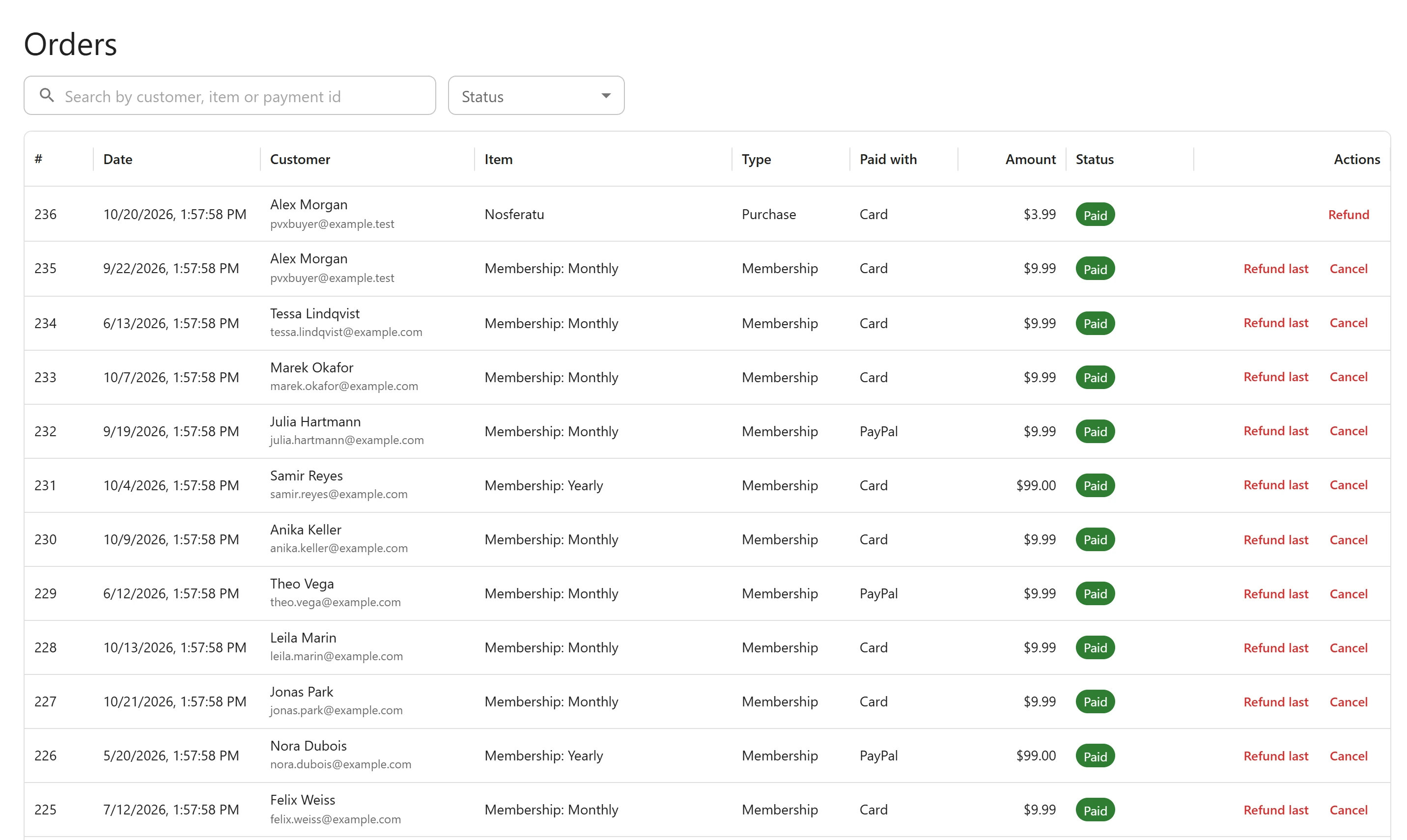
Every checkout a viewer starts becomes an order, whether they pay or not. Open Orders in the admin app’s menu to see them, newest first. The page is part of the Payments app and is for users who manage the plugin’s settings.
Columns
| Column | What it shows |
|---|---|
| # | The order number. |
| Date | When it was paid, or when the checkout started for an order that was never paid. |
| Customer | The buyer’s display name, with their email address under it. |
| Item | The video or plan bought. |
| Type | Purchase, Rental or Membership. |
| Paid with | Card (Stripe) or PayPal. |
| Amount | The price, in the currency of the order. |
| Status | See below. |
| Actions | Refund, and Cancel for a membership. Shown only on Paid orders. |
The list refreshes itself every 15 seconds, so a payment or a refund reported by the provider shows up without reloading. Show 25, 50 or 100 orders per page. With no order yet, the page reads “No orders yet.”
Statuses
| Status | Meaning |
|---|---|
| Pending | The checkout has started and nothing is settled yet. |
| Paid | The provider confirmed the payment and access was granted. A membership stays Paid while it renews. |
| Failed | The payment did not go through, for example a bank debit that bounced. |
| Abandoned | Nobody finished the checkout. Stripe reports an expired checkout; any order still pending after 6 hours is checked with the provider and marked Abandoned if nothing was paid. |
| Refunded | Fully refunded. Access was removed. |
| Disputed | The buyer opened a dispute (a chargeback) at their bank. Access was removed. |
| Cancelled | A membership that ended: cancelled by you, by the member, or by the provider. |
Failed and Abandoned are not final: if the money still arrives, the order turns Paid and access is granted.
Find an order
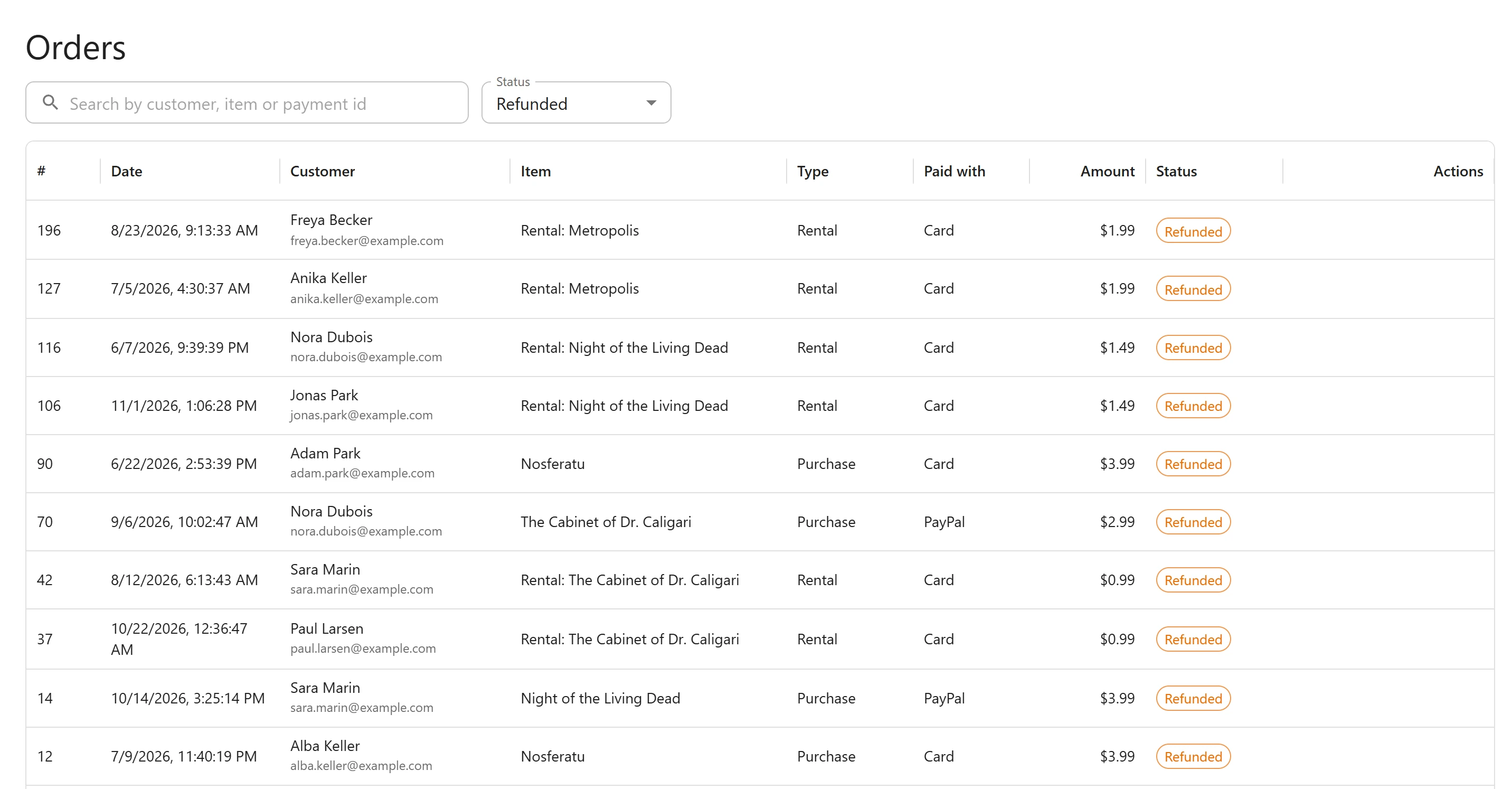
- Search by customer, item or payment id: matches part of the buyer’s name, email address or
the item’s title, or the exact payment id of a one-time payment (a Stripe
pi_...id or a PayPal capture id). - Status: All statuses, or one of Paid, Pending, Refunded, Disputed, Cancelled, Failed and Abandoned.
Refund an order
- Find the Paid order.
- Click Refund (for a membership, Refund last).
- Confirm the question:
- Purchase or rental: “Refund this order in full? The buyer loses access to what it unlocked.”
- Membership: “Refund the latest payment of this membership? The membership ends and the member loses access.”
- The page shows “Refund requested. Access is removed as soon as the payment provider confirms it.”
The refund is made with the provider the order was paid with, for the whole payment. For a membership, only its latest payment is refunded, and the subscription is cancelled so it is not charged again. The order turns Refunded and access goes when the provider reports the refund through its webhook, the same way as a refund made in the Stripe or PayPal dashboard.
A refund needs the order’s provider to still be set up. If its keys were removed, the page answers “The payment method of this order is not set up any more.”
Cancel a membership
- Find the Paid membership and click Cancel.
- Confirm: “Cancel this membership now? The member loses access and is not charged again.”
- The page shows “Membership cancelled. Access ends as soon as the payment provider confirms it.”
This ends access straight away and refunds nothing. To let a member keep access to the end of the period they paid for, let them cancel from their library instead, see Membership plans.
Refunds and disputes made at the provider
You do not have to use this page. The site acts on what Stripe and PayPal report:
| Reported | Order | Access |
|---|---|---|
| Full refund | Refunded | Removed |
| Partial refund | Stays Paid | Kept: a partial refund is treated as a goodwill gesture |
| Dispute opened (Stripe), dispute created or payment reversed (PayPal) | Disputed | Removed at once, even though you may still win the dispute |
| Membership ended by the provider | Cancelled | Removed, unless the member had cancelled it themselves |
Every refund and chargeback is also written to the earnings ledger, partial ones included, and shows on the invoice of the payment it gives back.
A refund or dispute that arrives before the payment it belongs to (this happens when a webhook is retried late) is kept for 7 days and applied as soon as the payment is known.
Personal data
Orders and payments appear in the WordPress personal data export (Tools -> Export Personal Data) under “Video purchases” and “Video payments and refunds”. The personal data eraser keeps them on purpose: they are accounting records a seller usually has to keep.
Related
Quick Links
Share