

Contents
On this page
Related videos and Up next - Plugixa Video
Related videos PRO fill the Up next list beside every video with suggestions of what to watch after it. The plugin picks the videos for you from what they have in common, and you can pin your own picks to the top. When the video ends, the next one starts after a short countdown.
Related videos are part of Pro. The free plugin keeps the Up next block, the playlist side list and autoplay of the next playlist item: a video opened from a playlist still lists the playlist beside it and moves on to the next video. See Playlists.
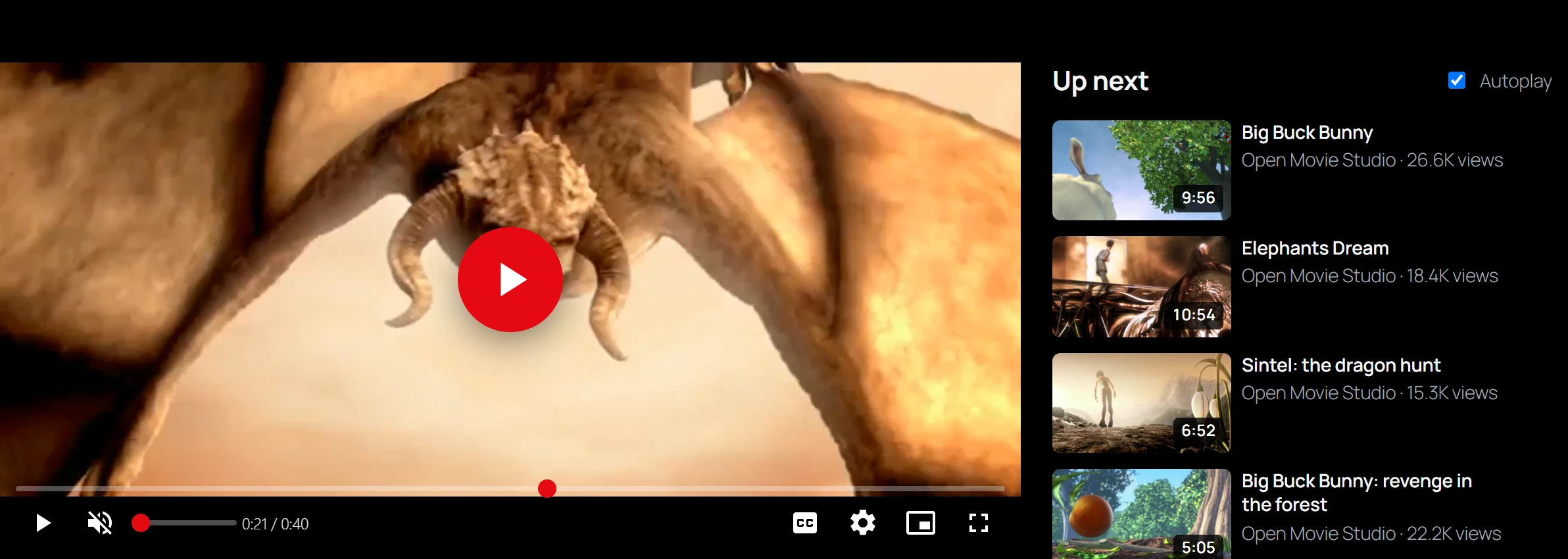
How related videos are chosen
The list for a video is built in this order:
- Your pinned videos, in the order you set them.
- For an episode, the following episodes of the same series, in season and episode order.
- The rest, ranked by what they share with the video:
| Shared with the video | Weight |
|---|---|
| The same series | 4 |
| Each tag in common | 3 |
| Each category in common | 2 |
| The same channel | 2 |
Tags count most per match because they are the most specific. Between equally related videos, the more viewed and the more recent one comes first. A video that shares no series, tag, category or channel with any other gets the most viewed videos instead, so the list is never empty.
Only published videos are suggested: unlisted, private, draft and scheduled videos are left out, and the video being watched never suggests itself. The video page shows up to 12.
Good tags and categories make better suggestions. See Categories and tags and Series.
The list is kept for an hour to keep pages fast, and rebuilt as soon as you save the video. A video unpublished in the meantime is never shown.
Pin your own picks
- Open the video in Videos.
- In the Related videos section, add videos to Pinned videos: “Pinned videos come first, in this order. The rest is chosen automatically from series, categories, tags and channel.”
- Save the video.
Pinned videos come first in the order you added them. To change the order, remove a video and add it again at the end.
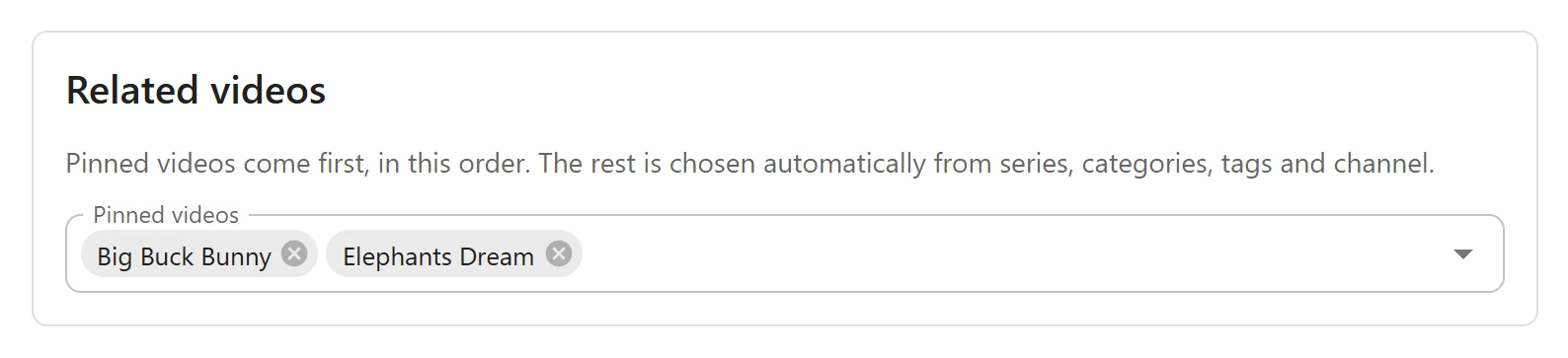
Pin a trailer’s full film, the next part of a talk, or a video you want to promote. Pinned videos must be published to show.
Up next on the video page
The side list is headed Up next. When the viewer came from a playlist, it shows that
playlist instead, under the playlist’s name, with their place in it, such as 3 / 8.
When the video ends, a card over the player counts down: “Up next in 8”. After 8 seconds the next video opens. The viewer can click Play now to go at once, or Cancel to stay.
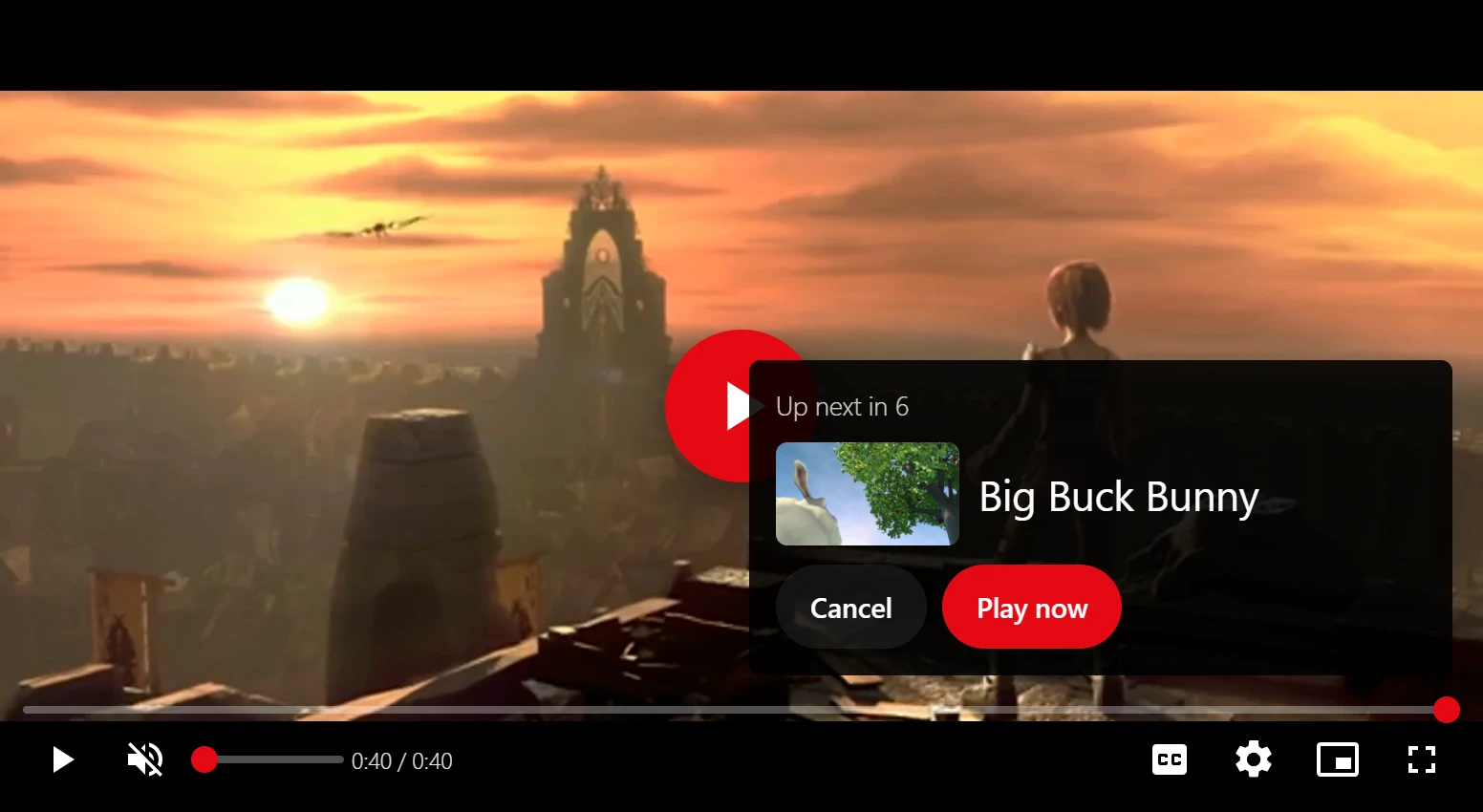
The next video is:
- in a playlist, the following video of the playlist, and nothing after the last one;
- otherwise, the first video of the related list, which is your first pinned video when you pinned any.
Autoplay
The Autoplay checkbox above the list lets the viewer turn the countdown off. Their choice is remembered in their browser for every video. It is on by default.
The countdown follows the plugin’s own player, so it runs after HLS and MP4 videos. A YouTube or Vimeo video plays in its own player, which does not tell the page when it ends.
Where the list appears
- Classic themes: with the video’s details, on every video page.
- Block themes: in the side column of the Standard video page layout, and below the player in Theatre. The Focus layout has no next videos and nothing starts on its own. See Appearance.
- Anywhere in a template: with the Up next block, which has its own Layout, Number of videos and Start the next video automatically settings. See Blocks.
Switch it off
Related videos are an app: Related videos in the App manager, on by default in Pro. Switched off, the video page shows no related list. A playlist being watched still shows in the side list, and still moves on to its next video.
Quick Links
Share