

Contents
On this page
Foreign cash - Plugixa POS for WooCommerce
Foreign cash lets a customer pay with notes in another currency, for example a tourist paying in dollars in a euro shop. The sale stays in your shop’s currency. The foreign notes go in their own drawer, and the change is given in your currency from your usual cash.
Open Plugixa POS > Foreign cash (in the Store group).
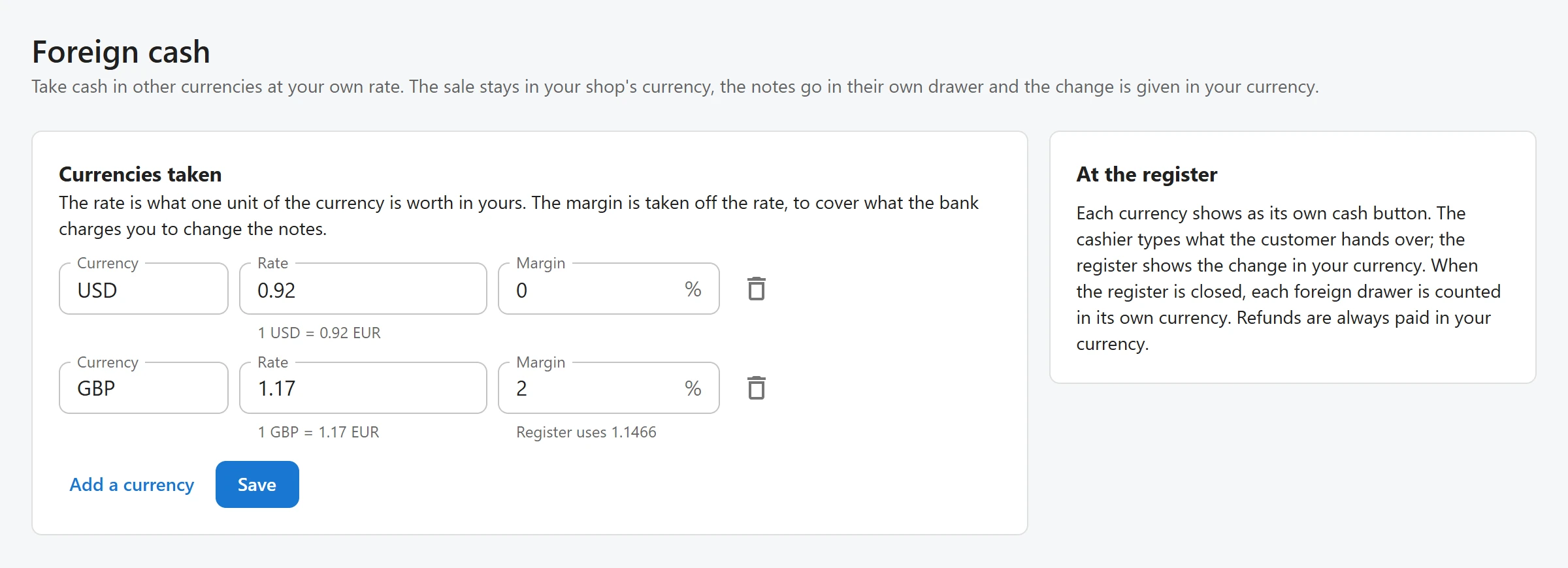
Set the currencies you take
-
Click Add a currency.
-
Fill in the line:
Field Notes Currency The three-letter code, for example USD. Pick one from the list or type it.Rate “The rate is what one unit of the currency is worth in yours.” The line under it reads, for example, 1 USD = 0.92 EUR. Up to six decimals.Margin Optional, in %. “The margin is taken off the rate, to cover what the bank charges you to change the notes.” Up to two decimals. -
Click Save.
With a margin, the line under Margin shows the rate the register really uses: Register uses 1.1466 for a rate of 1.17 and a margin of 2%.
You can take up to ten currencies. When saving, the site leaves out a line with an unknown currency, your own currency, a currency listed twice or a rate that is not a number, and says so with a warning that some lines were left out. With no currency, the register only takes your own.
When you change a rate
A sale is accepted at the rate the cashier saw, even if you change the rate in the meantime: the site remembers the last ten rates of each currency. An older rate is refused with “The USD rate has changed. Reload the register and take the payment again.”
At the register
Each currency is its own payment method, named Cash USD, Cash GBP and so on. Like cash, it opens the cash drawer.
- Press Pay and choose the currency, for example Cash USD.
- The dialog shows the rate (
1 USD = 0.92 EUR) and what is Due in that currency. - Type the Amount received (USD), or tap one of the quick amount buttons.
- Check Worth, the value in your currency, and Change, in the shop’s currency.
- Click Take the cash.
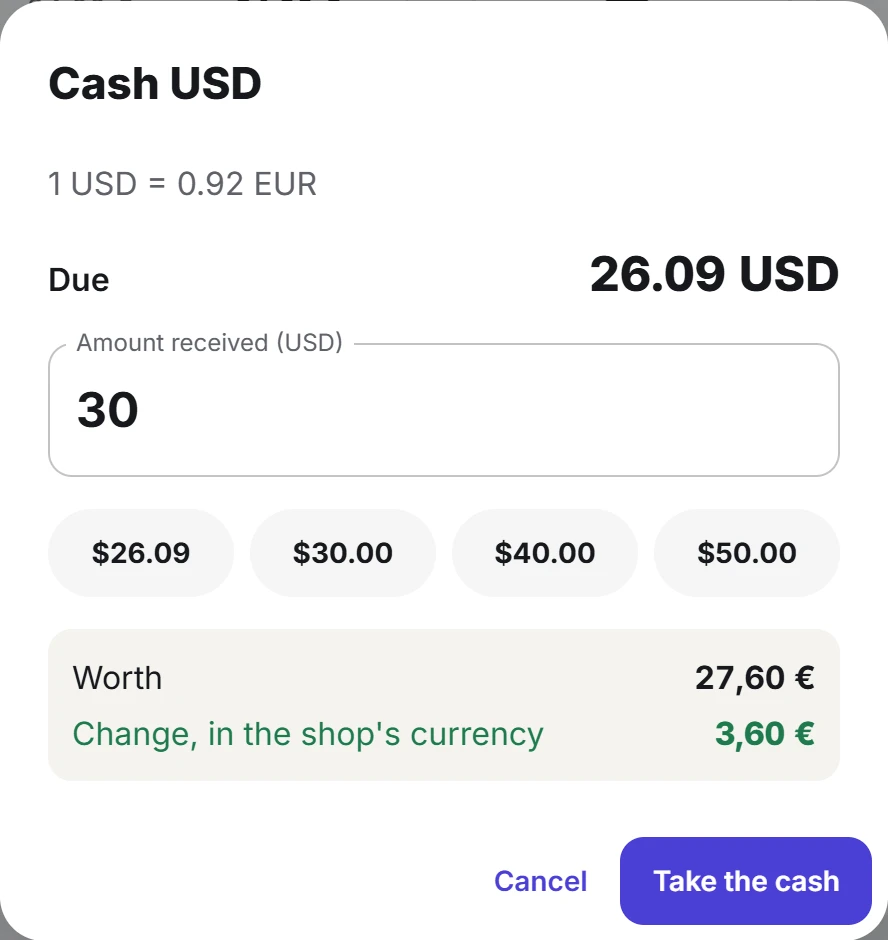
If the notes are worth less than what is due, the dialog says “Less than what is due: the rest is paid another way.” Add the other payment as usual. See Payments.
The receipt and the order show what was received, in which currency and at what rate, for example
Cash USD (30.00 USD at 0.92). The amounts use each currency’s own decimals: none for the yen, two
for most currencies, three for a few such as the Kuwaiti dinar.
Closing the register
Each foreign currency is its own drawer, counted in its own currency when the session is closed.
- The session report shows what each foreign drawer should hold, for example
120.00 USD, with its value in your currency in brackets. - The counting field is labelled with the method and the currency, for example Cash USD (USD). Type the notes you count, in dollars.
The count is valued at the rates the notes were taken at during the session, so a drawer counted exactly shows no difference even if the rate changed. See Cash sessions.
Refunds
“Refunds are always paid in your currency.” When a sale paid in foreign cash is refunded in full, the foreign part is paid back in your own cash, less the change given at the time of the sale. Foreign cash methods are not offered as a way to pay back on a return.
Related
Quick Links
Share