

Contents
On this page
Store credit - Plugixa POS for WooCommerce
Store credit is a money balance kept for one customer (a WordPress user). Unlike a gift card, it has no code: it belongs to the customer, and the register finds it once the customer is chosen for the sale.
Where credit comes from
| Source | How |
|---|---|
| A refund | When you refund a sale made for a customer, choose Store credit as the way to pay back. The amount goes onto that customer’s credit. |
| An exchange | When returned items are worth more than the new ones, the rest can be paid back as Store credit. See Returns and exchanges. |
| A top-up at the register | The customer pays to add credit, as a line of the Store credit product. |
| By hand | Goodwill, an opening balance or a correction, from the back office. |
Pay with store credit
- Choose the customer for the sale (Add customer, in the cart).
- On the payment screen, choose Store credit.
- The dialog shows the customer’s name and balance. The Amount is filled in with what is due, or with the balance if that is less. Change it if needed.
- Tap Use the credit. Pay any rest with another method.
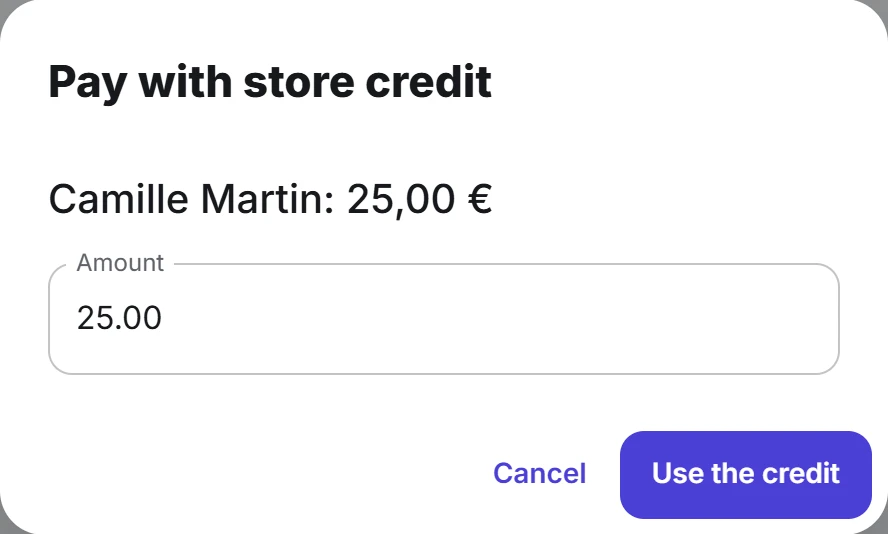
Without a customer the dialog says “Choose the customer first (Add customer, in the cart).” A customer with no credit sees “This customer has no store credit.”
The credit is taken when the sale is recorded. If the customer no longer has enough at that moment (spent at another till in between), the whole sale is refused with “Not enough store credit” and the balance left.
Top up a customer’s credit
- Choose the customer for the sale.
- Find the Store credit product (search for “store credit”) and tap it.
- In Top up store credit, type the Amount and tap Add.
- Take the payment as usual.
The credit is added to the sale’s customer when the sale is recorded, for what the customer actually paid on that line. One top-up line can add up to 100,000 in your currency.
The Store credit product is created by the plugin the first time it is needed: virtual, untaxed, without stock and hidden from your online shop. Credit is taxed when it is spent on goods, not when it is bought. Buying credit earns no loyalty points and promotions never discount it.
Refunds of sales paid with credit
- Money paid with store credit can go back as store credit. Store credit is offered as a way to pay back only on a sale made for a customer.
- Refunding a top-up takes that credit off the customer again. If it was already spent, the refund is refused: “This store credit has already been used: the top-up cannot be refunded.”
See and change a customer’s credit
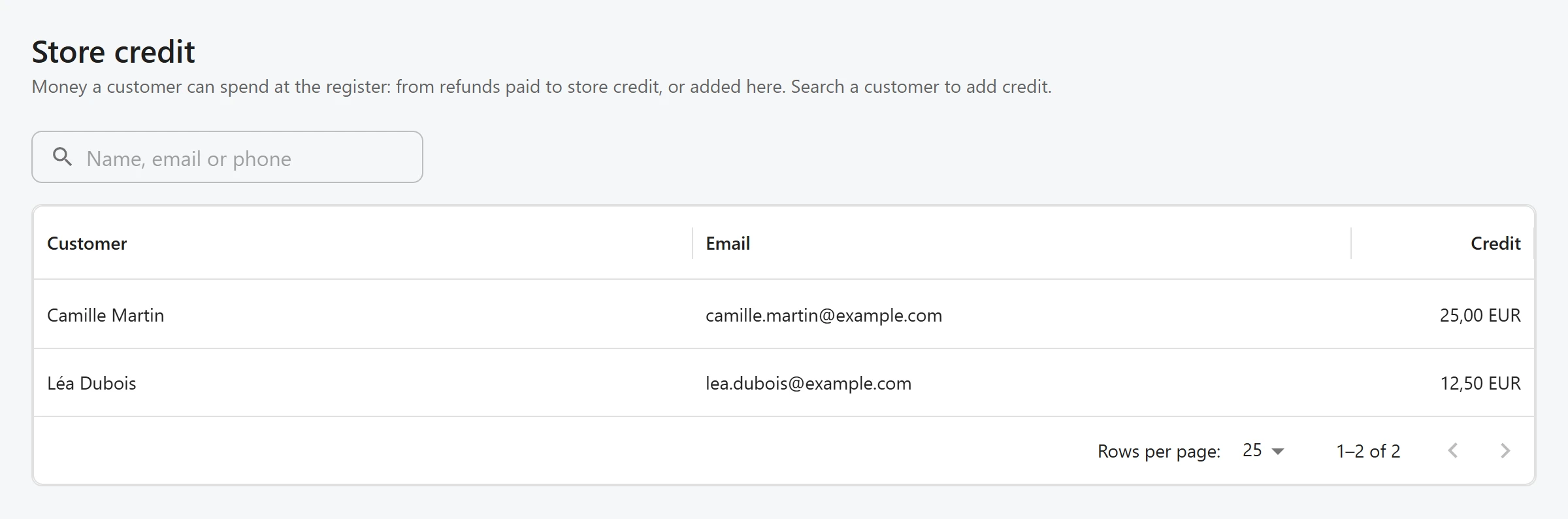
Open Plugixa POS > Store credit (in the Sales group). Without a search, the list shows the customers who hold credit, largest balance first, with Customer, Email and Credit.
To find any customer, including one with no credit yet, type in the search box. The search looks at the user name, email and display name. Click a customer to open them.
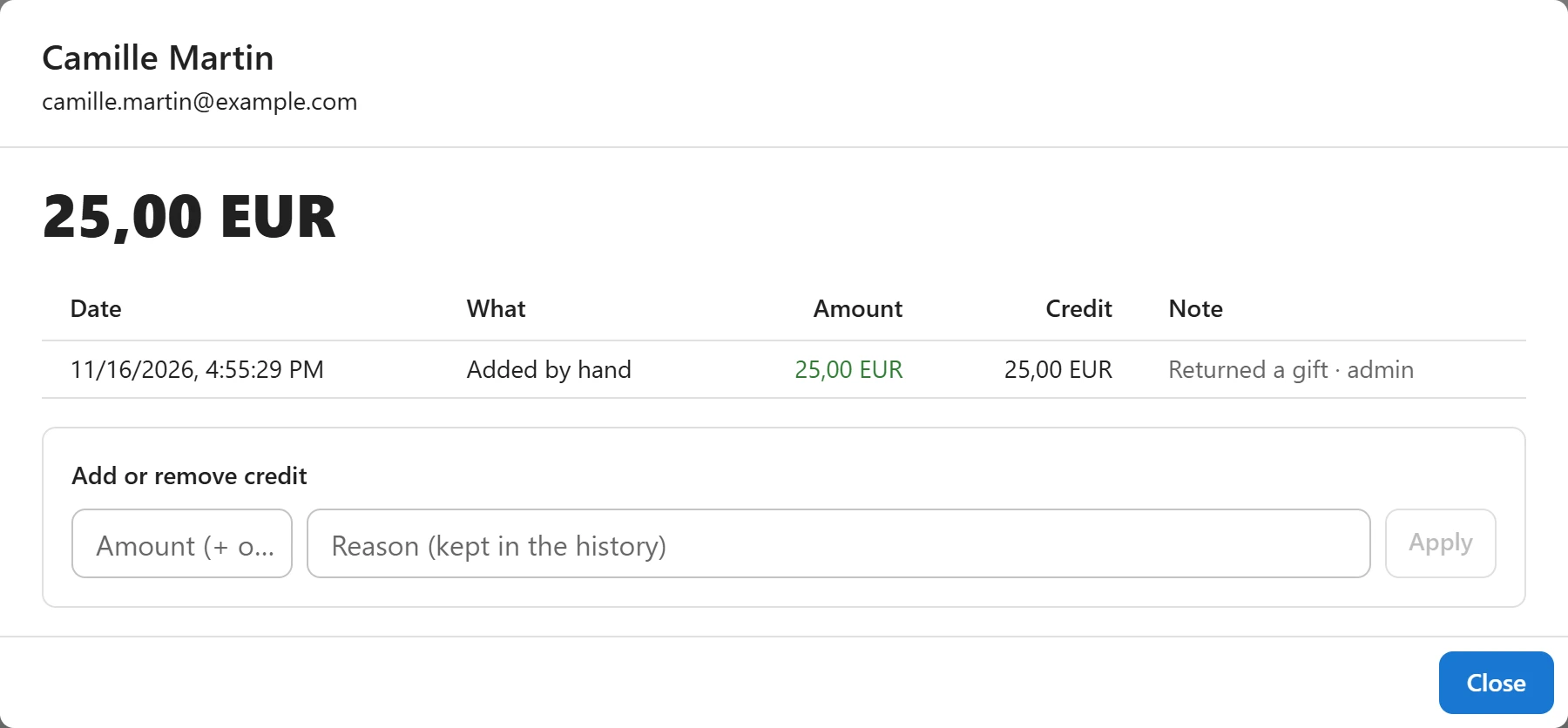
The window shows the balance and the last 200 movements, newest first, with the date, what happened, the amount, the balance after it, and the note and user who made it.
To add or remove credit:
- In Add or remove credit, type an Amount (+ or -), for example
10or-5. - Type a Reason (kept in the history). It is required.
- Click Apply.
A change can never take the balance below zero. Every change made by hand is also written to the audit log.
Who can do what
Using and topping up credit at the register is part of selling. The Store credit screen needs the permission to manage settings. See Staff access.
Quick Links
Share