

Contents
On this page
Held sales - Plugixa POS for WooCommerce
A customer forgot their wallet in the car, or wants to try one more size. Instead of making the queue wait, hold the sale: the cart is put aside, the register is free for the next customer, and you pick the held sale up again when they are back.
Hold a sale
- With products in the cart, click Hold at the top of the cart, or press F8.
- In Hold this sale, type a Name or note (optional), for example the customer’s name or “back in 10 min”.
- Click Hold.
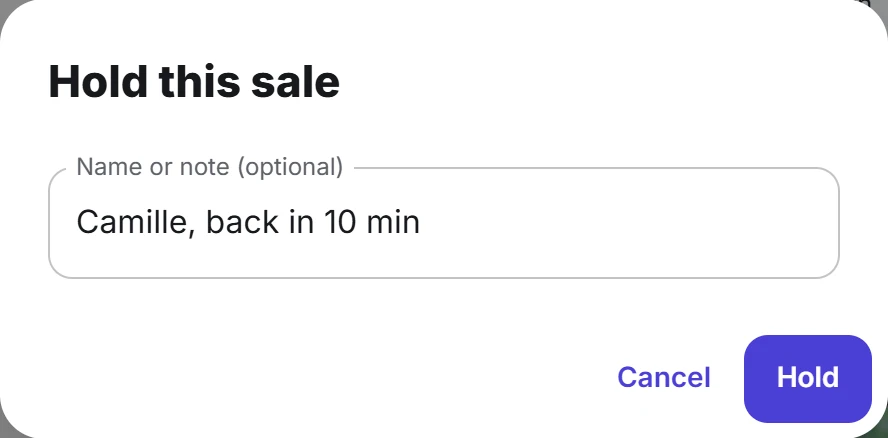
The cart is emptied and ready for the next sale. The Held button now shows how many sales are waiting.
A held sale keeps its lines with their notes and discounts, the customer, the discount on the sale and any coupon codes. It is not an order yet: nothing is paid, nothing is written to the fiscal journal and the stock does not change until the sale is completed.
Resume a held sale
- Click Held at the top of the cart, or press F10.
- In Held sales, click the sale to resume.
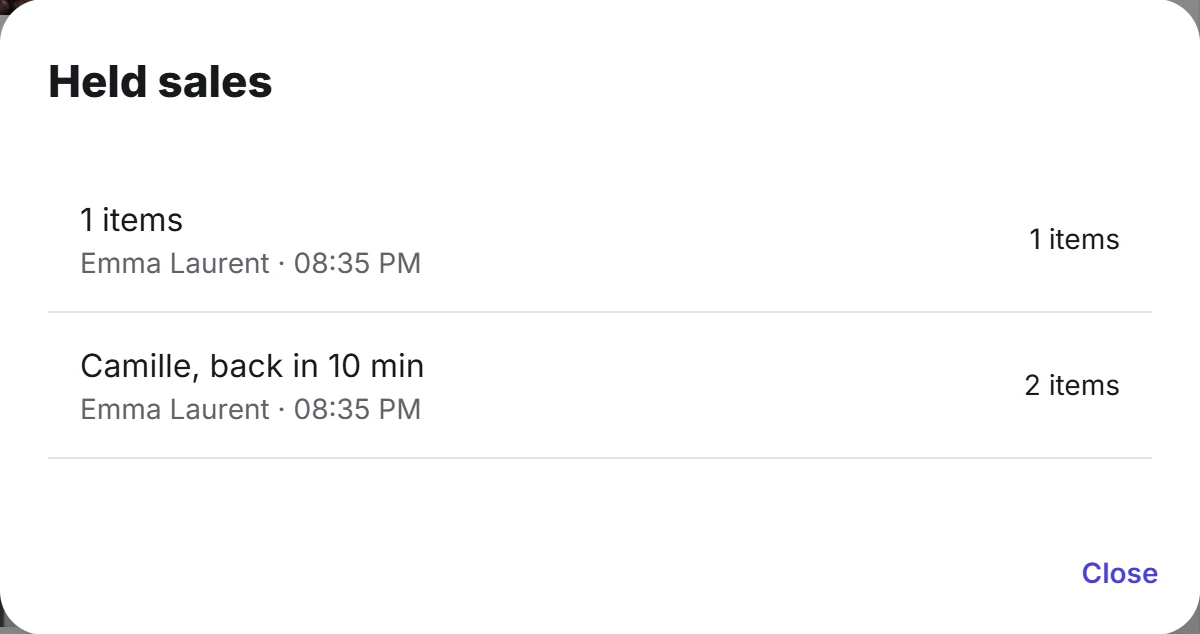
Each row shows the name or note you typed (or the number of lines when you left it empty), the cashier who held it, the time it was held and how many items it holds. The newest is at the top.
The sale comes back into the cart and leaves the list, so it can only be resumed once. If another cashier resumed it a moment before you, the register says This held cart was already resumed.
When the cart is not empty
Resuming replaces the cart you have now. When the cart holds anything, the Held sales window warns: Resuming replaces the cart you have now. Hold or clear it first if you need it. Hold the current sale first if you still need it.
Held sales are shared by the store
Held sales are kept on the server, not on the device, and every register of the same store sees the same list. A sale held at Front counter can be resumed and paid at Gift corner.
With Pro and several stores PRO, each store has its own list: a sale held in one store cannot be resumed in another. See Multi-store.
The list shows the 100 most recent held sales. A cart that is too large to keep is refused with This cart is too large to hold.
Prices when you resume
A held sale keeps the prices it had when it was held. When it is paid, the server prices the cart again. If a price changed in WooCommerce in the meantime, the payment is refused with Prices changed since the cart was built. Check the new total and pay again. The cart still shows the old price: go back to the cart, remove the line whose price changed, add the product again so it takes the current price, and press Pay again.
Held sales, quotes and layaways
A held sale is for minutes or hours, at the counter. For a cart a customer wants to think about for days, Pro has other tools PRO:
Quick Links
Share