

Contents
On this page
Boat pages, search and the boat grid - Plugixa Boat Rental
Every boat you put on sale gets a public page of its own, and you can list your boats on any page with a grid or a search form. This page explains what those pages show and how the search decides which boats match. To place the shortcodes and blocks themselves, see Shortcodes and blocks.
All of this is part of the free plugin.
A boat’s own page
When you save a boat, the plugin creates a page for it under /boats/, named by the boat’s
Slug field, for example /boats/sea-breeze. You never edit this page in WordPress: it is kept in step
with the boat as you change it in Plugixa Boat Rental -> Boats.
- An Active boat has a published page.
- A boat you switch to inactive, or move to the trash, has its page taken off the site. The address comes back when the boat is active again.
- The page title is the boat’s Name, and the boat’s Main photo becomes the page’s featured image, so your theme shows both the way it shows any post.
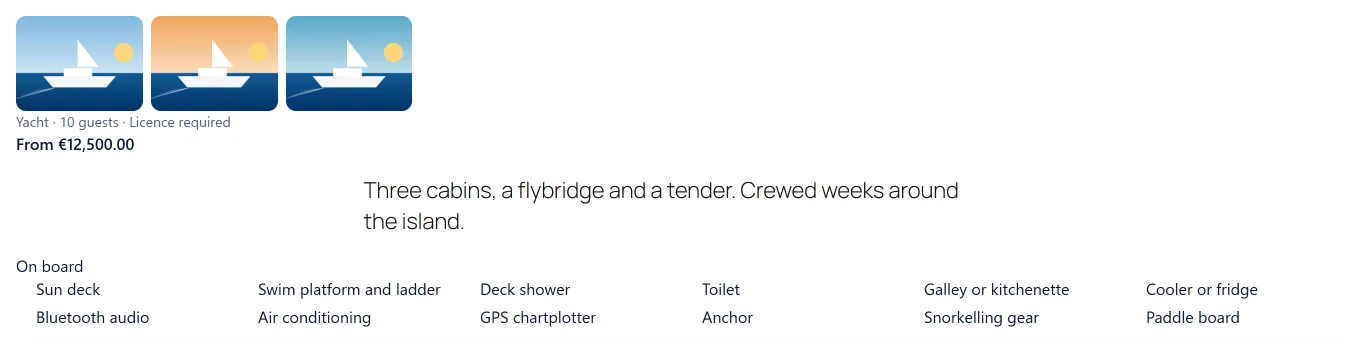
Under the title, the page shows, in this order:
- The gallery: the boat’s other photos. Each one opens at full size when clicked, and no script is needed.
- A line of facts: the boat’s type, how many guests it takes, its engine power, and Licence required or Skipper included when the boat has a licence rule.
- The licence note, when it applies (see below).
- The lowest price, as From followed by the amount.
- The boat’s Description.
- On board: the checklist of amenities you ticked on the boat.
- The booking form for this boat.
- Similar boats (see below), and with Pro the boat’s reviews PRO.
Photos
A boat’s form has a Photos section with two pickers, both using the WordPress media library:
| Field | Used for |
|---|---|
| Main photo | The picture on the boat’s card in a grid, and the featured image of its page. |
| Gallery | The other photos, in the order you put them, shown on the boat’s page. |
Grid cards show the main photo only.
On board
The On board section of a boat’s form is a checklist. Tick what the boat has, and the ticked items are listed on its page under the description. The list is:
Bimini or sun shade, Sun deck, Swim platform and ladder, Deck shower, Toilet, Galley or kitchenette, Cooler or fridge, Bluetooth audio, USB charging, Wi-Fi, Air conditioning, GPS chartplotter, Autopilot, Anchor, Snorkelling gear, Paddle board, Water ski or tube towing, Children’s life jackets.
The words are part of the plugin’s translations, so they follow the site’s language. A
developer can add items with the plugixa_boatrental_boat_amenities filter (see
Hooks).
The licence note
Some boats need a boating licence to drive. The licence note is one line shown on the boat’s card and its page for boats whose engine is more powerful than a figure you choose. Set it in Plugixa Boat Rental -> Settings -> General, card Licence note:
| Setting | Default | What it does |
|---|---|---|
| Show the note over (HP) | 0 | Boats with more engine power than this show the note. 0 shows it on none. |
| Note | Empty | The text. Left empty, the standard wording is used: “A boating licence is required for engines over {hp} HP.” {hp} is replaced by the figure above. |
A boat whose Licence field is Skipper mandatory never shows the note, because its customers do not drive it. Your own wording can be translated with WPML (see Multilingual).
Similar boats
Under a boat’s own page, the plugin suggests up to three other boats. A boat is suggested when it:
- is kept at the same marina,
- is active, has a page and has a price,
- and is of the same type, or takes between half and one and a half times as many guests.
Boats of the same type come first, then the ones closest in number of guests. The suggestions use the same cards as the boat grid. They do not check availability for a date: the boat’s own page does that when the customer picks one.
Similar boats appear only on the boat’s own page, not under the Single Boat block or
shortcode. A developer can change how many are shown, or hide them, with the
plugixa_boatrental_similar_boats_count filter (0 hides them, 12 at most).
The boat grid
The boat grid lists your boats as cards. Add the Boat Grid block, or the shortcode:
[plugixa_boat_rental_boats]
Each card shows the main photo, the name, the facts line, the licence note when it applies, the From price, and a View and book button that opens the boat’s page. With the Verified reviews app PRO, a reviewed boat’s card also shows its stars and number of reviews.
A boat is listed only when it is active and has a page. The grid follows the boats’ order in your fleet list.
The shortcode takes these attributes:
| Attribute | What it does |
|---|---|
location |
Only boats kept at this marina, by its ID. |
type |
Only boats of this type, by the type’s slug. |
guests |
Only boats that take at least this many guests. |
limit |
How many boats at most. Default 24. |
date |
Only boats that can be booked on this day, as 2027-07-03. |
price_min, price_max |
Only boats whose lowest price is in this range. |
skipper |
with for boats that always go with a skipper, without for the others. |
For example, the boats at marina 2 for six guests or more:
[plugixa_boat_rental_boats location="2" guests="6"]
When nothing matches, the grid says “No boats match your search.”
The boat search
The search is a form with the matching boats under it. Add the Boat Search block, or:
[plugixa_boat_rental_search]
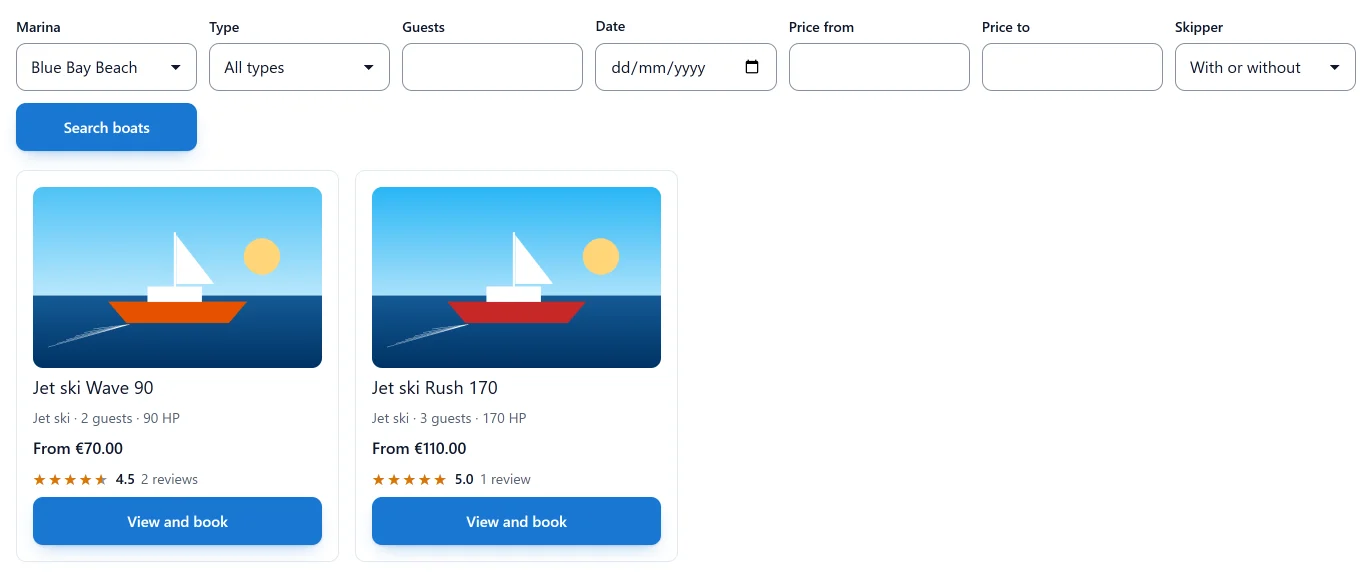
The form asks for:
| Field | Matches |
|---|---|
| Marina | Boats kept at that marina, or All marinas. |
| Type | Boats of that type, or All types. |
| Guests | Boats that take at least that many. |
| Date | Boats that can be booked on that day. |
| Price from, Price to | Boats whose lowest price is in the range. |
| Skipper | With a skipper, Without a skipper, or With or without. |
The customer clicks Search boats. The form is a plain web address, so a search result can be bookmarked or shared as a link.
How the date is matched
A boat matches a date when some of that day can be booked, not only the whole of it. A boat that is taken in the morning and free in the afternoon is found. The search uses the same checks as a real booking: the marina’s opening hours and closures, the boat’s booking mode, its buffers, and the bookings already made. A charter boat is tried with its shortest charter starting that day.
A boat with no price is never found by a date search, however free it is.
How the price is matched
The price compared is the From price on the boat’s card: the lowest price the boat lists, before any seasonal or weekend rule PRO. If your marinas use different currencies, the amounts are compared as plain numbers.
How the skipper is matched
In the free plugin, With a skipper finds boats whose Licence is Skipper mandatory, and Without a skipper finds the others. With the Skippers and crew app PRO, a boat whose skipper is optional matches both, and a search for one with a skipper on a date also needs a skipper free that day. See Skippers.
The Single Boat block
To show one boat inside any page, use the Single Boat block or the shortcode:
[plugixa_boat_rental_boat id="3"]
It shows the boat’s main photo, name, gallery, facts, licence note, price, description and
On board list, then the booking form. In the block’s sidebar, Which boat chooses
the boat (or The boat whose page this is), and Show the booking form under the boat
turns the form on or off. The shortcode does the same with booking="no". The editor
preview leaves the booking form out.
If the boat is inactive or does not exist, the block says “That boat is not available.”
Quick Links
Share