

Contents
On this page
Tax and PDF invoices - Plugixa Boat Rental
Tax rates and PDF invoices PRO add the taxes you charge to each booking’s price, and turn the booking’s invoice into a PDF file the customer can download and receives with their emails.
Tax rates and Invoice PDF are two apps in the App manager, both on by default in Pro.
Tax rates
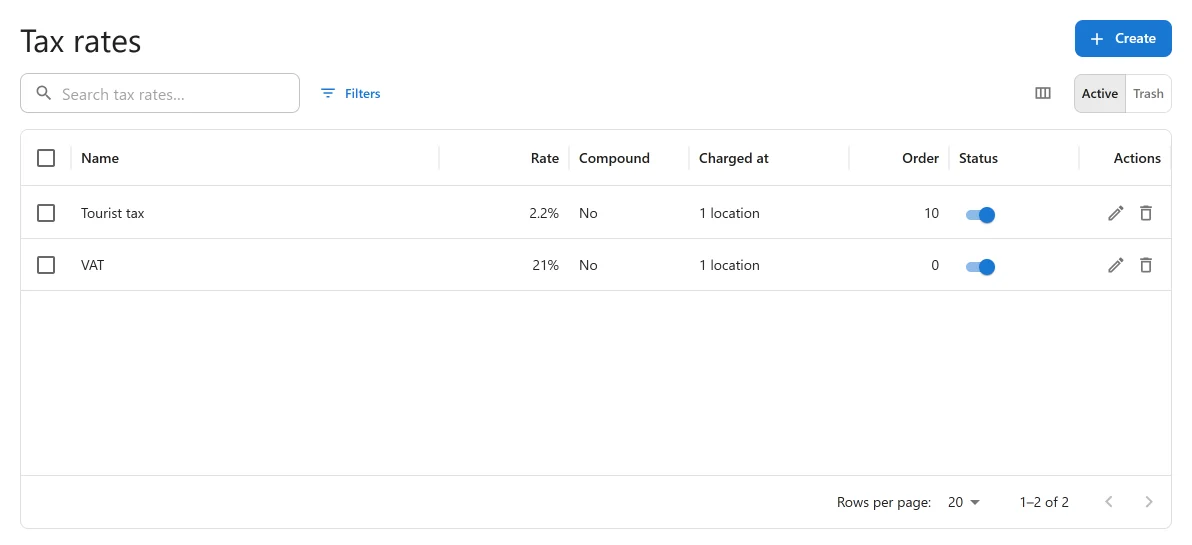
Find them under Plugixa Boat Rental -> Tax rates, in the Sales group of the menu.
“A tax rate is added to a booking’s total after any discount: VAT, a sales tax, a local levy. Every active rate that applies at the location is charged.”
Prices you enter on boats and extras are therefore before tax. The tax is added on top, as its own line on the price breakdown.
Making a tax rate
Press the add button on the list to open New tax rate.
| Field | Default | What it does |
|---|---|---|
| Status | Active | “Only an active rate is charged.” |
| Order | 0 | “Rates are charged lowest number first, which decides what a compound rate is charged on.” |
| Name | Empty | Required. “Shown to the customer on the price breakdown, for example VAT.” |
| Type | Percentage | Percentage, Fixed amount or Per guest, per night (tourist tax). |
| Rate | 0 | For a percentage: “A share of the total after any discount.” Between 0 and 100. For a fixed amount: “The same amount on every booking, whatever its total.” For a tourist tax: “An amount for each guest and each night, as a tourist tax is levied.” |
| Compound: charge it on top of the tax before it | Off | “A compound rate is worked out on the total plus the rates charged ahead of it. Left off, it is worked out on the untaxed total.” |
| Charged at | Every location | “Leave empty to charge the rate at every location.” |
| Charged on | The whole booking | Limit the rate to some kinds of line: The rental, Extras, Fuel package, Booking fee. “Leave empty to charge it on the whole booking.” |
How tax is worked out
- The subtotal is the rental after pricing rules, plus extras and fuel.
- A coupon takes its share off.
- Each active rate that applies at the booking’s location is charged, lowest Order first, each as its own line.
A rate limited to some lines is charged on those lines only, each after its share of the discount. So one booking can carry one VAT rate on the rental and another on the fuel package.
A tourist tax counts guests times nights. Nights are counted between calendar days, and a trip that starts and ends on the same day counts as one night. A booking with no guest count counts as one guest.
Examples
| Tax | Type | Rate | Charged on | Compound |
|---|---|---|---|---|
| VAT 20% | Percentage | 20 | The whole booking | Off |
| Reduced VAT on the rental only | Percentage | 10 | The rental | Off |
| Harbour levy | Fixed amount | 3 | The whole booking | Off |
| Tourist tax | Per guest, per night | 1.50 | The whole booking | Off |
| Regional surtax on top of VAT | Percentage | 1 | The whole booking | On, with a higher Order than the VAT |
Changing rates later
A booking keeps the tax it was priced with. Adding, changing or switching off a rate, or switching the whole app off, changes no booking already made. A booking moved to other dates is priced again, with the rates of the moment.
Where tax shows
- On the booking form’s price breakdown and the customer’s booking page, one line per rate.
- On the invoice, as a Tax row in the totals.
- In the bookings export, as a Tax column ahead of the total. See Import and export.
A gift card sold online carries no tax: it is a way to pay, and the booking it pays for carries its own. See Gift cards.
PDF invoices
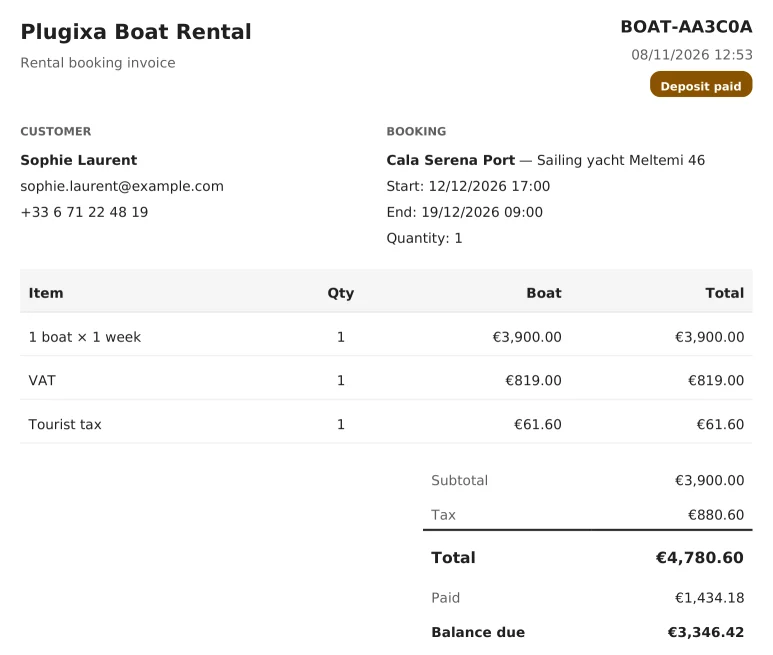
Every booking has an invoice in the free plugin: the summary of the booking on the customer’s booking page, with the items, the subtotal, any discount, the total, what has been paid and the Balance due. See Payments.
The Invoice PDF app turns that same invoice into a PDF file:
- Download PDF is added to the actions on the customer’s booking summary page.
- The PDF is attached to every email the plugin sends the customer about their booking.
The PDF shows your Business name (set under Settings, or your site’s title), “Rental booking invoice”, the customer and what they entered in your form’s own fields, the location and boat, the start and end, each item with its quantity and price, and the totals, including Tax and Balance due. The plugin does not give invoices a sequential number.
Requirements
The PDF library ships inside Pro, so there is nothing to install. If a server cannot make PDFs, the download link answers “PDF generation is unavailable on this server.” and emails are sent without the attachment.
The download link carries a key made for that booking. A link that has been edited answers “Invalid or expired invoice link.”
Quick Links
Share