

Contents
On this page
Dashboard - Plugixa Boat Rental
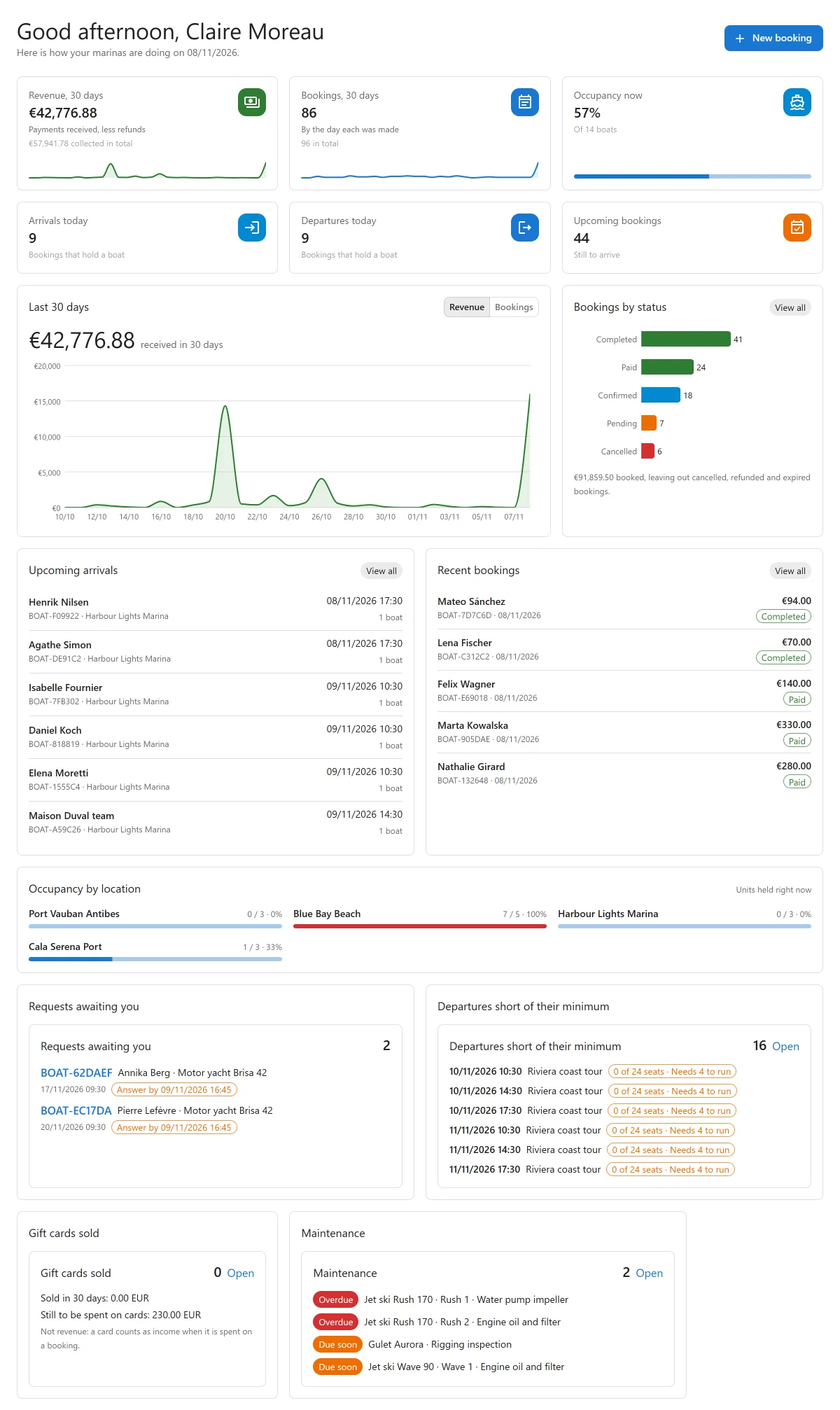
The dashboard is the first screen of Plugixa Boat Rental. It shows how your marinas are doing today and over the last 30 days. Every figure is counted from your bookings, payments and boats when the screen opens, and most of them are links to the bookings they count.
The dashboard is part of the core of the plugin and cannot be switched off.
The header
The greeting says good morning, good afternoon or good evening with your name, and the line under it gives today’s date: “Here is how your marinas are doing on (date).” Today is the site’s date, not the date on your own computer.
New booking opens the form for a booking taken by phone or at the dock. It shows only to people allowed to create bookings. See Bookings.
The six tiles
| Tile | What it counts | Opens |
|---|---|---|
| Revenue, 30 days | Payments received in the last 30 days, less refunds, with a small chart. Under it: the total collected since you started. | Payments |
| Bookings, 30 days | Bookings made in the last 30 days, by the day each was made. Under it: all bookings ever. | Bookings, filtered to those made in the period |
| Occupancy now | The share of your boats that a booking holds at this moment, “Of (n) boats”. The bar turns amber from 85% and red at 100%. | Bookings |
| Arrivals today | Bookings that hold a boat and depart today. | Bookings, filtered to today’s departures |
| Departures today | Bookings that hold a boat and return today. | Bookings, filtered to today’s returns |
| Upcoming bookings | Bookings still to start, leaving out cancelled, refunded and expired ones. | Bookings, filtered to those still to come |
“Bookings that hold a boat” means bookings in one of the statuses listed under Statuses that hold a boat in Settings -> Bookings (by default Pending, Confirmed, Paid and Completed). A pending booking whose hold has run out is not counted.
The number of boats behind Occupancy now is the number of active units across all your marinas.
Money in other currencies
The money figures are in the site’s currency. A marina can have a currency of its own (see Locations). Money taken in another currency is never added to the site’s figures. It is listed apart, with its currency code, under the tile: “In other currencies: 40.00 NZD, 12.50 EUR”.
Last 30 days
A chart of the last 30 days, today included. The Revenue and Bookings buttons switch between money received each day and bookings made each day. The big figure above the chart is the total for the 30 days.
Bookings by status
One bar per booking status, with how many bookings are in it. Click a bar to open the bookings in that status. Under the chart is the value of everything booked, leaving out cancelled, refunded and expired bookings. View all opens the bookings list.
Upcoming arrivals and Recent bookings
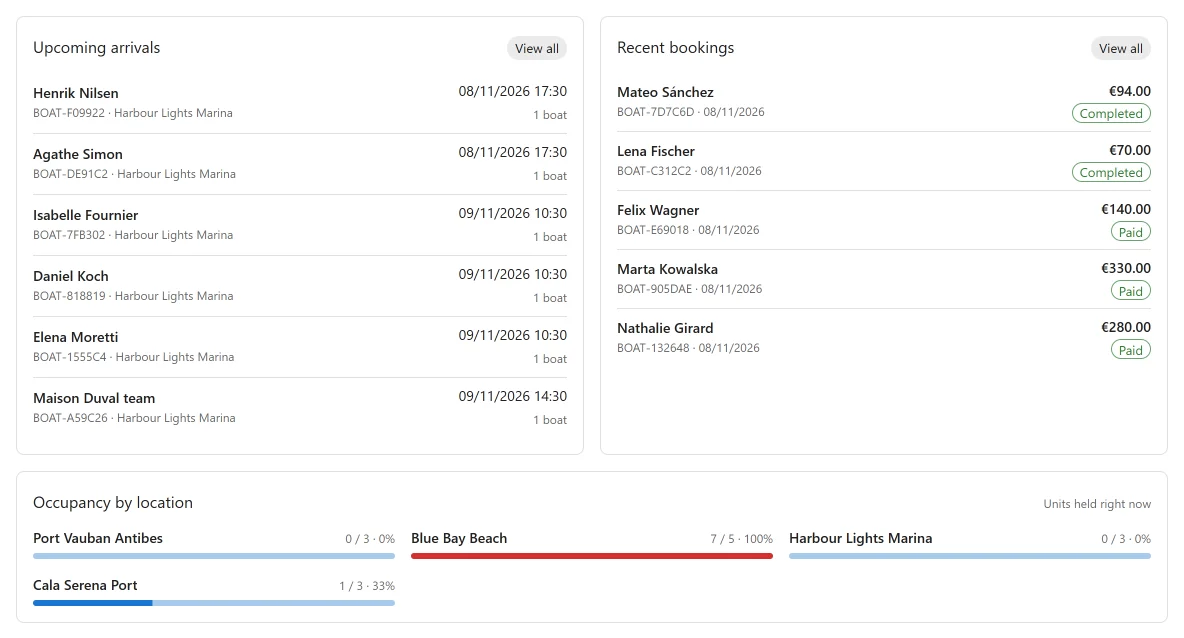
- Upcoming arrivals: the next six bookings to depart, soonest first, with the reference, the marina, the departure time and how many boats.
- Recent bookings: the five bookings made most recently, with the reference, the date, the total and the status.
Click a row to open that booking. View all opens the bookings list.
Occupancy by location
One bar per marina: the units a booking holds right now, out of the units the marina has, and the percentage. Click a marina’s name to open its bookings. A marina with no boats is not shown.
Pro cards
With Pro, apps that are switched on add their own cards to the dashboard:
| Card | App | See |
|---|---|---|
| Requests awaiting you PRO | Request to book | Request to book |
| Departures short of their minimum PRO | Tours | Shared trips sold by the seat |
| Gift cards sold PRO | Gift card sales | Gift cards |
| Maintenance PRO | Maintenance | Maintenance |
In the free plugin, a card at the bottom of the dashboard describes Pro. Close it with its cross and it stays closed in that browser.
When there is nothing to show
Each card says so in words rather than drawing an empty chart. For example, a new site’s Occupancy by location reads “No location has boats yet. Give a location its boats and it is measured here.”
Quick Links
Share