

Contents
On this page
Boat owners and payouts - Plugixa Boat Rental
Boat owners and payouts PRO are for a marina or charter company that rents out boats belonging to other people. You record who owns which boat and what share the site keeps. Each booking of an owned boat then earns its owner the rest, from the money the booking really brought in. You pay owners in payouts with a statement, and each owner can sign in to a read-only page to see their boats, bookings, earnings and statements.
This feature needs a Pro licence for unlimited sites. See What needs the unlimited sites licence below.
Switching it on
Boat owners is the Boat owners and payouts app in the App manager. It is off by default. Once it is on you get:
- Plugixa Boat Rental -> Sales -> Boat owners: the owners, and their requests to keep their own boat on some dates.
- Plugixa Boat Rental -> Sales -> Owner payouts: drafts, paid payouts and statements.
- An Owner panel on each boat’s form.
- Plugixa Boat Rental -> Settings -> Boat owners: the shares and the owners’ page.
- An Owners tab in Reports.
Owners keeping their own boat on some dates also needs the Timeline app. See Booking calendar.
Settings
Plugixa Boat Rental -> Settings -> Boat owners:
| Setting | Default | What it does |
|---|---|---|
| Share of | The boat’s price only | What the owner’s share is taken from. The boat’s price and the extras adds extras. Everything before tax, extras included takes the whole price before tax. |
| A new owner’s site share (%) | 20 | The share the site keeps, filled in for each new owner. |
| Draft every owner’s payout on the first of each month | Off | Makes a draft for every owner up to the last day of the month before. You still check and mark each one paid. |
| An owner keeping their boat needs your approval | On | Off: a request that does not clash with a booking blocks the boat at once. |
| Owners’ page | None | The page that holds the owners’ page shortcode. Emails to owners link to it. |
Adding owners
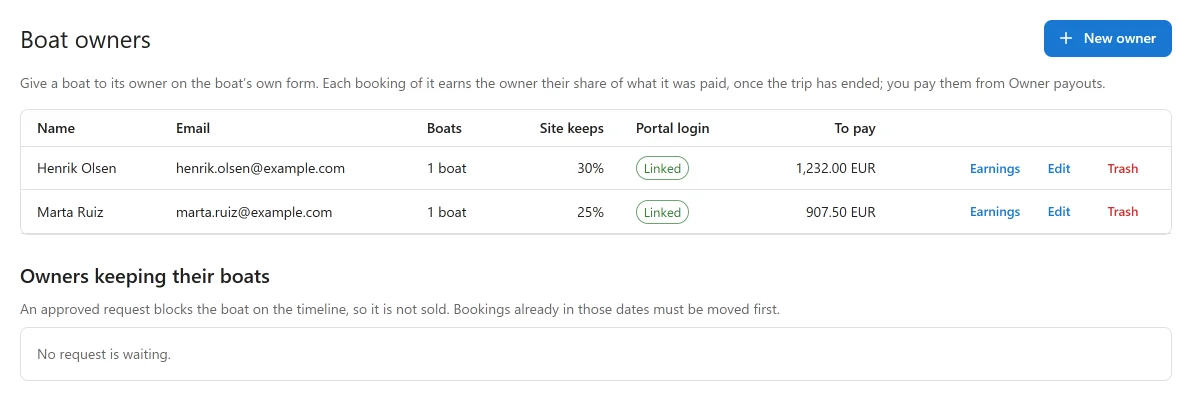
On Boat owners, click New owner and fill in the Name, Email, Phone, Notes and The site keeps (%). The owner is paid the rest. Your own boats need nothing here.
To let an owner see their page, either link an existing WordPress account under Portal login, or click Give a login: the plugin makes a WordPress login for the owner’s email and emails them a link to set its password. A linked login gets the WordPress role Boat owner, which can read and nothing else.
Giving a boat to its owner
Open the boat’s form. In the Owner panel:
| Field | What it does |
|---|---|
| Belongs to | The owner, or This site (no owner). A boat has one owner. |
| Site keeps for this boat (%) | Empty: the owner’s usual share. |
| Earns the owner from | Trips that ended before this day were the site’s and earn nobody. |
Changing a percentage applies to bookings made from then on. Bookings already made keep the share they were made with.
How an owner’s share is worked out
- From money collected, not money booked. The share is taken from what the booking was actually paid, never more than it costs, with refunds taken off. Store credit and gift cards are left out, and so is tax: tax is never shared. A booking paid half earns half.
- From the basis you chose. By default only the boat’s price after any discount, so extras, fees, fuel, the skipper and tax are the site’s.
- Earned when the trip ends. Until then the line shows Trip to come. After it, Earned, to be paid.
- Cancellations. A cancelled or refunded booking earns at once for what the cancellation kept, so the owner gets their share of the cancellation fee. An expired hold, or a booking in the trash, earns nothing.
- A paid line is never changed. A refund after a payout is a negative line, taken off the owner’s next payout.
- Each currency is paid apart.
Earnings on an owner’s row opens every line of that owner, newest trip first.
Paying owners
On Owner payouts, click Draft payouts, choose the owner (or Every owner) and Earnings up to and including a day, and optionally one currency, then Make drafts. You get one draft per owner and currency, holding every earned line up to that day that is not yet paid. A draft holds its lines, so nothing is paid twice. A draft that would add up to nothing or less is not made: the balance waits for more earnings.
Then, for each draft:
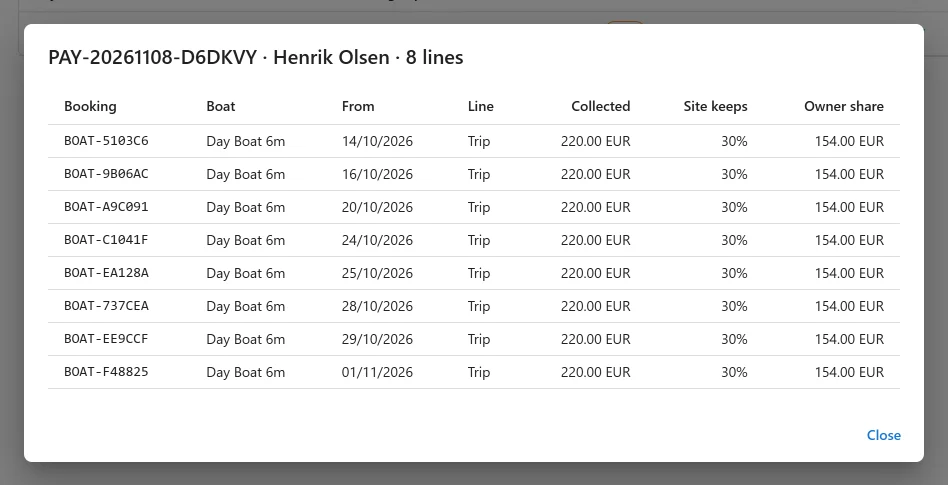
- Mark paid: enter the bank transfer’s Reference and a note. A paid payout is final and cannot be changed. With Email the owner their statement ticked, the owner is emailed the statement and a link to their page.
- Void: its earnings go back to waiting for the next payout.
- CSV and PDF: download the statement, for a draft or a paid payout. On a statement, customers are named by first name only. If the server cannot make a PDF, download the CSV.
The App manager will not switch the app off while a draft is waiting.
The owners’ page
Put this shortcode on a page and choose that page under Owners’ page in the settings:
[plugixa_boat_rental_owner_portal]
| Who opens it | What they see |
|---|---|
| Somebody signed out | A login form. |
| A login not linked to an owner | A short refusal. |
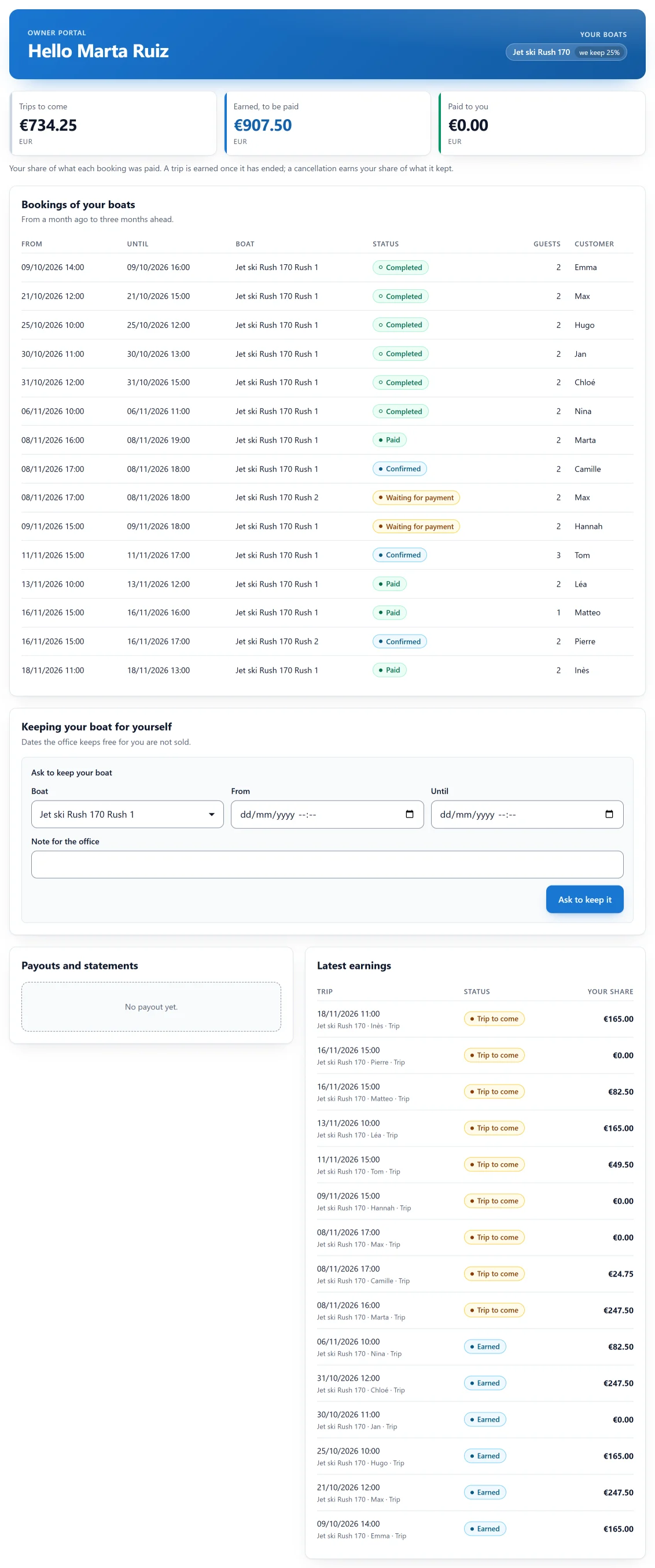
| An owner | Balances per currency (trips to come, earned to be paid, paid), their boats with the share the site keeps, bookings of their boats from a month ago to three months ahead, their requests to keep their boat, paid payouts with CSV and PDF statements, and their latest earnings. |
Bookings show dates, boat, status and number of guests, with the customer’s first name only: no email, phone or address. The page has no month calendar: it lists the coming three months by date.
An owner only ever sees their own boats. This is closed by default: even if someone gives an owner’s login more access in WordPress, the owner still sees only their own boats and bookings, and cannot change anything. Administrators are never narrowed, so you can link your own login to an owner to try the page.
Owners keeping their own boat
With the Timeline app on, an owner can ask on their page to keep a boat for some dates, and withdraw the request.
- With approval on, the request waits under Owners keeping their boats on the Boat owners screen. Approve blocks the boat on the timeline, so it is not sold. Refuse asks for a reason, shown to the owner.
- With approval off, a request that clashes with no booking blocks the boat at once.
Bookings already in those dates must be moved first. Without the Timeline app the page tells the owner to ask the office.
What needs the unlimited sites licence
Boat owners is sold with the Pro licence for unlimited sites. Below that licence nothing is hidden or changed: owners, boats, earnings, payouts and the owners’ page stay as they are, earnings keep being counted, drafts already made can still be paid or voided, and statements still download. What is refused is new use: a new owner, giving a boat to a different owner, a new payout draft (the monthly draft too), and an owner asking to keep their boat. The screens say Boat owners come with the unlimited-sites licence.
Good to know
- An owner who has been paid before cannot be deleted for good: move them to the trash instead.
- A booking moved to another owner’s boat before any payout held it starts again with the new owner. Once paid, it stays with the owner it was paid to.
- Earnings are counted again after every booking, payment, cancellation or change, and once an hour for trips that have ended.
Quick Links
Share